
CiccioCri02 - Minecraft Skins & Skin History
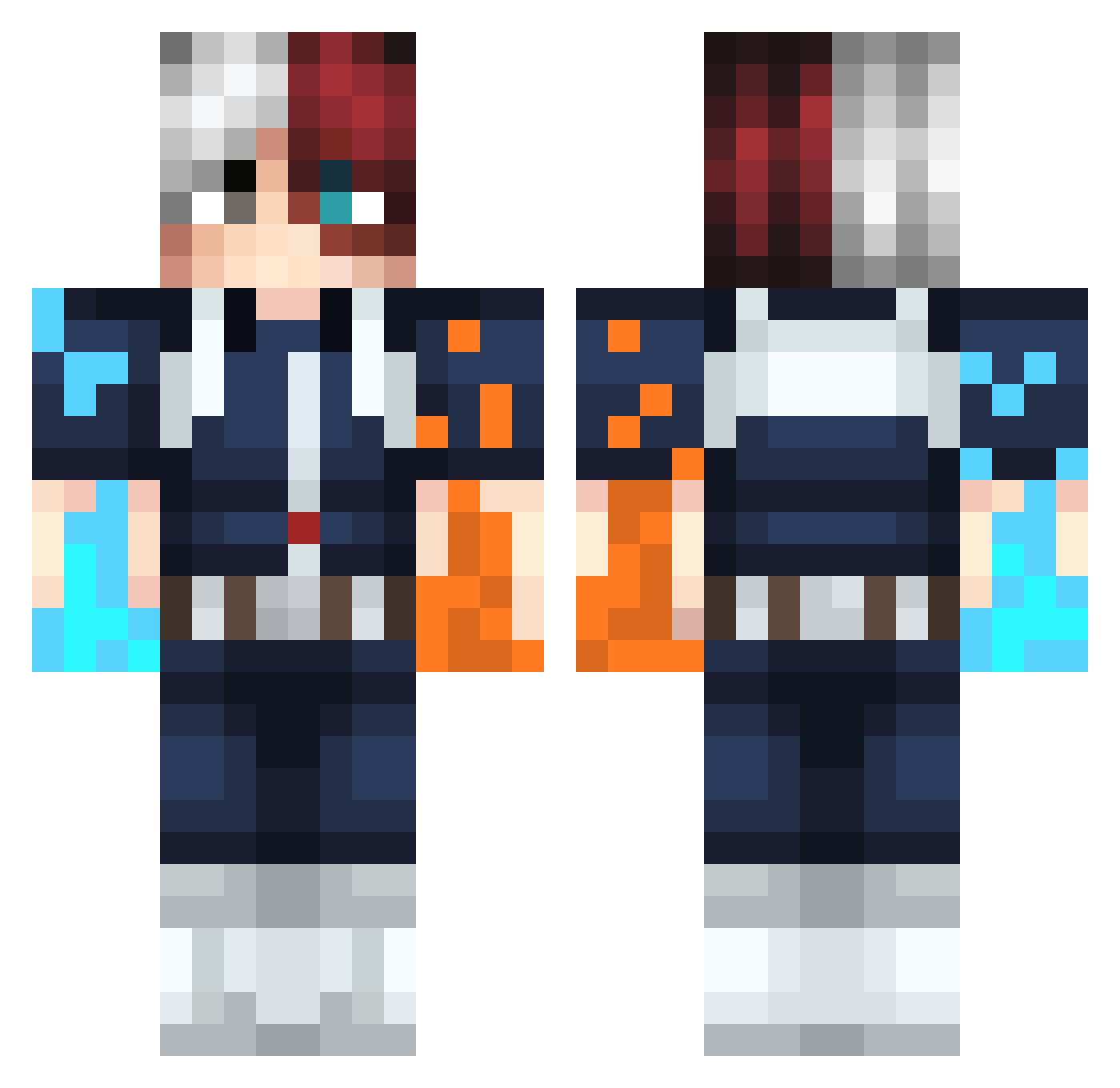
Current Minecraft skin of the player CiccioCri02, loaded from the official Mojang API. Rotate the 3D model with your mouse or finger, then download the skin as a PNG file and use it in Minecraft: Bedrock Edition or Java Edition for free. When CiccioCri02 changes their skin, this page updates automatically and the old skin stays in the history below.
Other players with this skin (323)
CiccioCri02 was the 213th player we have seen with this skin, first spotted on 14.10.2026. The same skin was seen on these players. Open a nickname to see their current skin and skin history.
 Metalix5 Shotoo23 leolienne24 Hon9z3 SteezY15incher HarderJaaku veronwii Chozyto Walle105 Yelena_ Makeoff s69Silk GamingsBravest Zzaayyy8 Zykho FeuCordage50311 Lenoso harry_two Dvalladares ArdanosIK fainfn Eluciadate Aatrox2132 Kante7 itamaroz10 AlexFire38 Gloomi4Umi Anthony5311 IShijo Anime_girl08 MiloJedi11 Bubizspectral TilSNeXuS87 Pelonete155 frazzles97 JorgeZ98 ZENISTU_ACKERMAN RadimarCraft KiuBy0 lupe_28_ Vt0rB0y FuLlLoad_ AM_Lunard Covanz Swerlz TheTactician_1 JRockFlav yutaropaku Mattgician22 Vipers31 sarathomp camipo Leozad4 ProneGem3955380 daewoks Fernoob98 Tree_RickelBeef Bedfluky Sensory_Lantern christian12003
More Shoto Todoroki Minecraft skins
See all 312 Shoto Todoroki skins
How to install the CiccioCri02 skin
- Press the Download button above to save the skin as a PNG file.
- Minecraft: Bedrock Edition (PE): open the Dressing Room from the main menu (or tap your character → Edit Character), go to Classic Skins → Owned, press the + (new skin) button, choose the downloaded PNG and pick the Classic (Steve) model. Works on PC and mobile; consoles cannot import custom skins.
- Minecraft: Java Edition: open the Minecraft Launcher, go to the Skins tab, click New Skin, load the PNG, pick the Classic (Steve) model and press Save & Use. You can also upload it at minecraft.net → Profile → Change Skin.
The skin does not show up after import - what should I do?
Restart Minecraft and open the Dressing Room again - imported skins sometimes appear only after a restart. Also make sure you selected the imported skin and picked the Classic (Steve) model.
Which model should I choose, Classic or Slim?
This skin is designed for the Classic (Steve) model. If you pick the wrong model, the arms of the skin will look stretched or squeezed.
Is the skin of CiccioCri02 free to download?
Yes. Press Download, save the PNG file and use it in Minecraft: Bedrock Edition or Java Edition - no payment or registration needed. The skin also works on multiplayer servers and Realms.
More skins
Looking for more? Go back to all Minecraft skins and check the top skins of the week, month and all time, or find any player's skin by nickname.