
ChocoDDalgi - Minecraft Skins & Skin History
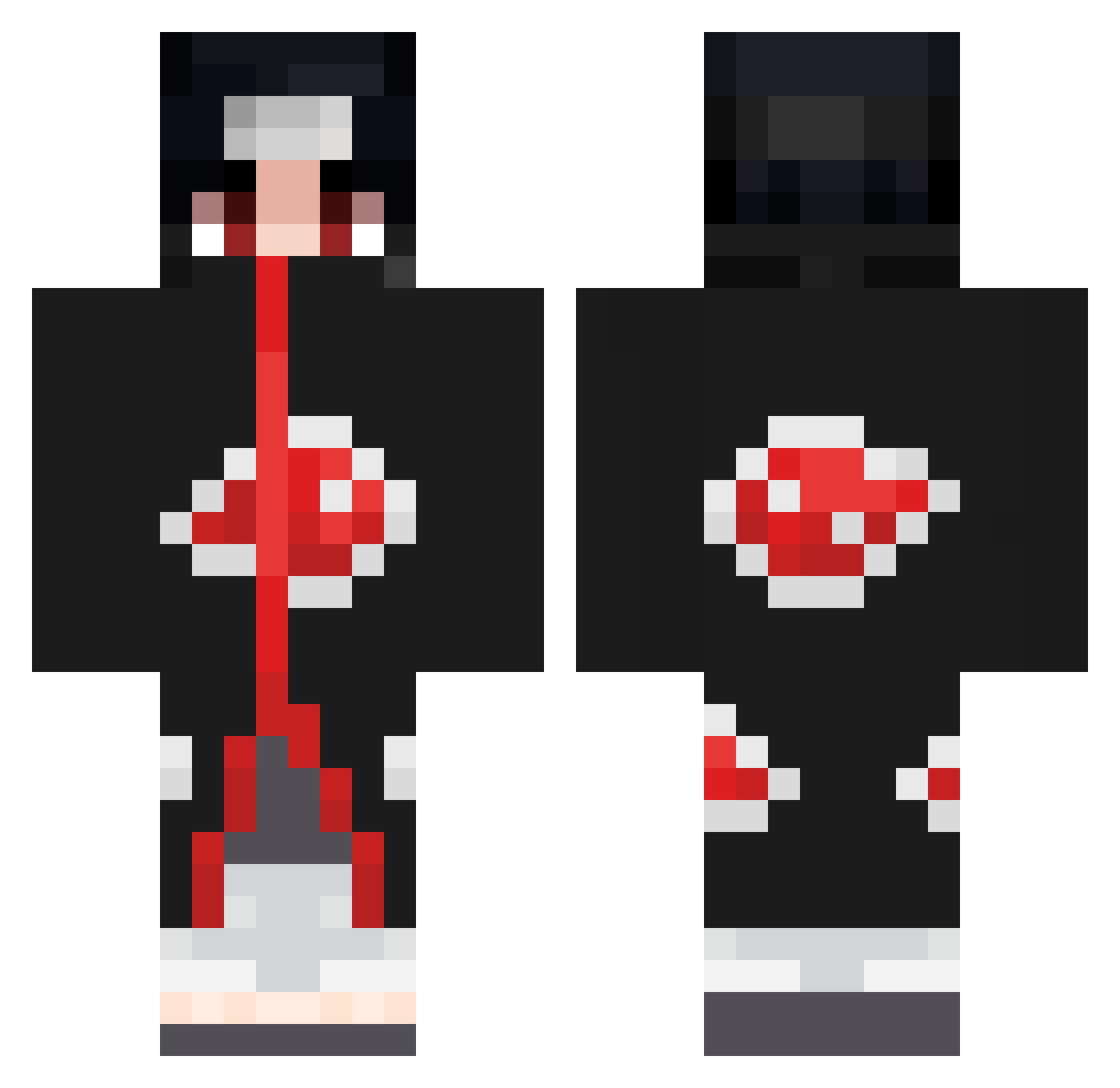
Current Minecraft skin of the player ChocoDDalgi, loaded from the official Mojang API. Rotate the 3D model with your mouse or finger, then download the skin as a PNG file and use it in Minecraft: Bedrock Edition or Java Edition for free. When ChocoDDalgi changes their skin, this page updates automatically and the old skin stays in the history below.
Other players with this skin (858)
ChocoDDalgi was the 741st player we have seen with this skin, first spotted on 28.10.2026. The same skin was seen on these players. Open a nickname to see their current skin and skin history.
 Thobalex13 SirxDumpsxAlot krizuu777 nsrrider7 ZRedBull Peytonawesome18 S1n_0f_De51re HeatherHill a1dann Ce1tas JellyJug sickrrrr Shabab34 aadirose44 Grateful_ daavid002 TIMZUSA Amaurii Illustrike_23 BraderZB ItsMilkyRipz Arica0 Nasko_27 Violence0074 Phantomplays405 Abbass12 Bugsy27 Tartiflette07 Baba_Yaga343 LeksaRS HarriSonicc Kerem63__ willyRwei LumExE ItachiWay WeniO Lth7 Deadshottz Slacher236 BLXXDLESS TamashiUchiha Hao081108 AndyGoesGaming Kruemel52 BCrispen Holy_Monkeyyy xBorderz L_gamer_L0 KingChrons AlexWolf3003 shadowaltair Lordjosepeth Lusern DarkMachineGun xRafeay _exodium matixmonster UchihaMATAO MrArRoWw Elidify
More Itachi Uchiha Minecraft skins
See all 371 Itachi Uchiha skins
How to install the ChocoDDalgi skin
- Press the Download button above to save the skin as a PNG file.
- Minecraft: Bedrock Edition (PE): open the Dressing Room from the main menu (or tap your character → Edit Character), go to Classic Skins → Owned, press the + (new skin) button, choose the downloaded PNG and pick the Classic (Steve) model. Works on PC and mobile; consoles cannot import custom skins.
- Minecraft: Java Edition: open the Minecraft Launcher, go to the Skins tab, click New Skin, load the PNG, pick the Classic (Steve) model and press Save & Use. You can also upload it at minecraft.net → Profile → Change Skin.
The skin does not show up after import - what should I do?
Restart Minecraft and open the Dressing Room again - imported skins sometimes appear only after a restart. Also make sure you selected the imported skin and picked the Classic (Steve) model.
Which model should I choose, Classic or Slim?
This skin is designed for the Classic (Steve) model. If you pick the wrong model, the arms of the skin will look stretched or squeezed.
Is the skin of ChocoDDalgi free to download?
Yes. Press Download, save the PNG file and use it in Minecraft: Bedrock Edition or Java Edition - no payment or registration needed. The skin also works on multiplayer servers and Realms.
More skins
Looking for more? Go back to all Minecraft skins and check the top skins of the week, month and all time, or find any player's skin by nickname.