
ChiikawaPlayer - Minecraft Skins & Skin History
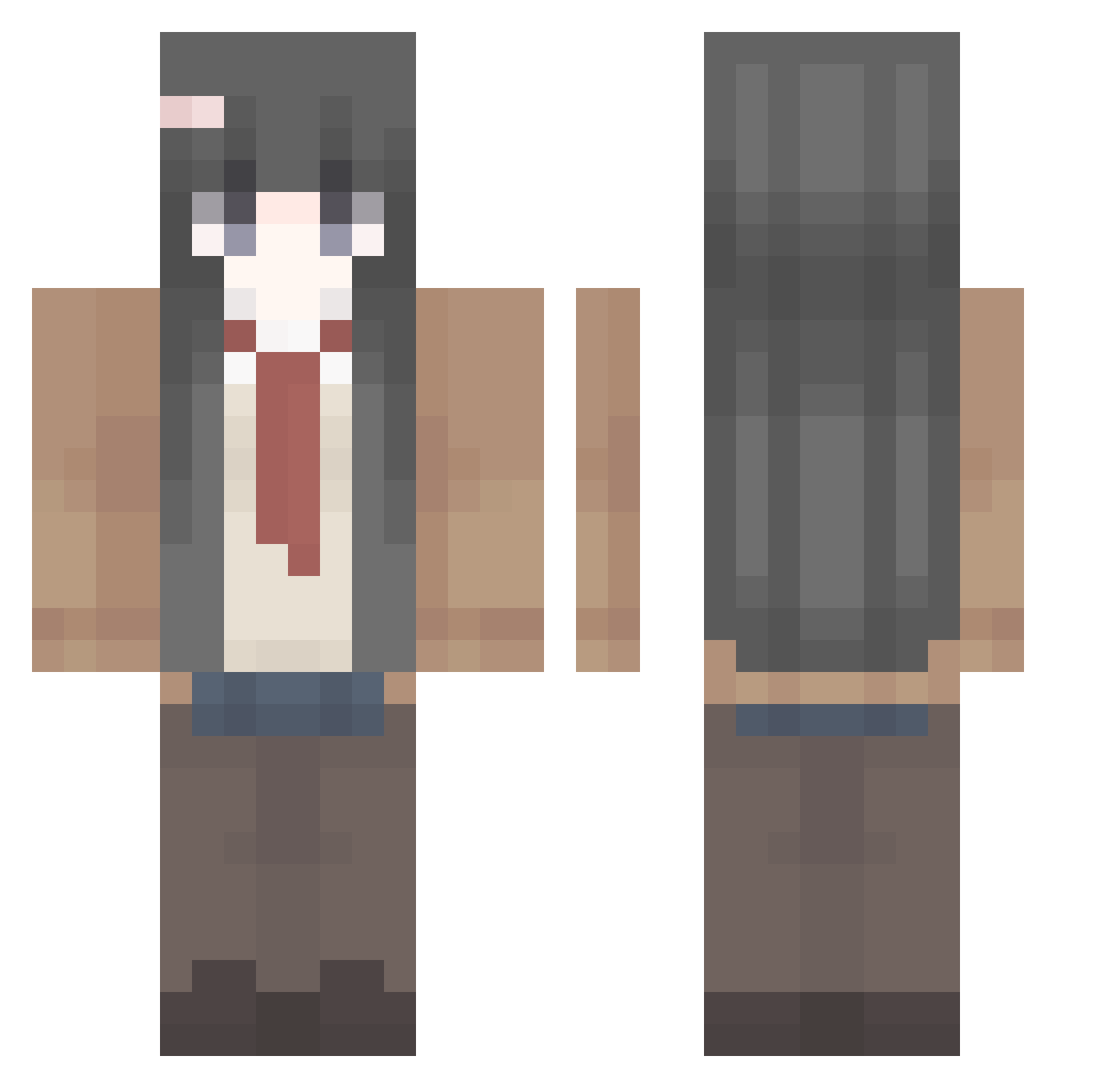
Current Minecraft skin of the player ChiikawaPlayer, loaded from the official Mojang API. Rotate the 3D model with your mouse or finger, then download the skin as a PNG file and use it in Minecraft: Bedrock Edition or Java Edition for free. When ChiikawaPlayer changes their skin, this page updates automatically and the old skin stays in the history below.
Other players with this skin (459)
ChiikawaPlayer was the 416th player we have seen with this skin, first spotted on 02.11.2026. The same skin was seen on these players. Open a nickname to see their current skin and skin history.
 MajimaGoro_ Umikaita shuaiming11 SHlORI BladeXeon leosecret WODAPOLARIS45 rainpppea pianchihe alvinmf Qib0018 Kuwnix_29 Jeong_S2 ruminatiion lue_yue kiki95490 qdf_z YuiFF jpamuko Rea1_lov5 youngun_man Sssav LizZy1020 LanAn41 Sat0no foreayal dio3379 milkss1202 hailillya qiherang xiaoxian_bi RealYuki Cheater0512 medanasco VictorXG286 JunielJay LBY_666 ginolo lqphya FORGETMENOT_1989 znh123698745 yYama_ Niyakkisuda Chavore Sakura87458 ponhato Rafah___ MoonlightLLL _BrimMinz_ Umbra514 Luminous951_TW SIFUFC zxcvbnm123_ KokitoDesu Hareilyne ASHES_BOY dong_xu DANK1NGV Ysagi_ wokul
More School Uniform Minecraft skins
See all 7162 School Uniform skins
How to install the ChiikawaPlayer skin
- Press the Download button above to save the skin as a PNG file.
- Minecraft: Bedrock Edition (PE): open the Dressing Room from the main menu (or tap your character → Edit Character), go to Classic Skins → Owned, press the + (new skin) button, choose the downloaded PNG and pick the Classic (Steve) model. Works on PC and mobile; consoles cannot import custom skins.
- Minecraft: Java Edition: open the Minecraft Launcher, go to the Skins tab, click New Skin, load the PNG, pick the Classic (Steve) model and press Save & Use. You can also upload it at minecraft.net → Profile → Change Skin.
The skin does not show up after import - what should I do?
Restart Minecraft and open the Dressing Room again - imported skins sometimes appear only after a restart. Also make sure you selected the imported skin and picked the Classic (Steve) model.
Which model should I choose, Classic or Slim?
This skin is designed for the Classic (Steve) model. If you pick the wrong model, the arms of the skin will look stretched or squeezed.
Is the skin of ChiikawaPlayer free to download?
Yes. Press Download, save the PNG file and use it in Minecraft: Bedrock Edition or Java Edition - no payment or registration needed. The skin also works on multiplayer servers and Realms.
More skins
Looking for more? Go back to all Minecraft skins and check the top skins of the week, month and all time, or find any player's skin by nickname.