
Chickenman_ - Minecraft Skins & Skin History
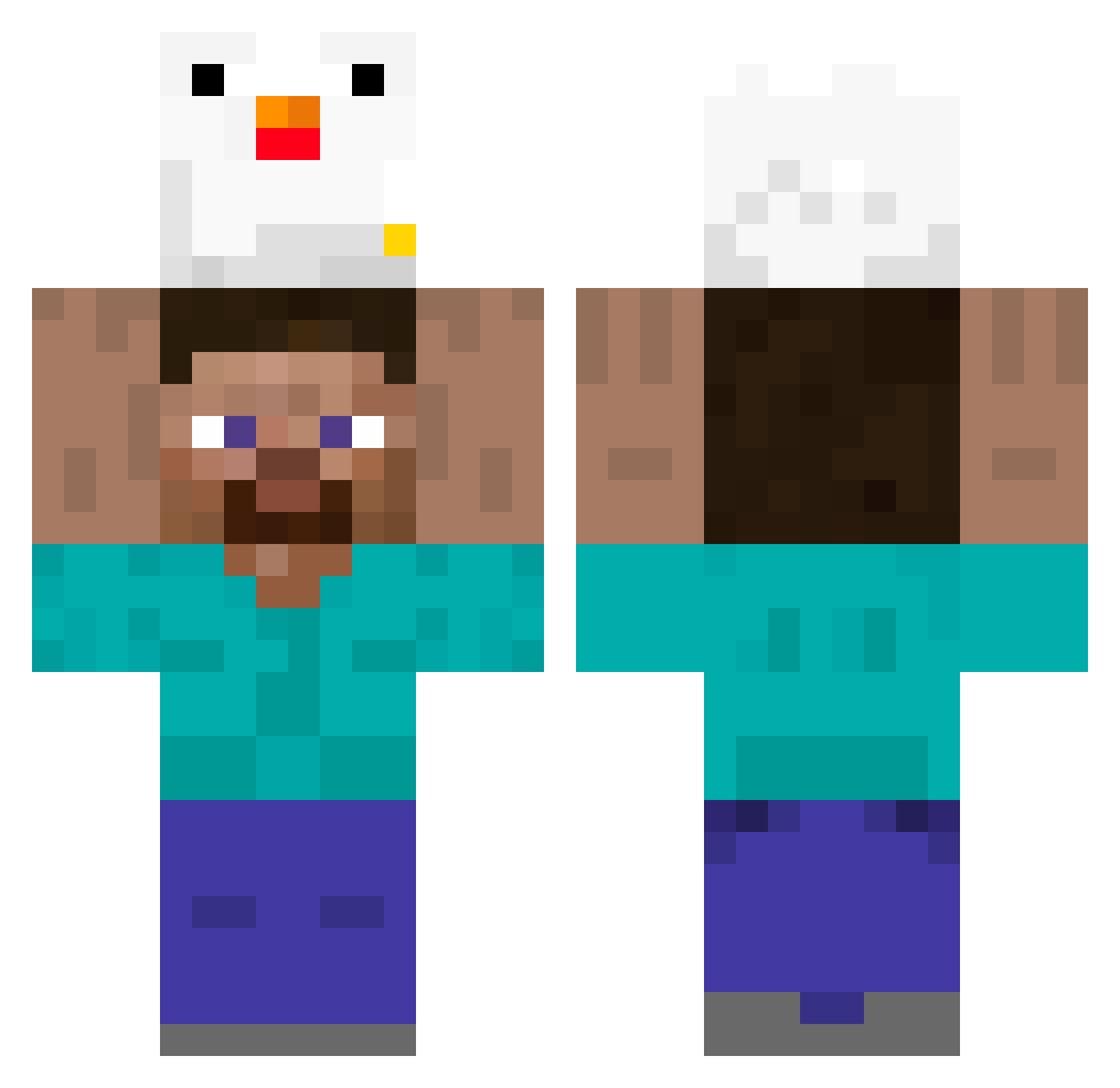
Current Minecraft skin of the player Chickenman_, loaded from the official Mojang API. Rotate the 3D model with your mouse or finger, then download the skin as a PNG file and use it in Minecraft: Bedrock Edition or Java Edition for free. When Chickenman_ changes their skin, this page updates automatically and the old skin stays in the history below.
Other players with this skin (395)
Chickenman_ was the 314th player we have seen with this skin, first spotted on 20.10.2026. The same skin was seen on these players. Open a nickname to see their current skin and skin history.
 METEBABO BuggedBug cha_n3 ArthurYes andt123 Sijun_ boiitech Go_mi_song RealMJL kaanbl4ck hansung0708 monkiiiiiiiiiiii YUARAXIAOCUN davi_fl Zhean666 Kentsai87 xCynicalCatx RBSPAIN DodgyDerp jacksonmeevee Midget Julie59999 Alexdvadvavosemi EDDDSERq wafeg diosmacu ELSEJO69 kornoob Nono0496 elmudiii _sauroc_ alan1207 JFK422 Lhack Sr_MrRaulBc7 Mrkldl SlatkoRP ptitpeon sxufu BOOOOCKBOCKBOCK 9speeds Najollon WilderMonkey88 Dekwhy Laeic gabbypeterson cksqls1521 findingdoree oshuns_ Fubica sio_0w0_ BadAntonio4562 Sxventyh Tobermeister03 DDot_jui 2221him NotKok0 ERROR7789 grisales2004 kanjikishi
More Holding Chicken Minecraft skins
See all 8 Holding Chicken skins
How to install the Chickenman_ skin
- Press the Download button above to save the skin as a PNG file.
- Minecraft: Bedrock Edition (PE): open the Dressing Room from the main menu (or tap your character → Edit Character), go to Classic Skins → Owned, press the + (new skin) button, choose the downloaded PNG and pick the Classic (Steve) model. Works on PC and mobile; consoles cannot import custom skins.
- Minecraft: Java Edition: open the Minecraft Launcher, go to the Skins tab, click New Skin, load the PNG, pick the Classic (Steve) model and press Save & Use. You can also upload it at minecraft.net → Profile → Change Skin.
The skin does not show up after import - what should I do?
Restart Minecraft and open the Dressing Room again - imported skins sometimes appear only after a restart. Also make sure you selected the imported skin and picked the Classic (Steve) model.
Which model should I choose, Classic or Slim?
This skin is designed for the Classic (Steve) model. If you pick the wrong model, the arms of the skin will look stretched or squeezed.
Is the skin of Chickenman_ free to download?
Yes. Press Download, save the PNG file and use it in Minecraft: Bedrock Edition or Java Edition - no payment or registration needed. The skin also works on multiplayer servers and Realms.
More skins
Looking for more? Go back to all Minecraft skins and check the top skins of the week, month and all time, or find any player's skin by nickname.