
CazDelgado - Minecraft Skins & Skin History
Current Minecraft skin of the player CazDelgado, loaded from the official Mojang API. Rotate the 3D model with your mouse or finger, then download the skin as a PNG file and use it in Minecraft: Bedrock Edition or Java Edition for free. When CazDelgado changes their skin, this page updates automatically and the old skin stays in the history below.
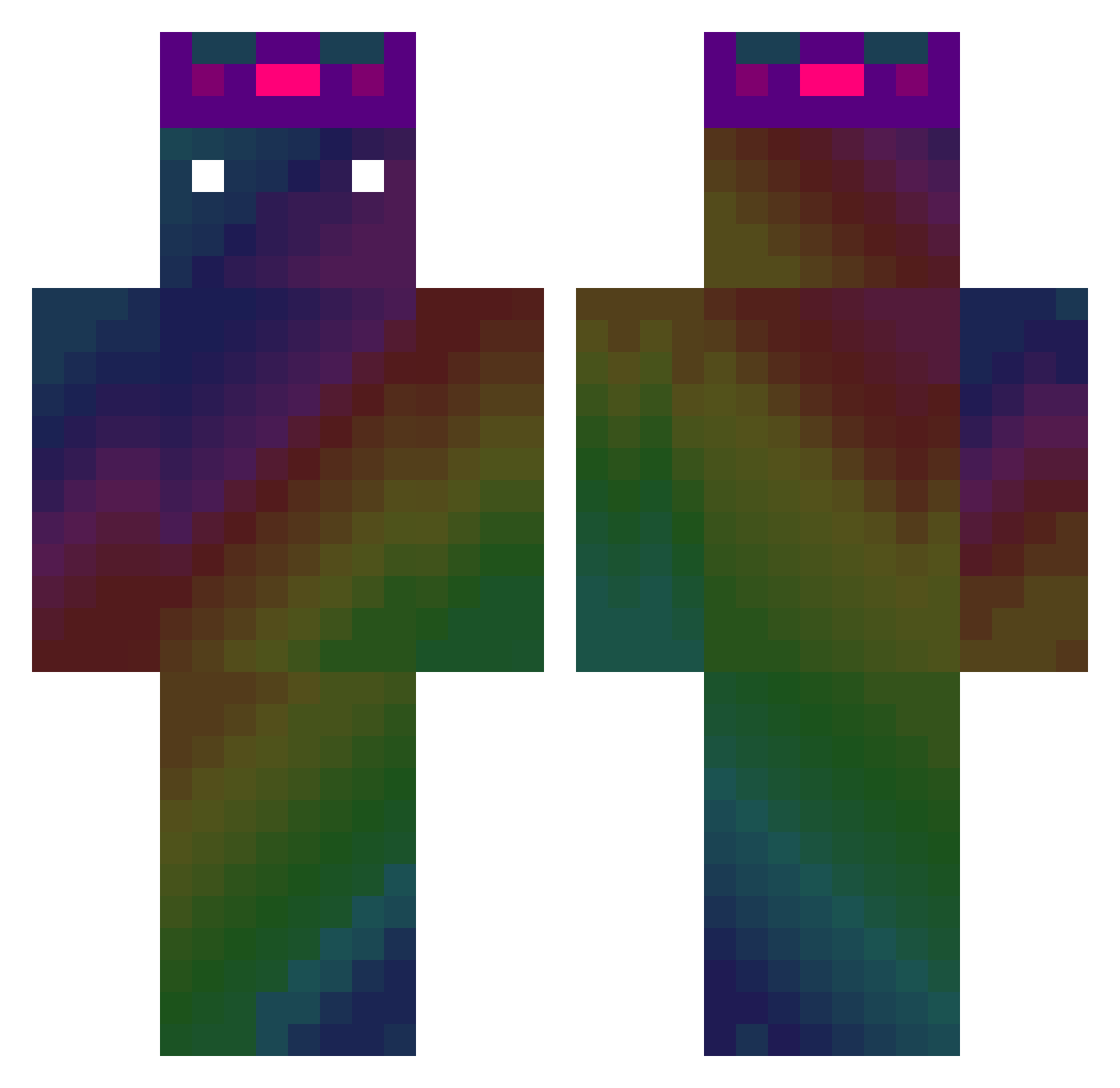
Other players with this skin (547)
CazDelgado was the 466th player we have seen with this skin, first spotted on 26.10.2026. The same skin was seen on these players. Open a nickname to see their current skin and skin history.
 buddy5311 jin_an225 oooOOO000n zyb_hz Cross0725 Chat04 yehonata Bambuzik1 bartbart112 seongjuseongo reece24_ gwanhoo algus1053 shierteer jannapref BoomFries adamzxd123 BatMan_1452 Its_BiBi xSly Mr_shun Peridot69 joysti Youdead130 XxPORTAIOBRxX stepkup Ennaito Petroshino under214 s36531045s KT0XZ mcnooblolol junglee22 Mitchi44 VarianIan KrzaczoR_11 Dians502 ItsMeAndris SpaceLAL eight_0 that__guy19 gongsam_igu Hardw4r3_TTV_ MaxTant LewsX3 cent50zero Psh9910 Sukrucan15 DavidBeckham11 FiloGod Hatbat114 wbx0620 _lolomd_ NAM_EU Shadezord TFLO xXx_CORT3X_xXx qui12568 Drachusz Jeffery_Chen
How to install the CazDelgado skin
- Press the Download button above to save the skin as a PNG file.
- Minecraft: Bedrock Edition (PE): open the Dressing Room from the main menu (or tap your character → Edit Character), go to Classic Skins → Owned, press the + (new skin) button, choose the downloaded PNG and pick the Classic (Steve) model. Works on PC and mobile; consoles cannot import custom skins.
- Minecraft: Java Edition: open the Minecraft Launcher, go to the Skins tab, click New Skin, load the PNG, pick the Classic (Steve) model and press Save & Use. You can also upload it at minecraft.net → Profile → Change Skin.
The skin does not show up after import - what should I do?
Restart Minecraft and open the Dressing Room again - imported skins sometimes appear only after a restart. Also make sure you selected the imported skin and picked the Classic (Steve) model.
Which model should I choose, Classic or Slim?
This skin is designed for the Classic (Steve) model. If you pick the wrong model, the arms of the skin will look stretched or squeezed.
Is the skin of CazDelgado free to download?
Yes. Press Download, save the PNG file and use it in Minecraft: Bedrock Edition or Java Edition - no payment or registration needed. The skin also works on multiplayer servers and Realms.
More skins
Looking for more? Go back to all Minecraft skins and check the top skins of the week, month and all time, or find any player's skin by nickname.