
Capuco - Minecraft Skins & Skin History
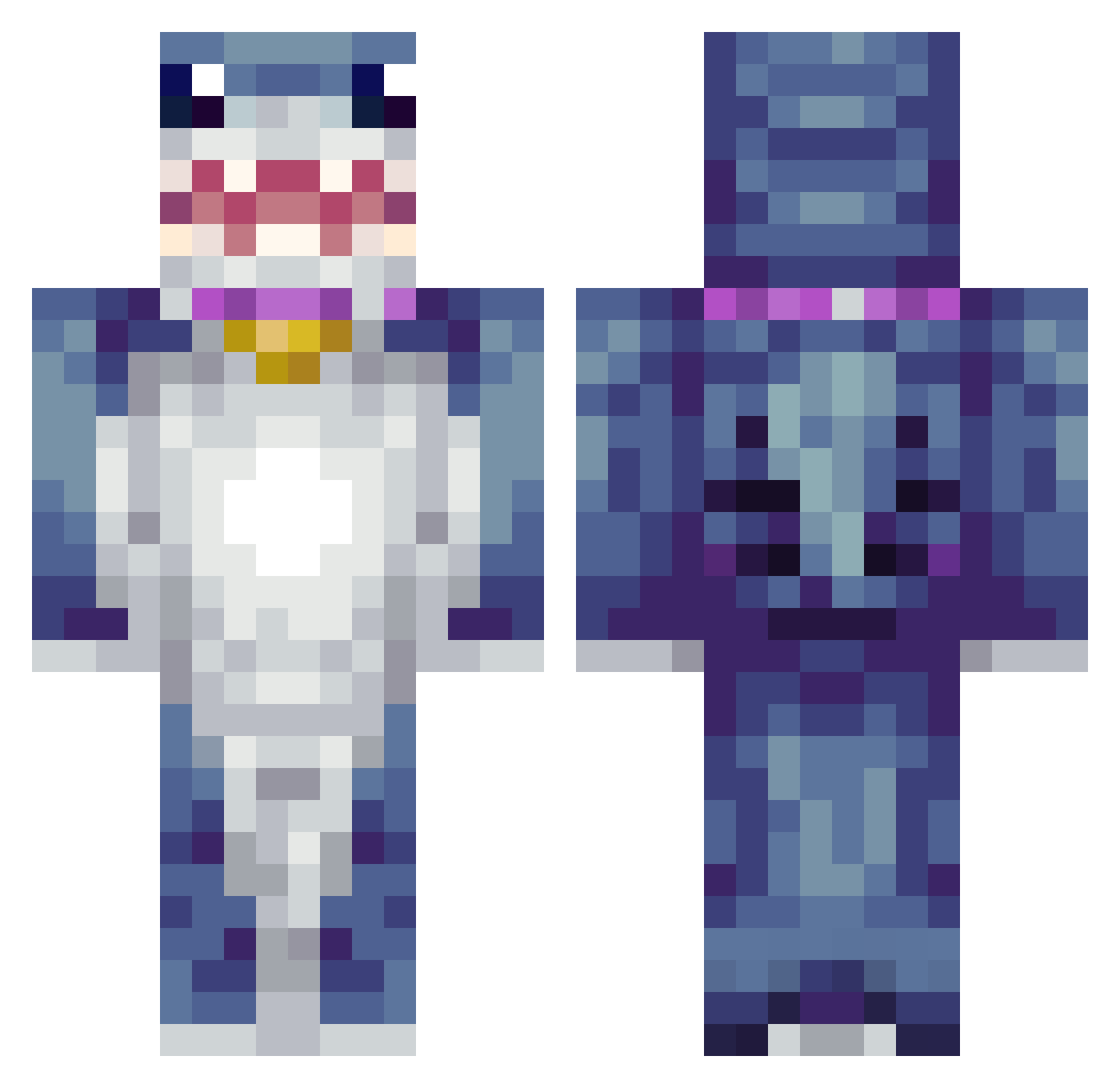
Current Minecraft skin of the player Capuco, loaded from the official Mojang API. Rotate the 3D model with your mouse or finger, then download the skin as a PNG file and use it in Minecraft: Bedrock Edition or Java Edition for free. When Capuco changes their skin, this page updates automatically and the old skin stays in the history below.
Other players with this skin (425)
Capuco was the 317th player we have seen with this skin, first spotted on 14.10.2026. The same skin was seen on these players. Open a nickname to see their current skin and skin history.
 PepinilloxD R1ckR0llMaster Mathysje RollieG27 yosihero Dasha222 IslandsHub SirToast_Nc acidangel709 Arr0zCh4uf4 Spinbrax Aurora_SoaQ0DG sdwbaa qbiko113461 lil_leppy01 G_Lowe Peace_Out1 Liking1221 DeadLemons ismael3248 AcidicBeret385 Agent_Capybara69 Orpheus_6 Luis242011 wa971 th3ris3n LOLeo xsmayn19 aneid Sebkhalifa Juker12325 MathBook08 swaggerdapperguy Sushi221 Gabriel123cool MrDramek yonghan1229 ptatodank HeyDolan PeterBz lingling2002 kmoneyyyyy_ aluucards XD_MoN spqcebunnn condor_11 Icy5296 avaswish jilly285 sunshinerain17 L0k0lloyd69 Bobbel32 jhs9893 ejmurphey tthewmat Co_ollin Ocktopi Calllavii DJKRYCHAPL CXLLO_
More Shark Minecraft skins
How to install the Capuco skin
- Press the Download button above to save the skin as a PNG file.
- Minecraft: Bedrock Edition (PE): open the Dressing Room from the main menu (or tap your character → Edit Character), go to Classic Skins → Owned, press the + (new skin) button, choose the downloaded PNG and pick the Classic (Steve) model. Works on PC and mobile; consoles cannot import custom skins.
- Minecraft: Java Edition: open the Minecraft Launcher, go to the Skins tab, click New Skin, load the PNG, pick the Classic (Steve) model and press Save & Use. You can also upload it at minecraft.net → Profile → Change Skin.
The skin does not show up after import - what should I do?
Restart Minecraft and open the Dressing Room again - imported skins sometimes appear only after a restart. Also make sure you selected the imported skin and picked the Classic (Steve) model.
Which model should I choose, Classic or Slim?
This skin is designed for the Classic (Steve) model. If you pick the wrong model, the arms of the skin will look stretched or squeezed.
Is the skin of Capuco free to download?
Yes. Press Download, save the PNG file and use it in Minecraft: Bedrock Edition or Java Edition - no payment or registration needed. The skin also works on multiplayer servers and Realms.
More skins
Looking for more? Go back to all Minecraft skins and check the top skins of the week, month and all time, or find any player's skin by nickname.