
CRAZYPUGMAN - Minecraft Skins & Skin History
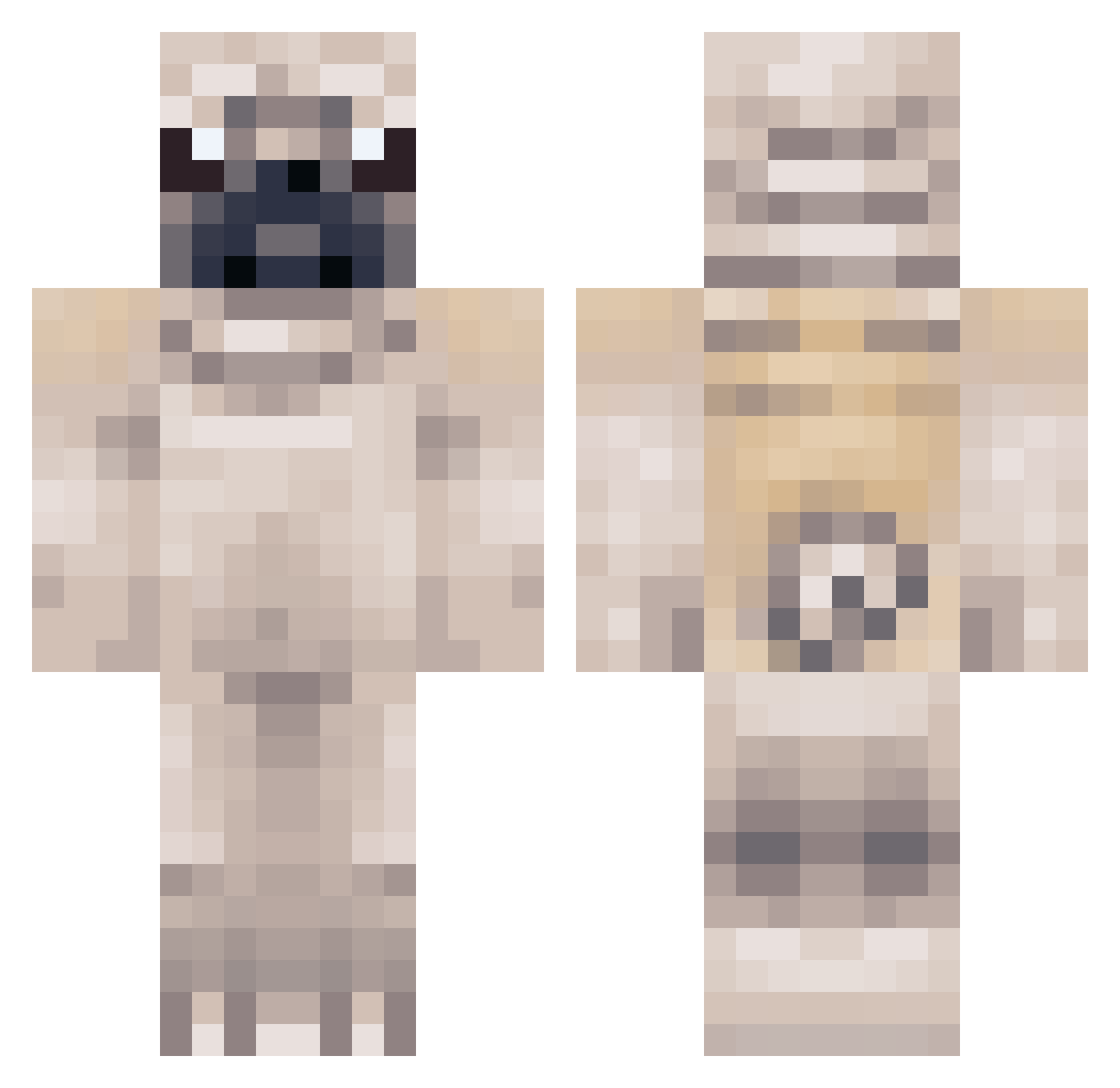
Current Minecraft skin of the player CRAZYPUGMAN, loaded from the official Mojang API. Rotate the 3D model with your mouse or finger, then download the skin as a PNG file and use it in Minecraft: Bedrock Edition or Java Edition for free. When CRAZYPUGMAN changes their skin, this page updates automatically and the old skin stays in the history below.
Other players with this skin (379)
CRAZYPUGMAN was the 330th player we have seen with this skin, first spotted on 28.10.2026. The same skin was seen on these players. Open a nickname to see their current skin and skin history.
 stamps02 GamE_DoG_ PrinterPapers Sera_90 acnut Creepyer DorkyDoggies BAHIGE CrankyTV ObeyOby WanderingW0mbat Jaimesplants Sofie_2004 Ethan8301 LightHappy864 asrbeaver Unresistable nth_99 wjfox PugGamer99 dragonman1202 PAQR_80 predator93ab dinosaur1324 LucasBerlin2000 Csiicska themugingpug superpug10 AJtheGamer2006 Jamieparkinson Puggy_boy MexicanGameer PugOverload CoolgamerMT demondog890 nathannims jackblam Zammpen PugLover2010 Netherpug Gk1courtney Yutsukoo xBrosace Morrison7191 Mr_Finland OBcurlytop MojangSucks PigeonLobster ONWdid911 boomHEADBOARD TheStR4nG3r_ Zemeia GemeBeto Mad_Crazy_Duck pugdude77 WhiteBuffalo_ PugPlay fluffyfeat Midgomode lucacb2
More Pug Minecraft skins
How to install the CRAZYPUGMAN skin
- Press the Download button above to save the skin as a PNG file.
- Minecraft: Bedrock Edition (PE): open the Dressing Room from the main menu (or tap your character → Edit Character), go to Classic Skins → Owned, press the + (new skin) button, choose the downloaded PNG and pick the Classic (Steve) model. Works on PC and mobile; consoles cannot import custom skins.
- Minecraft: Java Edition: open the Minecraft Launcher, go to the Skins tab, click New Skin, load the PNG, pick the Classic (Steve) model and press Save & Use. You can also upload it at minecraft.net → Profile → Change Skin.
The skin does not show up after import - what should I do?
Restart Minecraft and open the Dressing Room again - imported skins sometimes appear only after a restart. Also make sure you selected the imported skin and picked the Classic (Steve) model.
Which model should I choose, Classic or Slim?
This skin is designed for the Classic (Steve) model. If you pick the wrong model, the arms of the skin will look stretched or squeezed.
Is the skin of CRAZYPUGMAN free to download?
Yes. Press Download, save the PNG file and use it in Minecraft: Bedrock Edition or Java Edition - no payment or registration needed. The skin also works on multiplayer servers and Realms.
More skins
Looking for more? Go back to all Minecraft skins and check the top skins of the week, month and all time, or find any player's skin by nickname.