
CLz512 - Minecraft Skins & Skin History
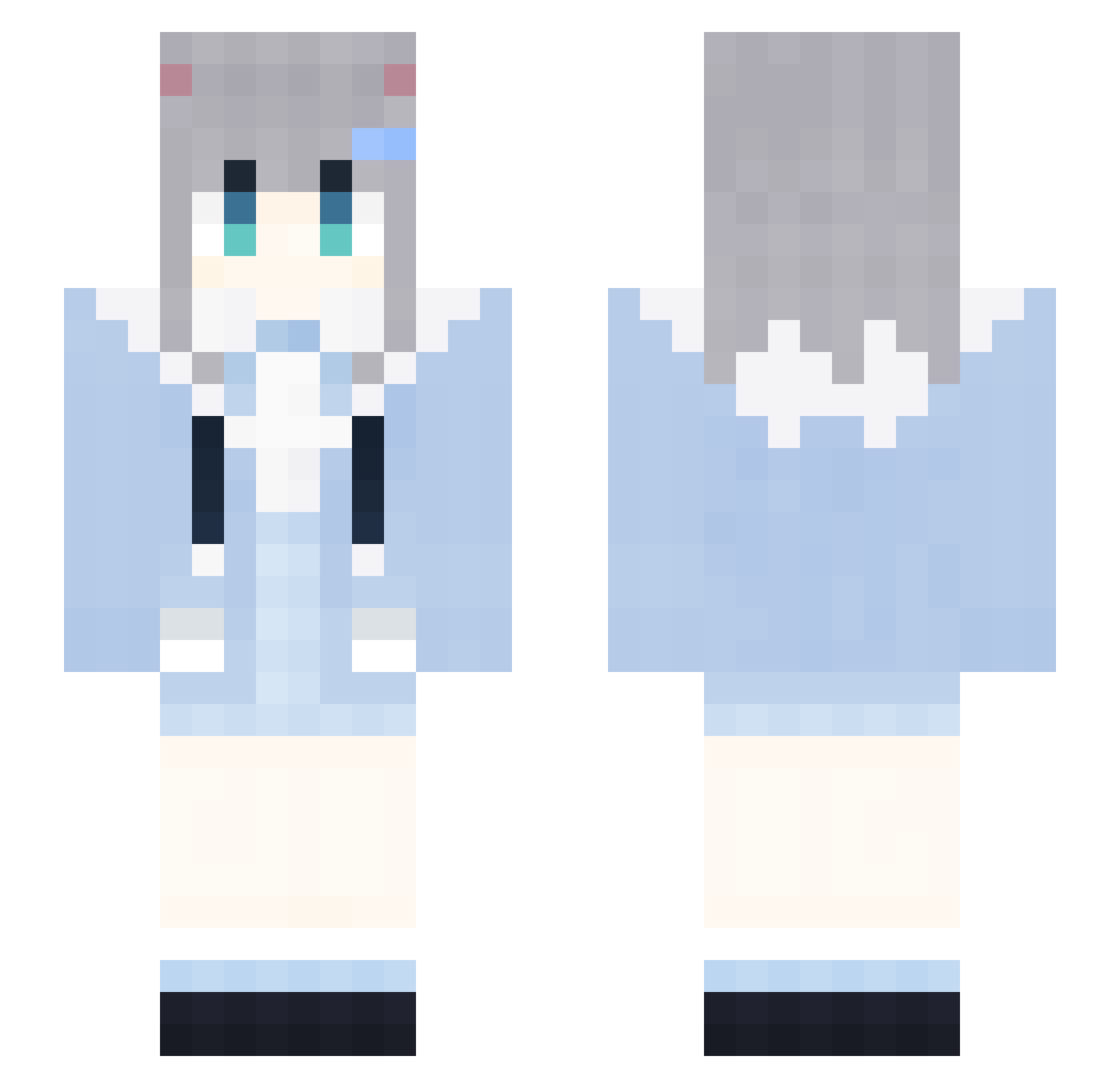
Current Minecraft skin of the player CLz512, loaded from the official Mojang API. Rotate the 3D model with your mouse or finger, then download the skin as a PNG file and use it in Minecraft: Bedrock Edition or Java Edition for free. When CLz512 changes their skin, this page updates automatically and the old skin stays in the history below.
Other players with this skin (1905)
CLz512 was the 1858th player we have seen with this skin, first spotted on 08.11.2026. The same skin was seen on these players. Open a nickname to see their current skin and skin history.
 yzx659 djJ191 0001112223334889 gvR765 fCh629 RabbitMicezhz231 GapRapGpdNiKM846 RubberBandits24 Sleep_gOFWLmr200 dhT709 iEq254 KFC_V50_THURW681 yYJ98 NVf28 sTb28 rNZ817 mzslIdLQufqZN303 vUm964 QkP171 0001112223334858 Nha281 IlQ547 Htz845 rMp44 PXB166 DontShoutPlsz166 Mmp599 CJS784 UlF271 AIRCUSHIONzPv433 ipZ744 PNH978 GBl707 OWQ697 dDM826 RabbitMiceFGU798 lm_hoN895 0001112223334489 ygS737 vhm944 TxN715 hmT224 wPHxubQdUaQAY501 ujZ486 AIRCUSHIONEJL932 Acef1 TMP10 LoveZxyLikeIk323 AIRCUSHIONkxw822 NAW558 NXa768 WZc908 Trr304 CvM928 IfashionXboxF856 Ynv461 Ipe822 kWD385 lwl183 zfN876
More Cat Ears Minecraft skins
How to install the CLz512 skin
- Press the Download button above to save the skin as a PNG file.
- Minecraft: Bedrock Edition (PE): open the Dressing Room from the main menu (or tap your character → Edit Character), go to Classic Skins → Owned, press the + (new skin) button, choose the downloaded PNG and pick the Slim (Alex) model. Works on PC and mobile; consoles cannot import custom skins.
- Minecraft: Java Edition: open the Minecraft Launcher, go to the Skins tab, click New Skin, load the PNG, pick the Slim (Alex) model and press Save & Use. You can also upload it at minecraft.net → Profile → Change Skin.
The skin does not show up after import - what should I do?
Restart Minecraft and open the Dressing Room again - imported skins sometimes appear only after a restart. Also make sure you selected the imported skin and picked the Slim (Alex) model.
Which model should I choose, Classic or Slim?
This skin is designed for the Slim (Alex) model. If you pick the wrong model, the arms of the skin will look stretched or squeezed.
Is the skin of CLz512 free to download?
Yes. Press Download, save the PNG file and use it in Minecraft: Bedrock Edition or Java Edition - no payment or registration needed. The skin also works on multiplayer servers and Realms.
More skins
Looking for more? Go back to all Minecraft skins and check the top skins of the week, month and all time, or find any player's skin by nickname.