
CDT_Wind - Minecraft Skins & Skin History
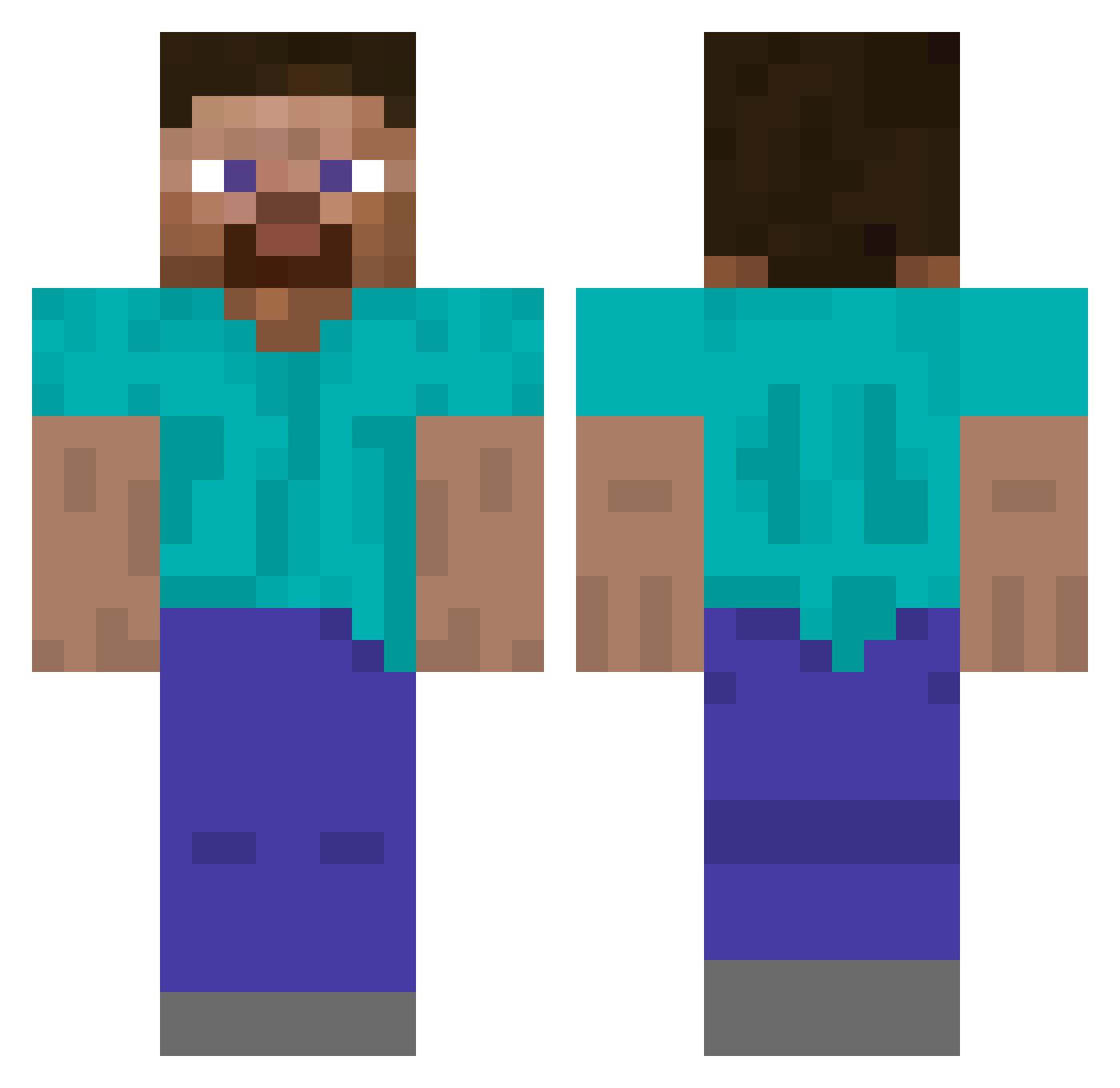
Current Minecraft skin of the player CDT_Wind, loaded from the official Mojang API. Rotate the 3D model with your mouse or finger, then download the skin as a PNG file and use it in Minecraft: Bedrock Edition or Java Edition for free. When CDT_Wind changes their skin, this page updates automatically and the old skin stays in the history below.
Other players with this skin (554)
CDT_Wind was the 439th player we have seen with this skin, first spotted on 19.10.2026. The same skin was seen on these players. Open a nickname to see their current skin and skin history.
 bumbilol Vaikoo andermier HamMan09 ChilledPlays itgxc PowerfulMInd1170 UnforgivenDesire Vilkkuuzzz unpy_san Egzoltan komeda11 Icethatmelted P4lm3r faltion Andradeplayer atgbby xaviwashere TheRickdog LewisLUFC2001 FaZeSuperMarkus Bearman3600 NumisBZH MILOTOJPN eliotoroboto Maxenceribie rory274 Glumgar morgengrau majesticow5607 shubslayer1906 t2ka NicklePickleMand RookJack rysiugigaszefito redsalvia_ randomreg _Datim NeewyYT Jinbotang bitburger49 craftncheese_ Dvm0n fazhento BlessedRelief VortexChan_ GabaSilva ijaSKY wata0256 L0rdFarkut Allozaur Spubple Up_North oxnh Rosalie783 Oatmeal_13 TerryJones GreyPoint9 MareiV Schuetzen
How to install the CDT_Wind skin
- Press the Download button above to save the skin as a PNG file.
- Minecraft: Bedrock Edition (PE): open the Dressing Room from the main menu (or tap your character → Edit Character), go to Classic Skins → Owned, press the + (new skin) button, choose the downloaded PNG and pick the Classic (Steve) model. Works on PC and mobile; consoles cannot import custom skins.
- Minecraft: Java Edition: open the Minecraft Launcher, go to the Skins tab, click New Skin, load the PNG, pick the Classic (Steve) model and press Save & Use. You can also upload it at minecraft.net → Profile → Change Skin.
The skin does not show up after import - what should I do?
Restart Minecraft and open the Dressing Room again - imported skins sometimes appear only after a restart. Also make sure you selected the imported skin and picked the Classic (Steve) model.
Which model should I choose, Classic or Slim?
This skin is designed for the Classic (Steve) model. If you pick the wrong model, the arms of the skin will look stretched or squeezed.
Is the skin of CDT_Wind free to download?
Yes. Press Download, save the PNG file and use it in Minecraft: Bedrock Edition or Java Edition - no payment or registration needed. The skin also works on multiplayer servers and Realms.
More skins
Looking for more? Go back to all Minecraft skins and check the top skins of the week, month and all time, or find any player's skin by nickname.