
Buisness_banana - Minecraft Skins & Skin History
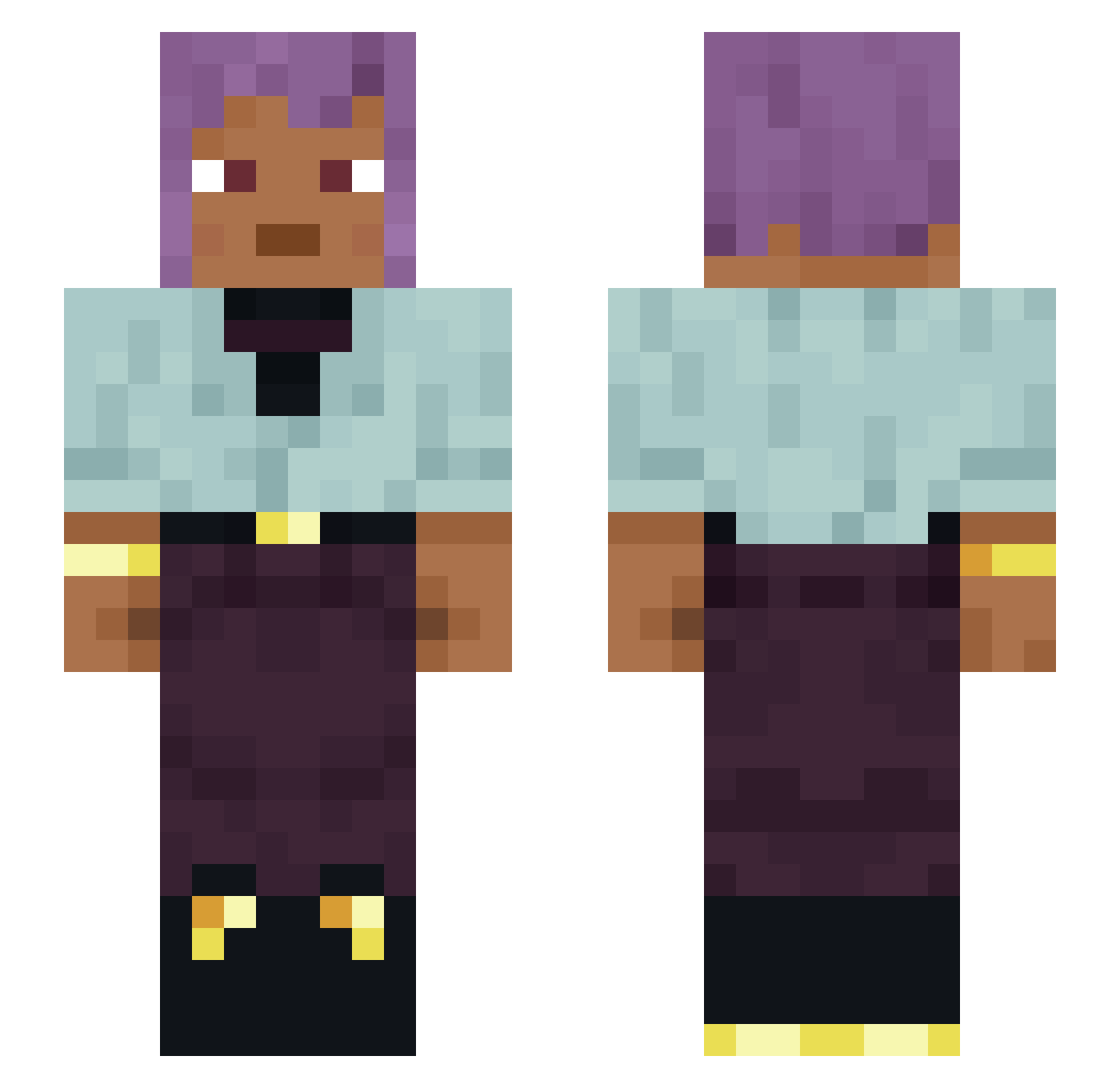
Current Minecraft skin of the player Buisness_banana, loaded from the official Mojang API. Rotate the 3D model with your mouse or finger, then download the skin as a PNG file and use it in Minecraft: Bedrock Edition or Java Edition for free. When Buisness_banana changes their skin, this page updates automatically and the old skin stays in the history below.
Other players with this skin (1484)
Buisness_banana was the 1183rd player we have seen with this skin, first spotted on 24.10.2026. The same skin was seen on these players. Open a nickname to see their current skin and skin history.
 Coolman0_0 cookbook MisteraAt0m Flay_PvP Firooow Majesta Ariboflavinosis Calamaryi Jamespkiely7 Randomguy96 Sceap Hamaul Grig that1bigmonkey Seilenos Liindqvist Godw1n9 Ennoy revitalizing Tutur_JC kotyk32 DaMokegCbris soukagames PaulTW snortingpepper skullyybud eagerigor Experimentator Woollens Yow jarobeans registrations Steve_Fox_101 ChaoticKitsuMC dhlee01 joaocn2 lulukeeY Kilplik unbridged LinhUjHxn1221 NAGAT0SH1 zaramay Anoesis mordin1337 Djave Stoan03 Jinth Philiam Betulaceae okkero Downfield blaaahdrey VikingBerry MonKeyDYato mumpish Competitive sarcosis Winant SmellyWI Ciupster
How to install the Buisness_banana skin
- Press the Download button above to save the skin as a PNG file.
- Minecraft: Bedrock Edition (PE): open the Dressing Room from the main menu (or tap your character → Edit Character), go to Classic Skins → Owned, press the + (new skin) button, choose the downloaded PNG and pick the Slim (Alex) model. Works on PC and mobile; consoles cannot import custom skins.
- Minecraft: Java Edition: open the Minecraft Launcher, go to the Skins tab, click New Skin, load the PNG, pick the Slim (Alex) model and press Save & Use. You can also upload it at minecraft.net → Profile → Change Skin.
The skin does not show up after import - what should I do?
Restart Minecraft and open the Dressing Room again - imported skins sometimes appear only after a restart. Also make sure you selected the imported skin and picked the Slim (Alex) model.
Which model should I choose, Classic or Slim?
This skin is designed for the Slim (Alex) model. If you pick the wrong model, the arms of the skin will look stretched or squeezed.
Is the skin of Buisness_banana free to download?
Yes. Press Download, save the PNG file and use it in Minecraft: Bedrock Edition or Java Edition - no payment or registration needed. The skin also works on multiplayer servers and Realms.
More skins
Looking for more? Go back to all Minecraft skins and check the top skins of the week, month and all time, or find any player's skin by nickname.