
BubbleX0108 - Minecraft Skins & Skin History
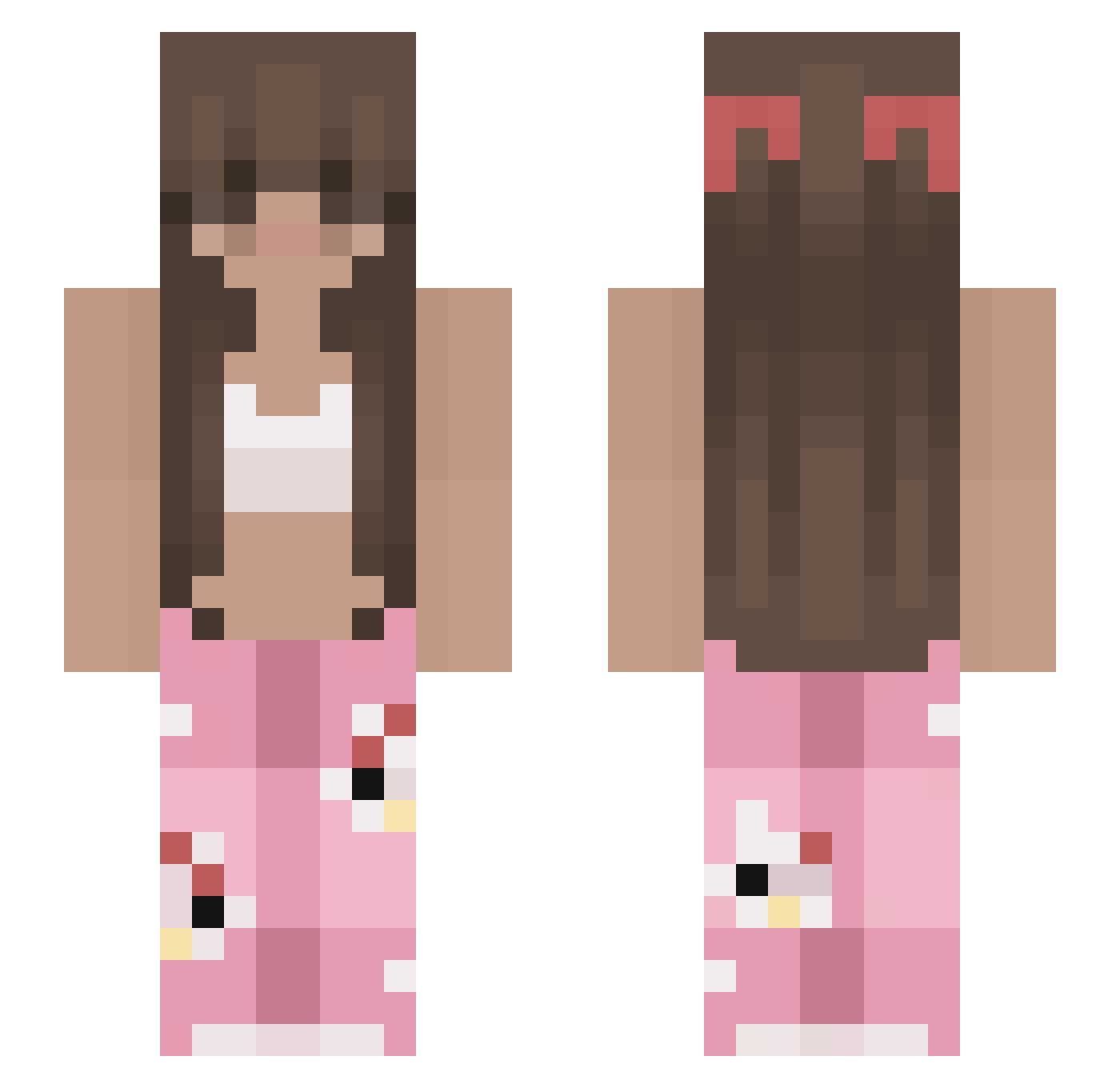
Current Minecraft skin of the player BubbleX0108, loaded from the official Mojang API. Rotate the 3D model with your mouse or finger, then download the skin as a PNG file and use it in Minecraft: Bedrock Edition or Java Edition for free. When BubbleX0108 changes their skin, this page updates automatically and the old skin stays in the history below.
Other players with this skin (279)
BubbleX0108 was the 240th player we have seen with this skin, first spotted on 28.10.2026. The same skin was seen on these players. Open a nickname to see their current skin and skin history.
 ALX99i XbatLeBoss Ketjow12 Aleakim69 Kianasfb iilveeu teagslol bzbelle Killpeacefully zisdz Hereck GiOr75 ronaldsmommy A08Cruz DelightfulKiwi55 Queen0260 t1arrra yThenewmaluh Wikusia_Malusia isakitty1 Haalandsenpai ayiiiii33 allyanderson10 tamto06 screamarts zaqwsxmlp bare1y Brazzer patrecool MR_Dayan carlaa12 cupcakecatlover xEmiliaa leawithanh Selinhamburq1 slayaas Bread23 Karolcia090 Lily8001 babyninaa bo0bo0keys sarahdiggory101 SiaSixD HappyFrogLOL krmv cupcakelipasta MrKxvin malkising Kirby1314 PersephoneLives Melodyxvi timmyytimtam terrortunnels vanessa_1507 lexver10 manoooooone DawnStarz Marisssssaaaa LH_320 Clara112
More Pyjamas Minecraft skins
How to install the BubbleX0108 skin
- Press the Download button above to save the skin as a PNG file.
- Minecraft: Bedrock Edition (PE): open the Dressing Room from the main menu (or tap your character → Edit Character), go to Classic Skins → Owned, press the + (new skin) button, choose the downloaded PNG and pick the Slim (Alex) model. Works on PC and mobile; consoles cannot import custom skins.
- Minecraft: Java Edition: open the Minecraft Launcher, go to the Skins tab, click New Skin, load the PNG, pick the Slim (Alex) model and press Save & Use. You can also upload it at minecraft.net → Profile → Change Skin.
The skin does not show up after import - what should I do?
Restart Minecraft and open the Dressing Room again - imported skins sometimes appear only after a restart. Also make sure you selected the imported skin and picked the Slim (Alex) model.
Which model should I choose, Classic or Slim?
This skin is designed for the Slim (Alex) model. If you pick the wrong model, the arms of the skin will look stretched or squeezed.
Is the skin of BubbleX0108 free to download?
Yes. Press Download, save the PNG file and use it in Minecraft: Bedrock Edition or Java Edition - no payment or registration needed. The skin also works on multiplayer servers and Realms.
More skins
Looking for more? Go back to all Minecraft skins and check the top skins of the week, month and all time, or find any player's skin by nickname.