
BlxkPVP - Minecraft Skins & Skin History
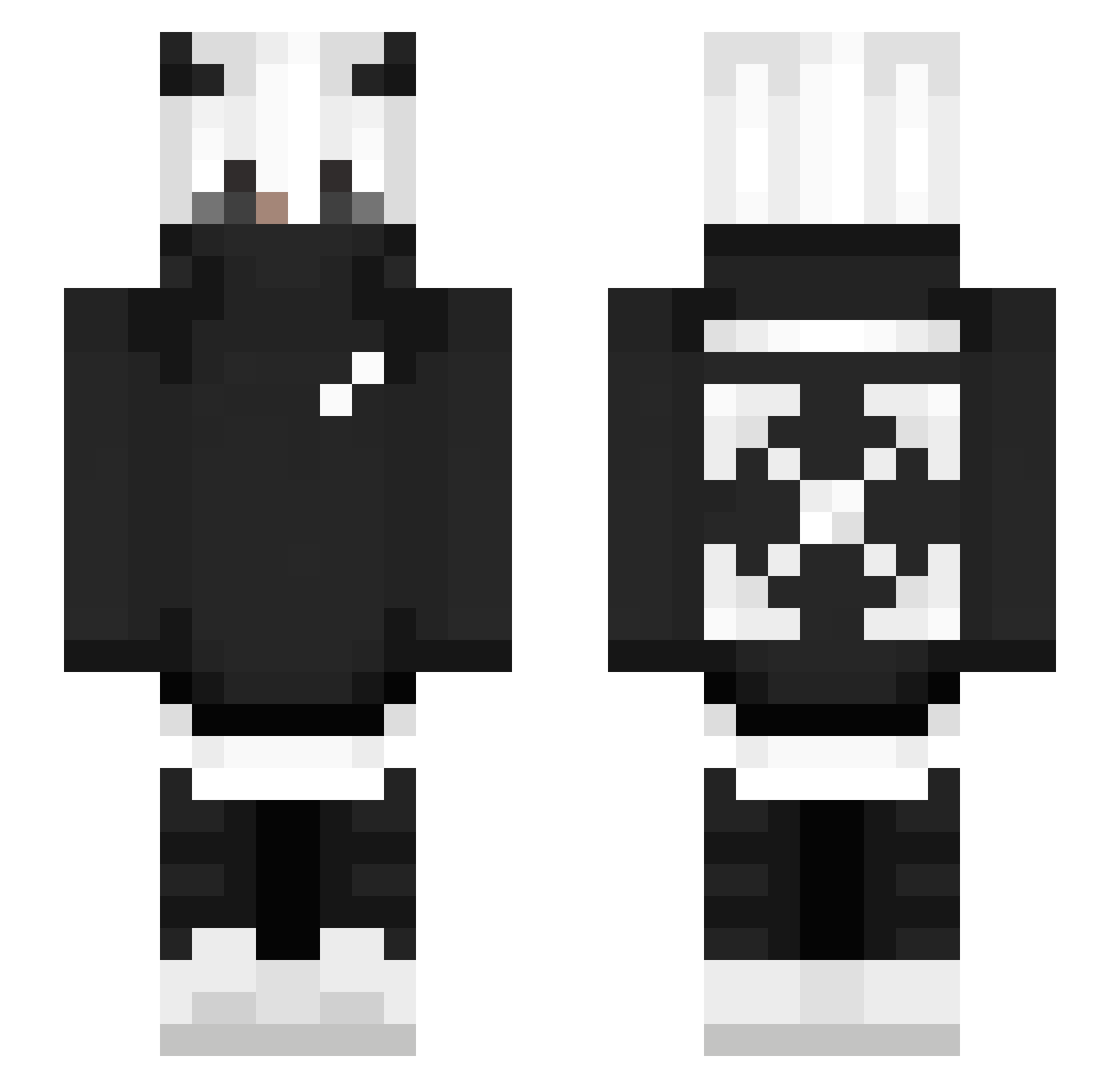
Current Minecraft skin of the player BlxkPVP, loaded from the official Mojang API. Rotate the 3D model with your mouse or finger, then download the skin as a PNG file and use it in Minecraft: Bedrock Edition or Java Edition for free. When BlxkPVP changes their skin, this page updates automatically and the old skin stays in the history below.
Other players with this skin (250)
BlxkPVP was the 246th player we have seen with this skin, first spotted on 04.11.2026. The same skin was seen on these players. Open a nickname to see their current skin and skin history.
 Spar4ek DioBurando veky21 OwnageKiller123 ERDE555 KelmitH3 Nxerdz Yorossi Foxynouille SimpleSlaze Propaganda1875 Cheater_Titan M4STERLOVER Tedar82 MaximeTheKiller Swillzz KosseKoo xLucky2115 KevilovesDana PandaZew A_QingMu Adamulla phantomH42407 SigmaGrindset3 Brooojek Winters_OH BobaTv jbizznobeanies Juju6k TKZsolt xGold itsMazZ Toothless764 GalaxyNr1 vergas66 _Fyx_ JJangboho NotEnderOg Trapuv GRECHKA333 Fl1cksxxx P13TR008 Ryansmith1 DupeXD Fluffy24244 itsanthony2009 ThatWontonGuy CrashLock24 ramiipa XXZombieHunterXX Clintastic Sarah_Fuhrt Aveail Vladust DonPlebbe Lienzy Fadlan_Fos_Ina omenxvx Harry935 Andrew_24
More Streetwear Minecraft skins
How to install the BlxkPVP skin
- Press the Download button above to save the skin as a PNG file.
- Minecraft: Bedrock Edition (PE): open the Dressing Room from the main menu (or tap your character → Edit Character), go to Classic Skins → Owned, press the + (new skin) button, choose the downloaded PNG and pick the Slim (Alex) model. Works on PC and mobile; consoles cannot import custom skins.
- Minecraft: Java Edition: open the Minecraft Launcher, go to the Skins tab, click New Skin, load the PNG, pick the Slim (Alex) model and press Save & Use. You can also upload it at minecraft.net → Profile → Change Skin.
The skin does not show up after import - what should I do?
Restart Minecraft and open the Dressing Room again - imported skins sometimes appear only after a restart. Also make sure you selected the imported skin and picked the Slim (Alex) model.
Which model should I choose, Classic or Slim?
This skin is designed for the Slim (Alex) model. If you pick the wrong model, the arms of the skin will look stretched or squeezed.
Is the skin of BlxkPVP free to download?
Yes. Press Download, save the PNG file and use it in Minecraft: Bedrock Edition or Java Edition - no payment or registration needed. The skin also works on multiplayer servers and Realms.
More skins
Looking for more? Go back to all Minecraft skins and check the top skins of the week, month and all time, or find any player's skin by nickname.