
Blocky_Mister_ - Minecraft Skins & Skin History
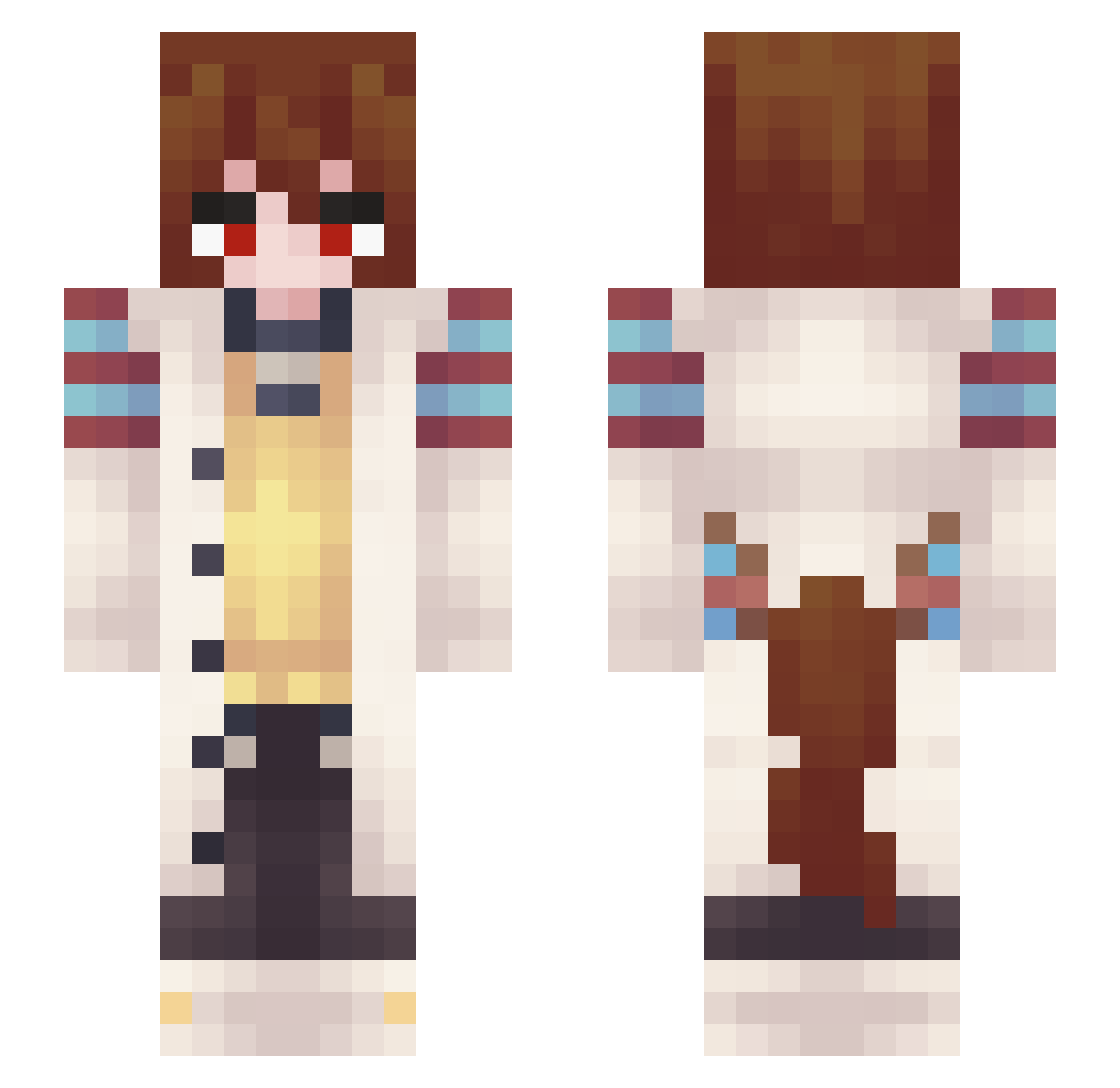
Current Minecraft skin of the player Blocky_Mister_, loaded from the official Mojang API. Rotate the 3D model with your mouse or finger, then download the skin as a PNG file and use it in Minecraft: Bedrock Edition or Java Edition for free. When Blocky_Mister_ changes their skin, this page updates automatically and the old skin stays in the history below.
Other players with this skin (347)
Blocky_Mister_ was the 315th player we have seen with this skin, first spotted on 25.10.2026. The same skin was seen on these players. Open a nickname to see their current skin and skin history.
 creamerpuffer GrenadeWitTopHat XXXCM UknownError303 Agnes_Tachyon095 R3V_Pierce Lupusawu MIG31_FOXHOUND Rowear ZebritaZ13 Myrica_Flos Lunarmura Azdmintwy Maka_707 pansukiii Disillu5ion MattXPlay VinDuckZ utis777 threelabit wnwkke LolzplayzYT ShandoLore LunarGopherzZ PiwoWinoWodka Keerill 01_MIKU_10 Paraisle1 OnlySora Osiris121 Kabra115 Mchooch genisesstrike RosieIZ Dioxdelfail KapitanKocursky Ghostyboi98 Morph4Life Shilfre Cowbruv24 BorisCola elod3k PiuPiup14 Mortymate sharkila Stov0 frizzybman11 Ilovefood303 SocolinSS Cake4Life_ Mekoga OsamaMochi Railslide9680 Zifley NoiseShiro vantasise Dumblyy Hunt_Eyes real_madridno1 Keendarkman60
More Anime Girl Minecraft skins
See all 13640 Anime Girl skins
How to install the Blocky_Mister_ skin
- Press the Download button above to save the skin as a PNG file.
- Minecraft: Bedrock Edition (PE): open the Dressing Room from the main menu (or tap your character → Edit Character), go to Classic Skins → Owned, press the + (new skin) button, choose the downloaded PNG and pick the Slim (Alex) model. Works on PC and mobile; consoles cannot import custom skins.
- Minecraft: Java Edition: open the Minecraft Launcher, go to the Skins tab, click New Skin, load the PNG, pick the Slim (Alex) model and press Save & Use. You can also upload it at minecraft.net → Profile → Change Skin.
The skin does not show up after import - what should I do?
Restart Minecraft and open the Dressing Room again - imported skins sometimes appear only after a restart. Also make sure you selected the imported skin and picked the Slim (Alex) model.
Which model should I choose, Classic or Slim?
This skin is designed for the Slim (Alex) model. If you pick the wrong model, the arms of the skin will look stretched or squeezed.
Is the skin of Blocky_Mister_ free to download?
Yes. Press Download, save the PNG file and use it in Minecraft: Bedrock Edition or Java Edition - no payment or registration needed. The skin also works on multiplayer servers and Realms.
More skins
Looking for more? Go back to all Minecraft skins and check the top skins of the week, month and all time, or find any player's skin by nickname.