
BigDog99999 - Minecraft Skins & Skin History
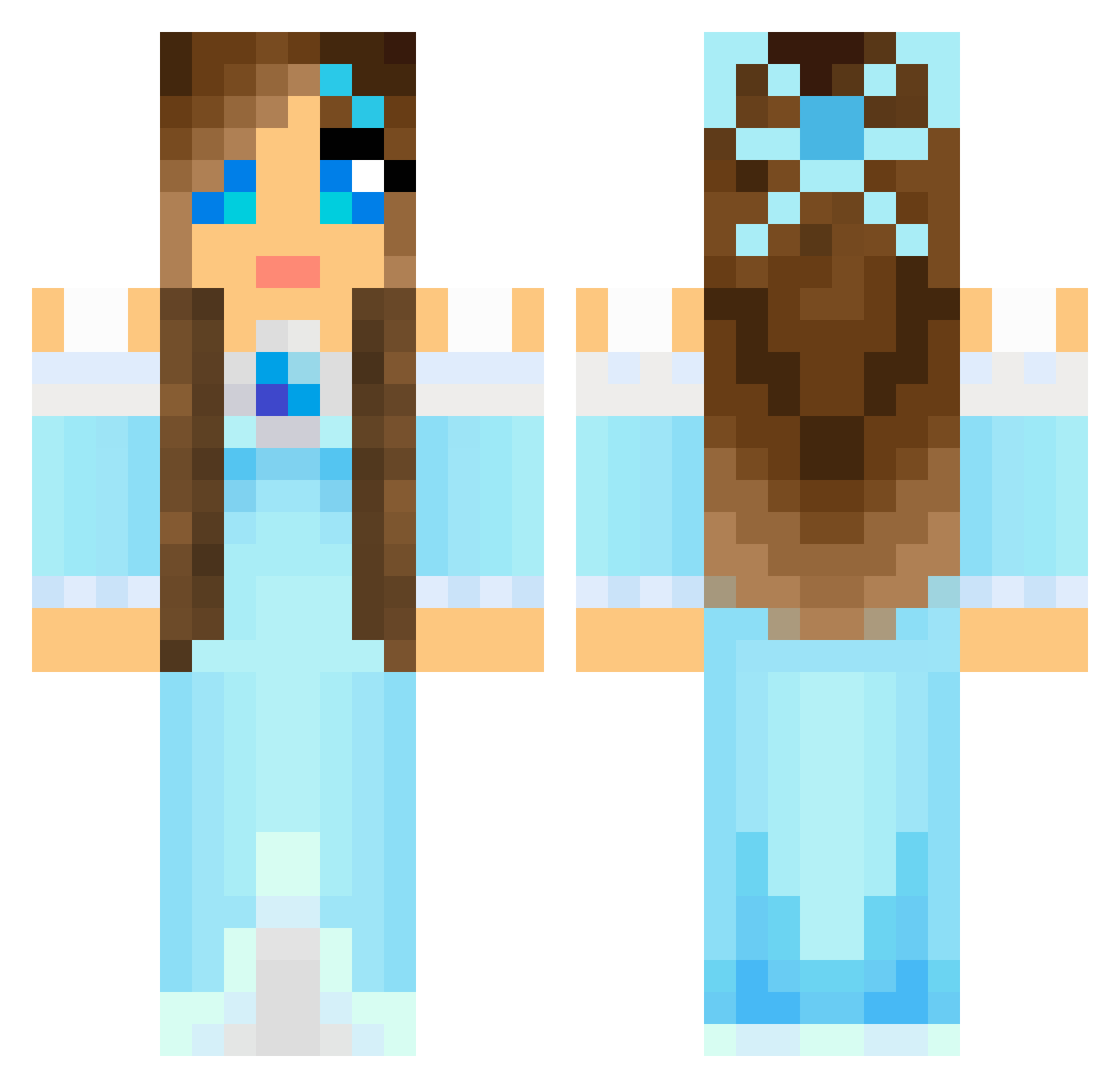
Current Minecraft skin of the player BigDog99999, loaded from the official Mojang API. Rotate the 3D model with your mouse or finger, then download the skin as a PNG file and use it in Minecraft: Bedrock Edition or Java Edition for free. When BigDog99999 changes their skin, this page updates automatically and the old skin stays in the history below.
Other players with this skin (804)
BigDog99999 was the 702nd player we have seen with this skin, first spotted on 26.10.2026. The same skin was seen on these players. Open a nickname to see their current skin and skin history.
 Mariketa snoopy2222 hannahbavery Shughy josseri itsdory Killamimi ARES_PENELOPE Herajara Demers7 MissNaz BubbaBee Alililalalooloo Celestiality nikkimouse953 Millie_2000 scarls ryandiamonds2002 LunaiaSinner Vyktoria3 rubyrenee Lisynth micro1770 kayjay414 ShnuggleBear SuperYummyTaco7 TheLesa jessi0407 Princess_1009 Norma_Lee Cici0719 Nattie95 pretty556 rebelhybrid_ Snowdrop1504 noelle2500 BabyBlue468 Lewis7263 LissyKelly Pretty_Lexii13 KayBeesly chetski aworts Rahve emilyrenee04 Elane05 i123k tacohula AsianPrincess92 Diamandgirl PinkishThread12 E2_3 AjeyMS LanaRules Kuzum87 SUOMISALSKU2001 lalipop38 cici2211 nerfman21 Queen_Ariyaa
More Princess Minecraft skins
How to install the BigDog99999 skin
- Press the Download button above to save the skin as a PNG file.
- Minecraft: Bedrock Edition (PE): open the Dressing Room from the main menu (or tap your character → Edit Character), go to Classic Skins → Owned, press the + (new skin) button, choose the downloaded PNG and pick the Classic (Steve) model. Works on PC and mobile; consoles cannot import custom skins.
- Minecraft: Java Edition: open the Minecraft Launcher, go to the Skins tab, click New Skin, load the PNG, pick the Classic (Steve) model and press Save & Use. You can also upload it at minecraft.net → Profile → Change Skin.
The skin does not show up after import - what should I do?
Restart Minecraft and open the Dressing Room again - imported skins sometimes appear only after a restart. Also make sure you selected the imported skin and picked the Classic (Steve) model.
Which model should I choose, Classic or Slim?
This skin is designed for the Classic (Steve) model. If you pick the wrong model, the arms of the skin will look stretched or squeezed.
Is the skin of BigDog99999 free to download?
Yes. Press Download, save the PNG file and use it in Minecraft: Bedrock Edition or Java Edition - no payment or registration needed. The skin also works on multiplayer servers and Realms.
More skins
Looking for more? Go back to all Minecraft skins and check the top skins of the week, month and all time, or find any player's skin by nickname.