
Bian1014 - Minecraft Skins & Skin History
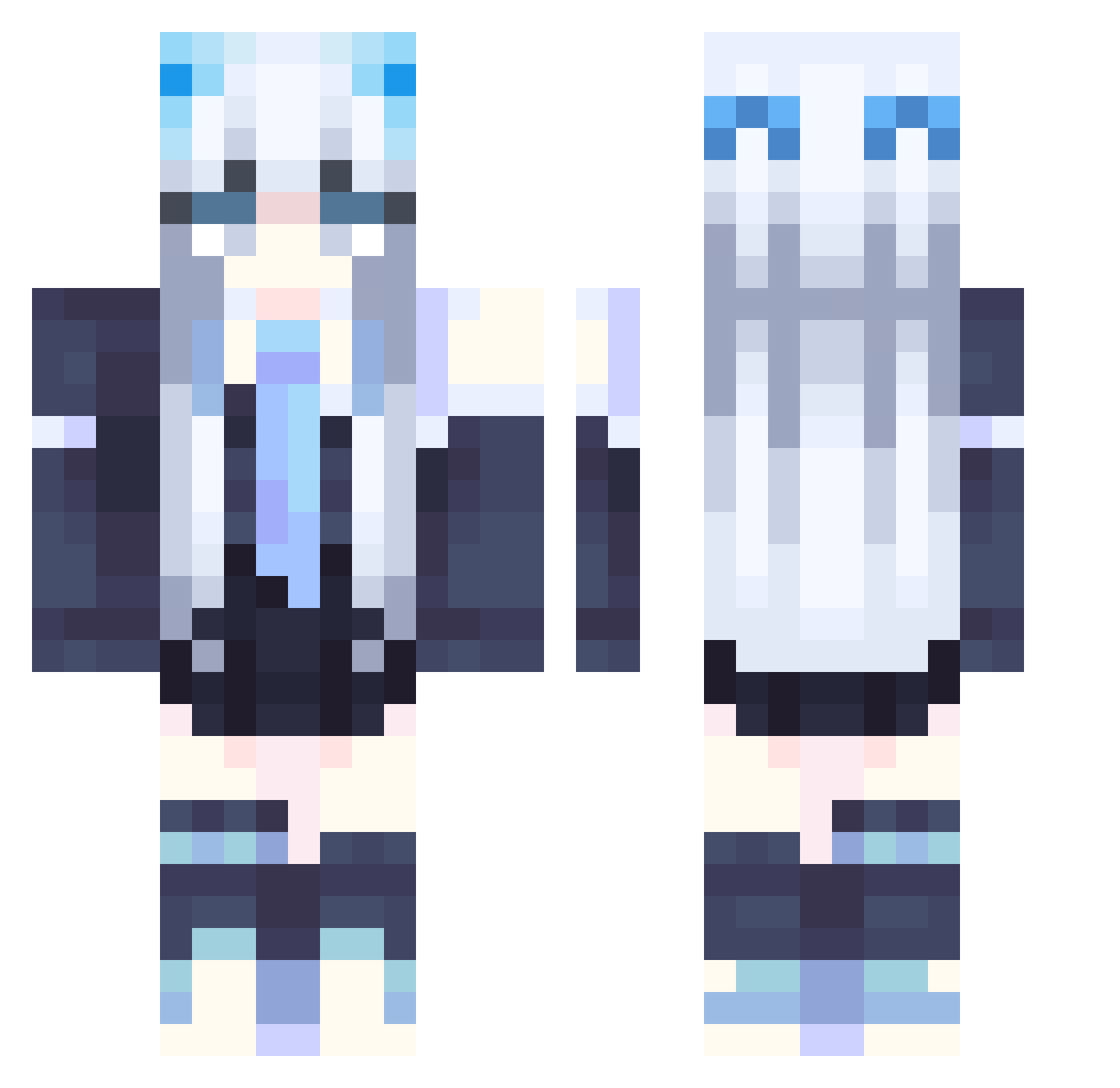
Current Minecraft skin of the player Bian1014, loaded from the official Mojang API. Rotate the 3D model with your mouse or finger, then download the skin as a PNG file and use it in Minecraft: Bedrock Edition or Java Edition for free. When Bian1014 changes their skin, this page updates automatically and the old skin stays in the history below.
Other players with this skin (358)
Bian1014 was the 33rd player we have seen with this skin, first spotted on 03.08.2026. The same skin was seen on these players. Open a nickname to see their current skin and skin history.
 xw123456 Diamond_boiiii Katananing cli_yue jts702 Newton_06 VelproCX330 Sagipios ICE_Dgsp yanshu592 Banedless qianmofx BobRoy gazer314 Shiroi_Tatsu RENVENANT7 ChenXiong006 ROPHFR BeeJayyy susujiang Haohao1666
 Revziii origin_A Hydro_Peroxide sagam0 Four_Cent Haunters9798 Qataraaaa Lecnd Butterflies__ Decadent0510 Glacier14 Aura2004 trisoo_0714 kccoye CherryArt Heller_Teufel elfkitti onegardenia naomi23g Blekxas shiro0001 Omemetaya MC_Ender_death Pengall1 Via_Demon haleuwu Specter_Shark 9wl AmyEstelar tamanayni RubyHexa bangrou ddeadlyx Lisuux Asilys_ PAPAPAPAPAAAA TokaiTeio33 iiqwq mei_23
More School Uniform Minecraft skins
See all 7171 School Uniform skins
How to install the Bian1014 skin
- Press the Download button above to save the skin as a PNG file.
- Minecraft: Bedrock Edition (PE): open the Dressing Room from the main menu (or tap your character → Edit Character), go to Classic Skins → Owned, press the + (new skin) button, choose the downloaded PNG and pick the Classic (Steve) model. Works on PC and mobile; consoles cannot import custom skins.
- Minecraft: Java Edition: open the Minecraft Launcher, go to the Skins tab, click New Skin, load the PNG, pick the Classic (Steve) model and press Save & Use. You can also upload it at minecraft.net → Profile → Change Skin.
The skin does not show up after import - what should I do?
Restart Minecraft and open the Dressing Room again - imported skins sometimes appear only after a restart. Also make sure you selected the imported skin and picked the Classic (Steve) model.
Which model should I choose, Classic or Slim?
This skin is designed for the Classic (Steve) model. If you pick the wrong model, the arms of the skin will look stretched or squeezed.
Is the skin of Bian1014 free to download?
Yes. Press Download, save the PNG file and use it in Minecraft: Bedrock Edition or Java Edition - no payment or registration needed. The skin also works on multiplayer servers and Realms.
More skins
Looking for more? Go back to all Minecraft skins and check the top skins of the week, month and all time, or find any player's skin by nickname.