
Berke_og - Minecraft Skins & Skin History
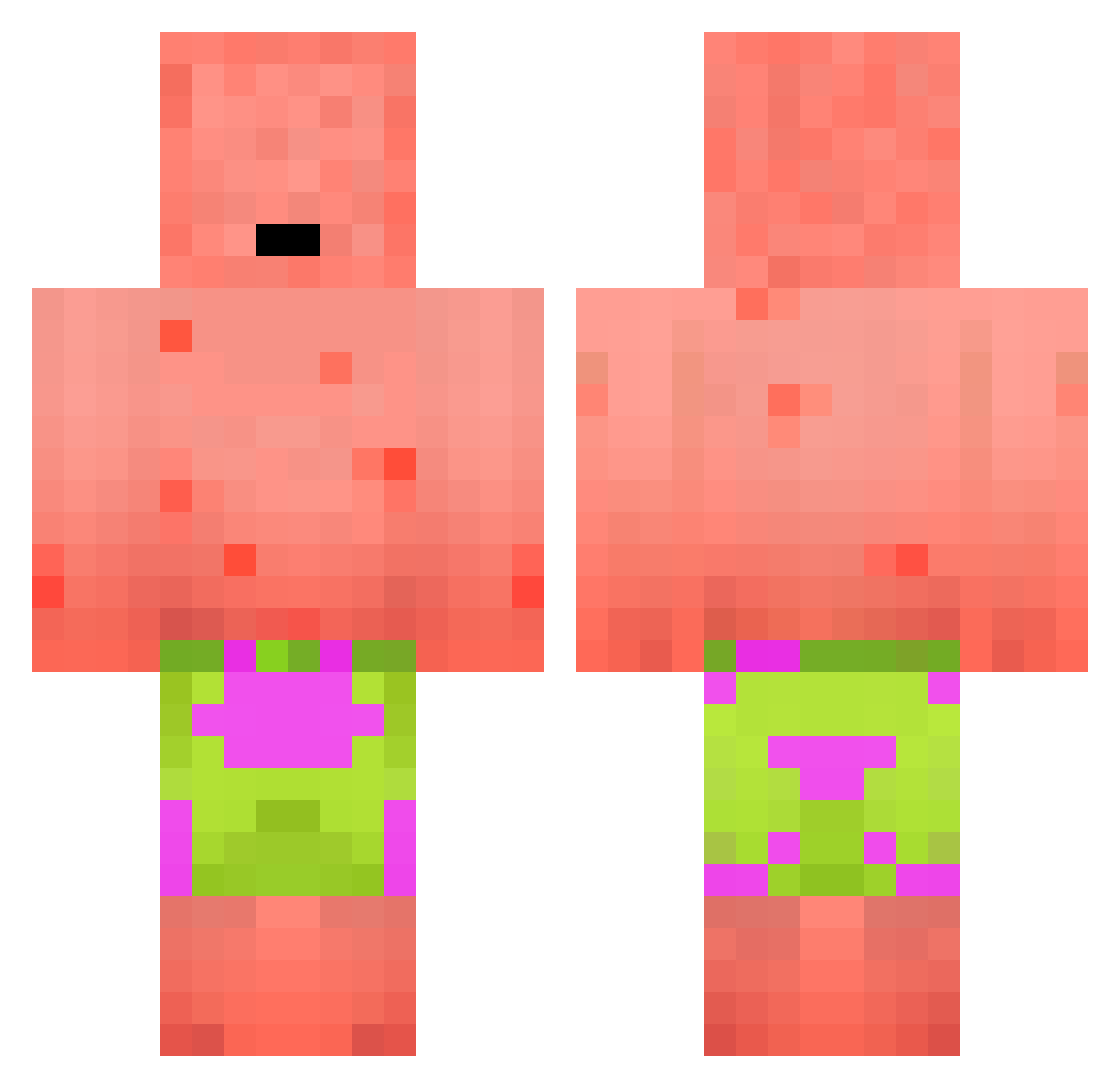
Current Minecraft skin of the player Berke_og, loaded from the official Mojang API. Rotate the 3D model with your mouse or finger, then download the skin as a PNG file and use it in Minecraft: Bedrock Edition or Java Edition for free. When Berke_og changes their skin, this page updates automatically and the old skin stays in the history below.
Other players with this skin (236)
Berke_og was the 237th player we have seen with this skin, first spotted on 06.11.2026. The same skin was seen on these players. Open a nickname to see their current skin and skin history.
 Cupidzz Keno1x AussieEshay itztheboss0909 Slapshotboss19 Ricardooooo MajorCelery6943 D4SH_0UT Conseiller Tsubia hahaislandan efose145 Ghoul_Reaper bacode111 Diacaustic Jeaney C4_KHA eskyuntcae Yueyue87710 Doenermann1336 Shapness B8sma6 CryInChat WillYang_TW Aspirationn HoleD FlawlessLove725 GriddyBaby Stiff_Wang M3ney_J0shi i7da CaptainMillk_ jayho1224 KEPASAKLOO B3nGHG Sanleo2007 RattyFroggy vinivi mockie Pacoka_ roddyq eoin_mcmahon PhipPlip elusivemirror66 marcoss__ 7inurz Boomstammetje Hendrik_C_R maniek23 Kruws AugustusGloop626 JordanJS Droda Jukbbang_ IAM_BBOBBY ChudBanks Snopzi Iexell Passeeeh Bumke_
More Patrick Star Minecraft skins
See all 643 Patrick Star skins
How to install the Berke_og skin
- Press the Download button above to save the skin as a PNG file.
- Minecraft: Bedrock Edition (PE): open the Dressing Room from the main menu (or tap your character → Edit Character), go to Classic Skins → Owned, press the + (new skin) button, choose the downloaded PNG and pick the Classic (Steve) model. Works on PC and mobile; consoles cannot import custom skins.
- Minecraft: Java Edition: open the Minecraft Launcher, go to the Skins tab, click New Skin, load the PNG, pick the Classic (Steve) model and press Save & Use. You can also upload it at minecraft.net → Profile → Change Skin.
The skin does not show up after import - what should I do?
Restart Minecraft and open the Dressing Room again - imported skins sometimes appear only after a restart. Also make sure you selected the imported skin and picked the Classic (Steve) model.
Which model should I choose, Classic or Slim?
This skin is designed for the Classic (Steve) model. If you pick the wrong model, the arms of the skin will look stretched or squeezed.
Is the skin of Berke_og free to download?
Yes. Press Download, save the PNG file and use it in Minecraft: Bedrock Edition or Java Edition - no payment or registration needed. The skin also works on multiplayer servers and Realms.
More skins
Looking for more? Go back to all Minecraft skins and check the top skins of the week, month and all time, or find any player's skin by nickname.