
Babohobbit - Minecraft Skins & Skin History
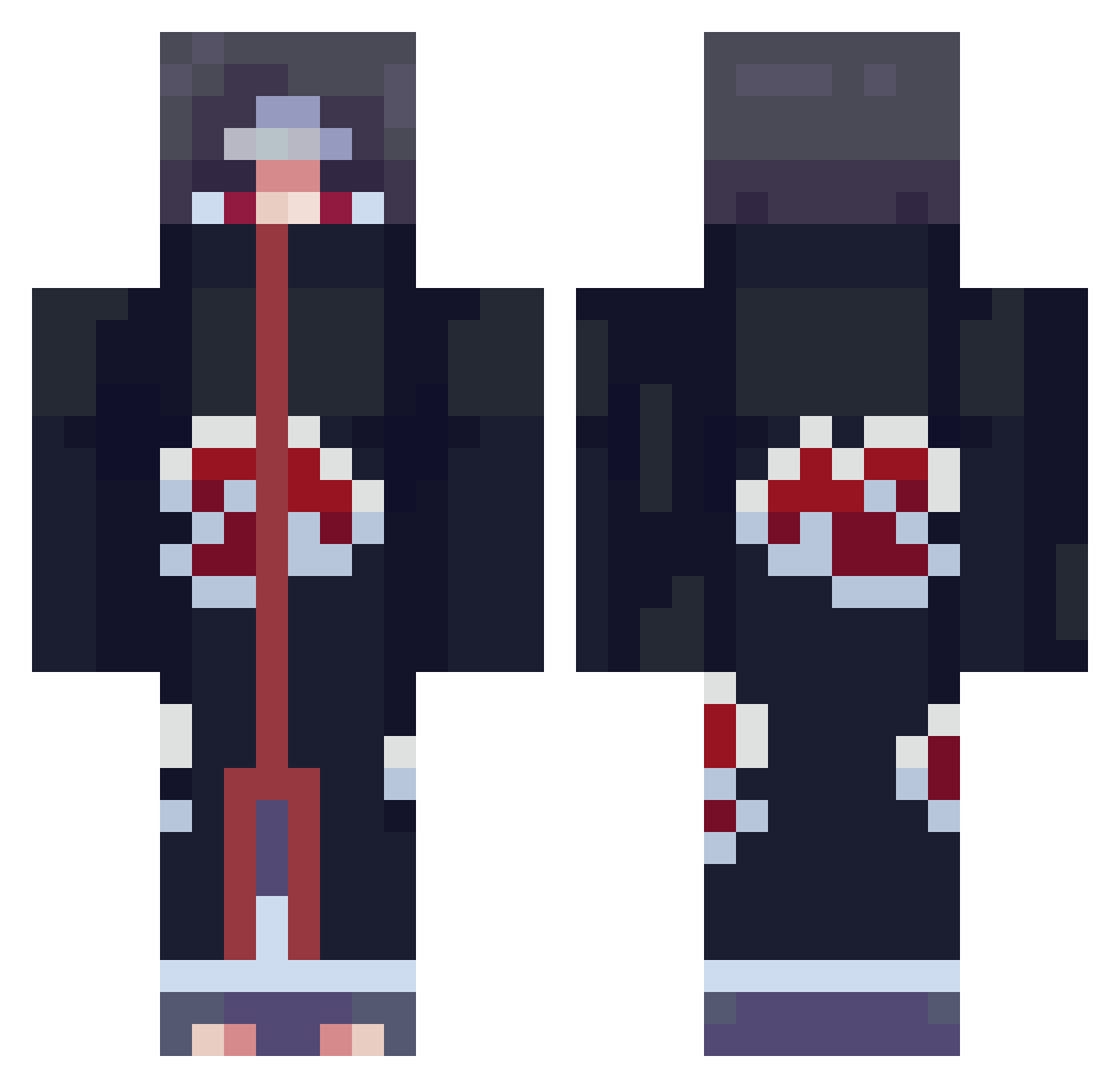
Current Minecraft skin of the player Babohobbit, loaded from the official Mojang API. Rotate the 3D model with your mouse or finger, then download the skin as a PNG file and use it in Minecraft: Bedrock Edition or Java Edition for free. When Babohobbit changes their skin, this page updates automatically and the old skin stays in the history below.
Other players with this skin (856)
Babohobbit was the 652nd player we have seen with this skin, first spotted on 16.10.2026. The same skin was seen on these players. Open a nickname to see their current skin and skin history.
 stinkybum78 NoBiTaVN_Kun PablitoTahiche Buca26 mism_cashcooper dennis11234 yuncheqwq XinGa_ Trew23b BINFORALL ddtubez dafuni10 THEPOLICEDJ Checorta13 DezeNoten GeForceFN ImDragster iceteafoot1 MakeMeCreamy zootxd nasser_503 Nice_Neels AfroAffe1 HotFurball69 jinxzy_jay VHSTemp PNcao Jimbor10 SelloutArtist Nekopsych DEYYZER jimibarra zerock59 CendR68 mikehunt4177 jakejim15 Starkin3765 NoisyMik Moritz046 YonkoChavez Minikodimiko MC_SKAPE MilkChill Oasa MF_Myhre KiraBeyond Teahyeng Legende51 Yi_Ru Shockburner Galym_ Cracki___ MrFredsticks0 princeyfelix Andro_A1 dalkomstory TONGHENG amar2uppal lil_nilss Dr_Fishe
More Itachi Uchiha Minecraft skins
See all 360 Itachi Uchiha skins
How to install the Babohobbit skin
- Press the Download button above to save the skin as a PNG file.
- Minecraft: Bedrock Edition (PE): open the Dressing Room from the main menu (or tap your character → Edit Character), go to Classic Skins → Owned, press the + (new skin) button, choose the downloaded PNG and pick the Classic (Steve) model. Works on PC and mobile; consoles cannot import custom skins.
- Minecraft: Java Edition: open the Minecraft Launcher, go to the Skins tab, click New Skin, load the PNG, pick the Classic (Steve) model and press Save & Use. You can also upload it at minecraft.net → Profile → Change Skin.
The skin does not show up after import - what should I do?
Restart Minecraft and open the Dressing Room again - imported skins sometimes appear only after a restart. Also make sure you selected the imported skin and picked the Classic (Steve) model.
Which model should I choose, Classic or Slim?
This skin is designed for the Classic (Steve) model. If you pick the wrong model, the arms of the skin will look stretched or squeezed.
Is the skin of Babohobbit free to download?
Yes. Press Download, save the PNG file and use it in Minecraft: Bedrock Edition or Java Edition - no payment or registration needed. The skin also works on multiplayer servers and Realms.
More skins
Looking for more? Go back to all Minecraft skins and check the top skins of the week, month and all time, or find any player's skin by nickname.