
Axmarck - Minecraft Skins & Skin History
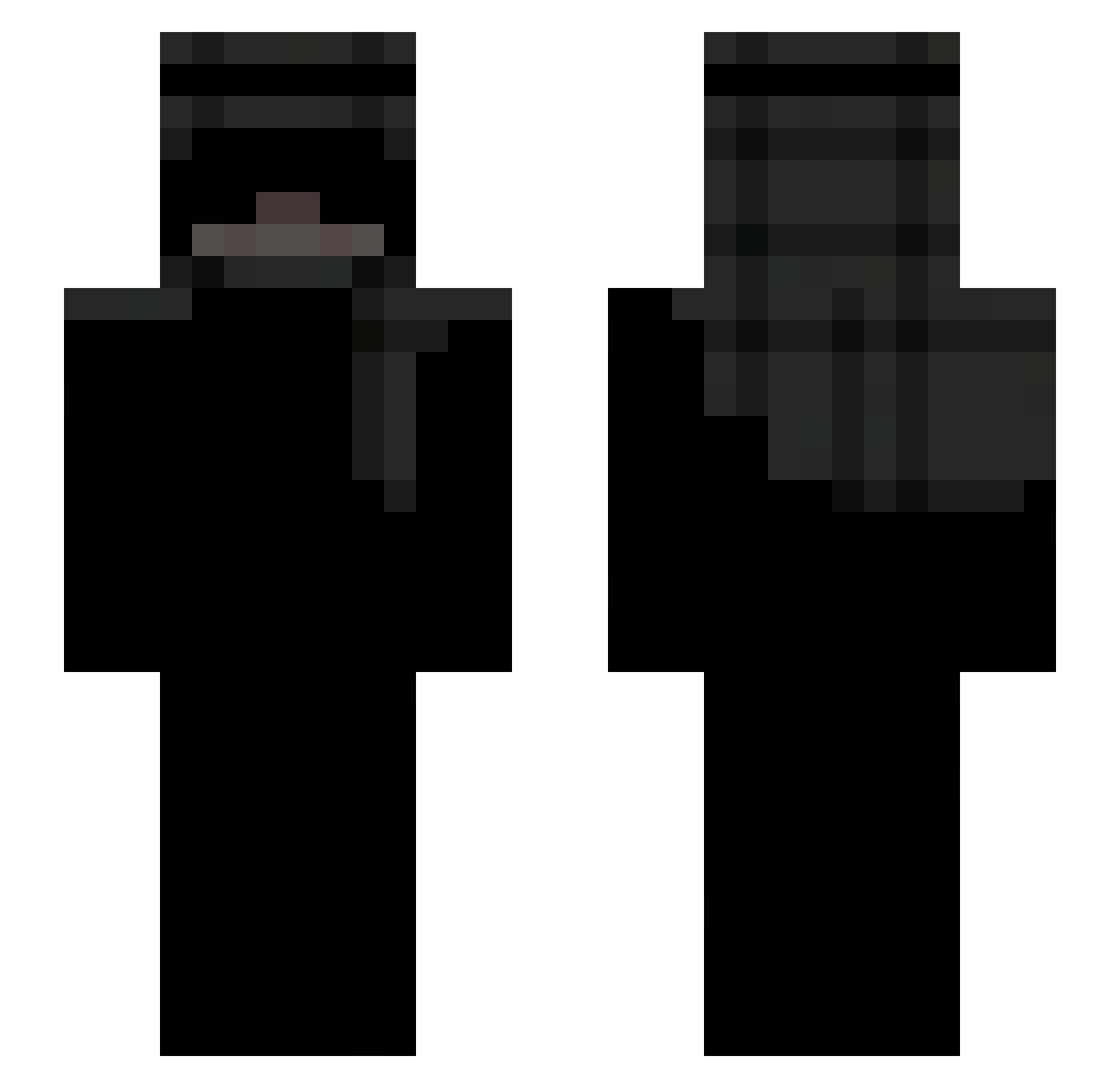
Current Minecraft skin of the player Axmarck, loaded from the official Mojang API. Rotate the 3D model with your mouse or finger, then download the skin as a PNG file and use it in Minecraft: Bedrock Edition or Java Edition for free. When Axmarck changes their skin, this page updates automatically and the old skin stays in the history below.
Other players with this skin (301)
Axmarck was the 279th player we have seen with this skin, first spotted on 30.10.2026. The same skin was seen on these players. Open a nickname to see their current skin and skin history.
 THEREALDIEGO6 Turanksu Vixticated NarqT CloudXd7150 Jemszz tarfex 9deiv TheKidOzzy saduloww_ b3yler Dvcx_ YuqiiEU TTV_LuLuKababa nbayoungboyfan23 DovlaBrat RSZIN7 AMiaoSanMa hlaiqw rpgjanos KiiraPlay Driftboard Gurlyee Renzonike Farinha_Zk oSoaringX Tornyxek_ kiyuta gasne fwszn itsjojox fkdring Stento Hockeymaster21 Cr1mzoo cursefr JeffHardey09 404Apollo gone47 Vizzy47 nh54m9mHu8 SOBAdesu Cookie_Girl Chexting LawDWestSide Speer_snarling96 Fuzzy12390 M6EZ mmauzer Axe_9 HarryTheMan1 bdral Skibinny Dejwid78 iSousOQTF bqbydoll 61vz _MajonezKieleck1 StrawHatCrow derc7
More Keffiyeh Minecraft skins
How to install the Axmarck skin
- Press the Download button above to save the skin as a PNG file.
- Minecraft: Bedrock Edition (PE): open the Dressing Room from the main menu (or tap your character → Edit Character), go to Classic Skins → Owned, press the + (new skin) button, choose the downloaded PNG and pick the Slim (Alex) model. Works on PC and mobile; consoles cannot import custom skins.
- Minecraft: Java Edition: open the Minecraft Launcher, go to the Skins tab, click New Skin, load the PNG, pick the Slim (Alex) model and press Save & Use. You can also upload it at minecraft.net → Profile → Change Skin.
The skin does not show up after import - what should I do?
Restart Minecraft and open the Dressing Room again - imported skins sometimes appear only after a restart. Also make sure you selected the imported skin and picked the Slim (Alex) model.
Which model should I choose, Classic or Slim?
This skin is designed for the Slim (Alex) model. If you pick the wrong model, the arms of the skin will look stretched or squeezed.
Is the skin of Axmarck free to download?
Yes. Press Download, save the PNG file and use it in Minecraft: Bedrock Edition or Java Edition - no payment or registration needed. The skin also works on multiplayer servers and Realms.
More skins
Looking for more? Go back to all Minecraft skins and check the top skins of the week, month and all time, or find any player's skin by nickname.