
Averxalls - Minecraft Skins & Skin History
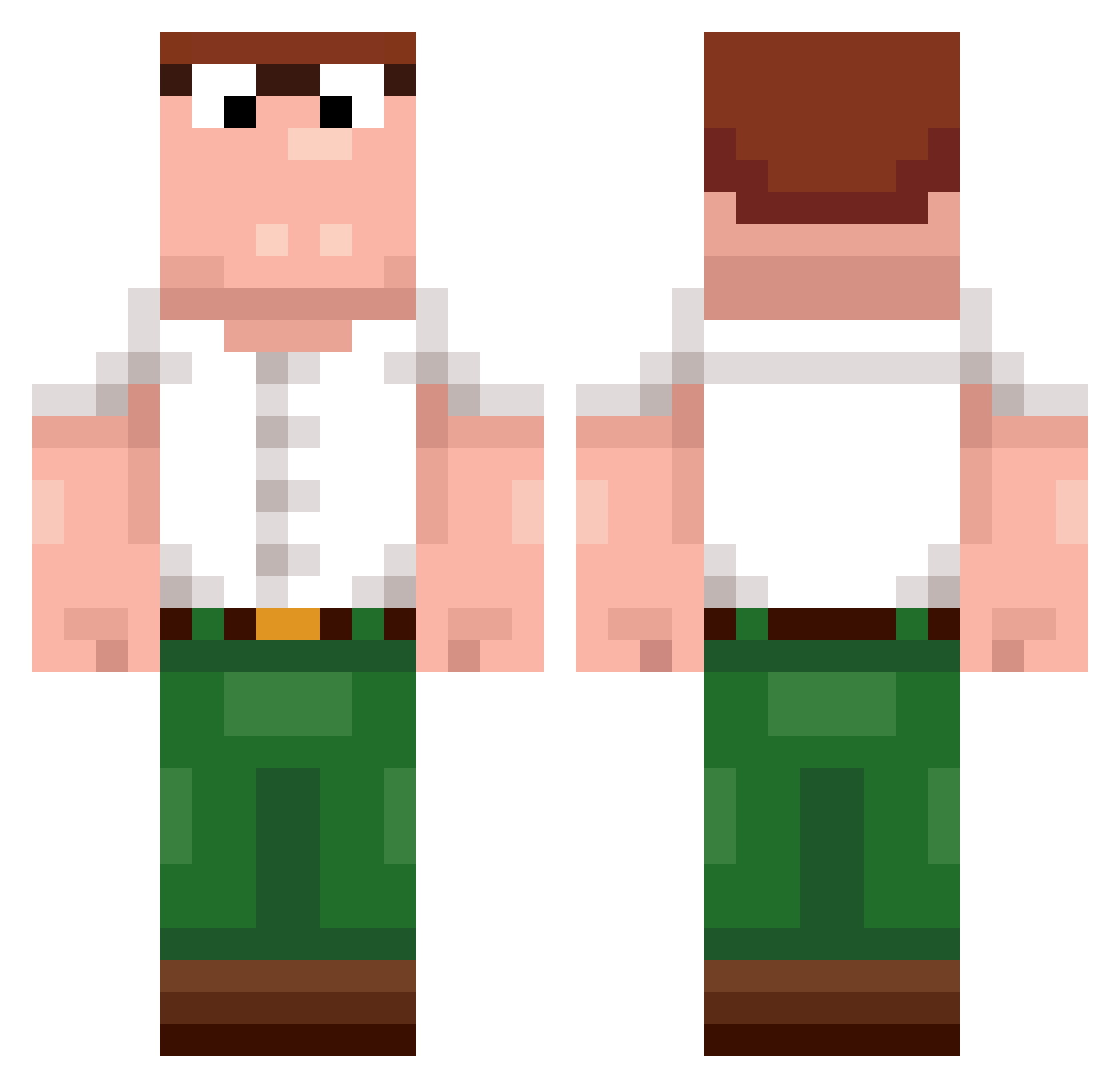
Current Minecraft skin of the player Averxalls, loaded from the official Mojang API. Rotate the 3D model with your mouse or finger, then download the skin as a PNG file and use it in Minecraft: Bedrock Edition or Java Edition for free. When Averxalls changes their skin, this page updates automatically and the old skin stays in the history below.
Other players with this skin (484)
Averxalls was the 404th player we have seen with this skin, first spotted on 22.10.2026. The same skin was seen on these players. Open a nickname to see their current skin and skin history.
 XXMOD_ Aided CrusadingDino rwd4 franjepro ChiefKevlar wwwawsl GymWolf bi992 FourSixONine dandelion071 SkyTonn YoshiroKaguya MrAutumnn23 ILoveGHK_CU Lingrabstore015 _keane_1 Pece_medium99 AdamIsBread akadbrg correiaclan5 Thijlewijs Savka_kakahka 78x1 t0nk1a Me_isRaph717 D_E_W_I_E_R Goniper 69M69 Wholesome_bread NoSpaceLeft eddiewnwg _Donko pichin09 iloveswallowing zaive23 Gajju18 mogmaster36 RyleighJenny lzotr daffwier FlatulentPanda Kxngcxcrs19 DerEchteHeimer waterr521 Azmlu whcn HuffPuf Thiccomode1 Aidanlol0376910 D0rAeMoN1 LNB_UnevenYeti fist_only Peter66666666666 Team_Spirit Gizzard04 PONEOgg bot331 Dewier RohitSzn
More Peter Griffin Minecraft skins
See all 227 Peter Griffin skins
How to install the Averxalls skin
- Press the Download button above to save the skin as a PNG file.
- Minecraft: Bedrock Edition (PE): open the Dressing Room from the main menu (or tap your character → Edit Character), go to Classic Skins → Owned, press the + (new skin) button, choose the downloaded PNG and pick the Classic (Steve) model. Works on PC and mobile; consoles cannot import custom skins.
- Minecraft: Java Edition: open the Minecraft Launcher, go to the Skins tab, click New Skin, load the PNG, pick the Classic (Steve) model and press Save & Use. You can also upload it at minecraft.net → Profile → Change Skin.
The skin does not show up after import - what should I do?
Restart Minecraft and open the Dressing Room again - imported skins sometimes appear only after a restart. Also make sure you selected the imported skin and picked the Classic (Steve) model.
Which model should I choose, Classic or Slim?
This skin is designed for the Classic (Steve) model. If you pick the wrong model, the arms of the skin will look stretched or squeezed.
Is the skin of Averxalls free to download?
Yes. Press Download, save the PNG file and use it in Minecraft: Bedrock Edition or Java Edition - no payment or registration needed. The skin also works on multiplayer servers and Realms.
More skins
Looking for more? Go back to all Minecraft skins and check the top skins of the week, month and all time, or find any player's skin by nickname.