
Arczi1982 - Minecraft Skins & Skin History
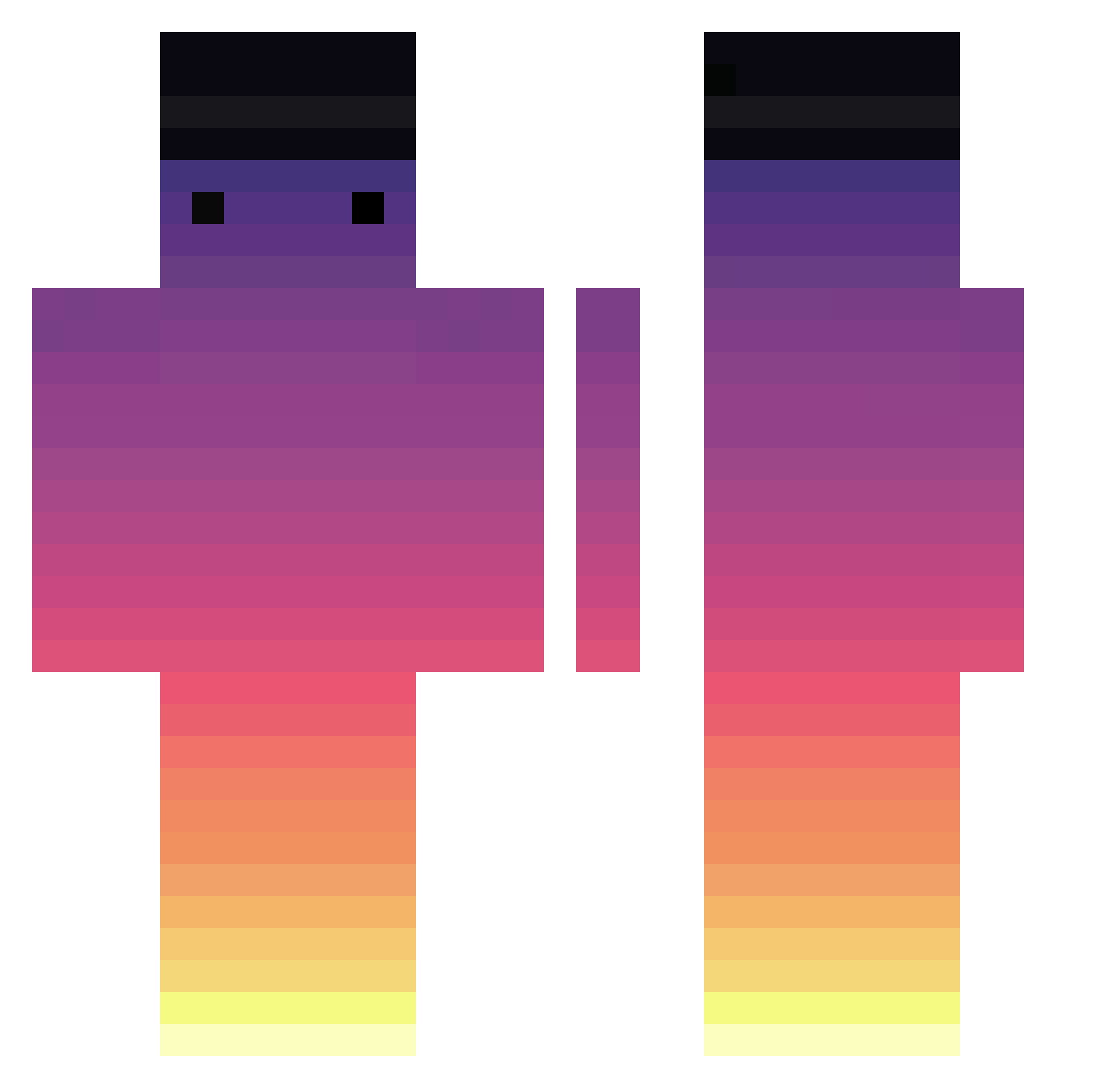
Current Minecraft skin of the player Arczi1982, loaded from the official Mojang API. Rotate the 3D model with your mouse or finger, then download the skin as a PNG file and use it in Minecraft: Bedrock Edition or Java Edition for free. When Arczi1982 changes their skin, this page updates automatically and the old skin stays in the history below.
Other players with this skin (750)
Arczi1982 was the 740th player we have seen with this skin, first spotted on 08.11.2026. The same skin was seen on these players. Open a nickname to see their current skin and skin history.
 brady6754 bedwarsnoobb _Mor4n_ Zurc99 Vardikal Lexilius MrMapunde Herobrine1712 SheeEshdeZOmzom Xx_Tyble_xX wavvle 73iath cladstatue082 psychoowhy dmlcks Pandesalll been0309 TooYuWei Radyjkoo Antoine327 FireDrags BlackJackHD Eiko713 LandedJayy Beatricealan Hacks_Or_Legit NotDTS ExtineAK JoinMS Oct4n3 Nerlion PoorNewGenKiller Swiiipe takeru54 HennyVisionT Tim_ix The_heartbeat10 Saucy_Something S2A_ Over_Wolf_205 obsiCO dahyun09 yangchunlin Sterouzy quaness1 Brxgdd Togud BIGBUGI_ MC_Michau 19mvl HallowLxre _HaLp_ Matanchik titoop boopysloops TeinMare PhaKingSuPah pankebs Baru1105 t1tuss
How to install the Arczi1982 skin
- Press the Download button above to save the skin as a PNG file.
- Minecraft: Bedrock Edition (PE): open the Dressing Room from the main menu (or tap your character → Edit Character), go to Classic Skins → Owned, press the + (new skin) button, choose the downloaded PNG and pick the Classic (Steve) model. Works on PC and mobile; consoles cannot import custom skins.
- Minecraft: Java Edition: open the Minecraft Launcher, go to the Skins tab, click New Skin, load the PNG, pick the Classic (Steve) model and press Save & Use. You can also upload it at minecraft.net → Profile → Change Skin.
The skin does not show up after import - what should I do?
Restart Minecraft and open the Dressing Room again - imported skins sometimes appear only after a restart. Also make sure you selected the imported skin and picked the Classic (Steve) model.
Which model should I choose, Classic or Slim?
This skin is designed for the Classic (Steve) model. If you pick the wrong model, the arms of the skin will look stretched or squeezed.
Is the skin of Arczi1982 free to download?
Yes. Press Download, save the PNG file and use it in Minecraft: Bedrock Edition or Java Edition - no payment or registration needed. The skin also works on multiplayer servers and Realms.
More skins
Looking for more? Go back to all Minecraft skins and check the top skins of the week, month and all time, or find any player's skin by nickname.