
Archerwell0 - Minecraft Skins & Skin History
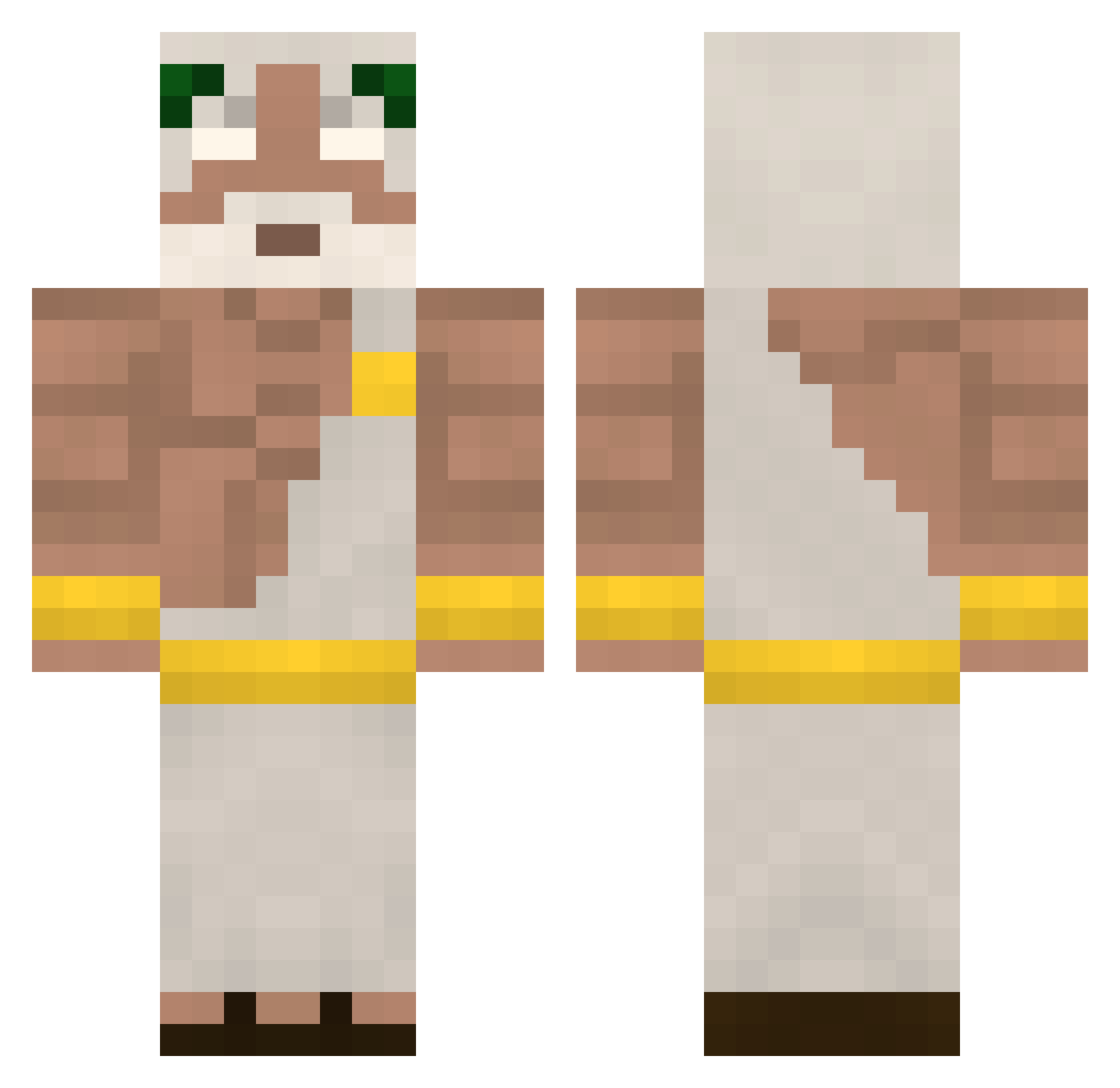
Current Minecraft skin of the player Archerwell0, loaded from the official Mojang API. Rotate the 3D model with your mouse or finger, then download the skin as a PNG file and use it in Minecraft: Bedrock Edition or Java Edition for free. When Archerwell0 changes their skin, this page updates automatically and the old skin stays in the history below.
Other players with this skin (430)
Archerwell0 was the 352nd player we have seen with this skin, first spotted on 19.10.2026. The same skin was seen on these players. Open a nickname to see their current skin and skin history.
 n3ssY1338 Cherif0 simwo_44 TayhioO spong1395 7sinszoria _Pap1k HugeBenis SmartAsian123 Totemezone platona serg0 XxSweaty_KingxX HXKY01 MiniTownie patisiwiksztonek Geeksu ULUCINO Moktaine KalAdderal Itz_benyy Linuski99 N4tH3 Correia711 Tenacityimpact itayhaki can11 Valkama_ Lost_Bloodwork lungenspritzi187 DengesizAdam03 MrPrisma2 quarex75 Vanilla_Wh0op EduardG1 101podcast phonkjarajara AlphaMaIe Vendelllll Winsonwu Dan1ix halilkavcak LamproId BigsBull stivKox Skullnight2412 Robertrack777 bruno_fall_in_lv Leevi699 DesiredFear SaYtonFurY Keeyron chikepei xXAS1NXx MD_BOY Zss000 IGForever Rafety052 Aristarchos4006 imEKOSH
More Zeus Minecraft skins
How to install the Archerwell0 skin
- Press the Download button above to save the skin as a PNG file.
- Minecraft: Bedrock Edition (PE): open the Dressing Room from the main menu (or tap your character → Edit Character), go to Classic Skins → Owned, press the + (new skin) button, choose the downloaded PNG and pick the Classic (Steve) model. Works on PC and mobile; consoles cannot import custom skins.
- Minecraft: Java Edition: open the Minecraft Launcher, go to the Skins tab, click New Skin, load the PNG, pick the Classic (Steve) model and press Save & Use. You can also upload it at minecraft.net → Profile → Change Skin.
The skin does not show up after import - what should I do?
Restart Minecraft and open the Dressing Room again - imported skins sometimes appear only after a restart. Also make sure you selected the imported skin and picked the Classic (Steve) model.
Which model should I choose, Classic or Slim?
This skin is designed for the Classic (Steve) model. If you pick the wrong model, the arms of the skin will look stretched or squeezed.
Is the skin of Archerwell0 free to download?
Yes. Press Download, save the PNG file and use it in Minecraft: Bedrock Edition or Java Edition - no payment or registration needed. The skin also works on multiplayer servers and Realms.
More skins
Looking for more? Go back to all Minecraft skins and check the top skins of the week, month and all time, or find any player's skin by nickname.