
Andes22 - Minecraft Skins & Skin History
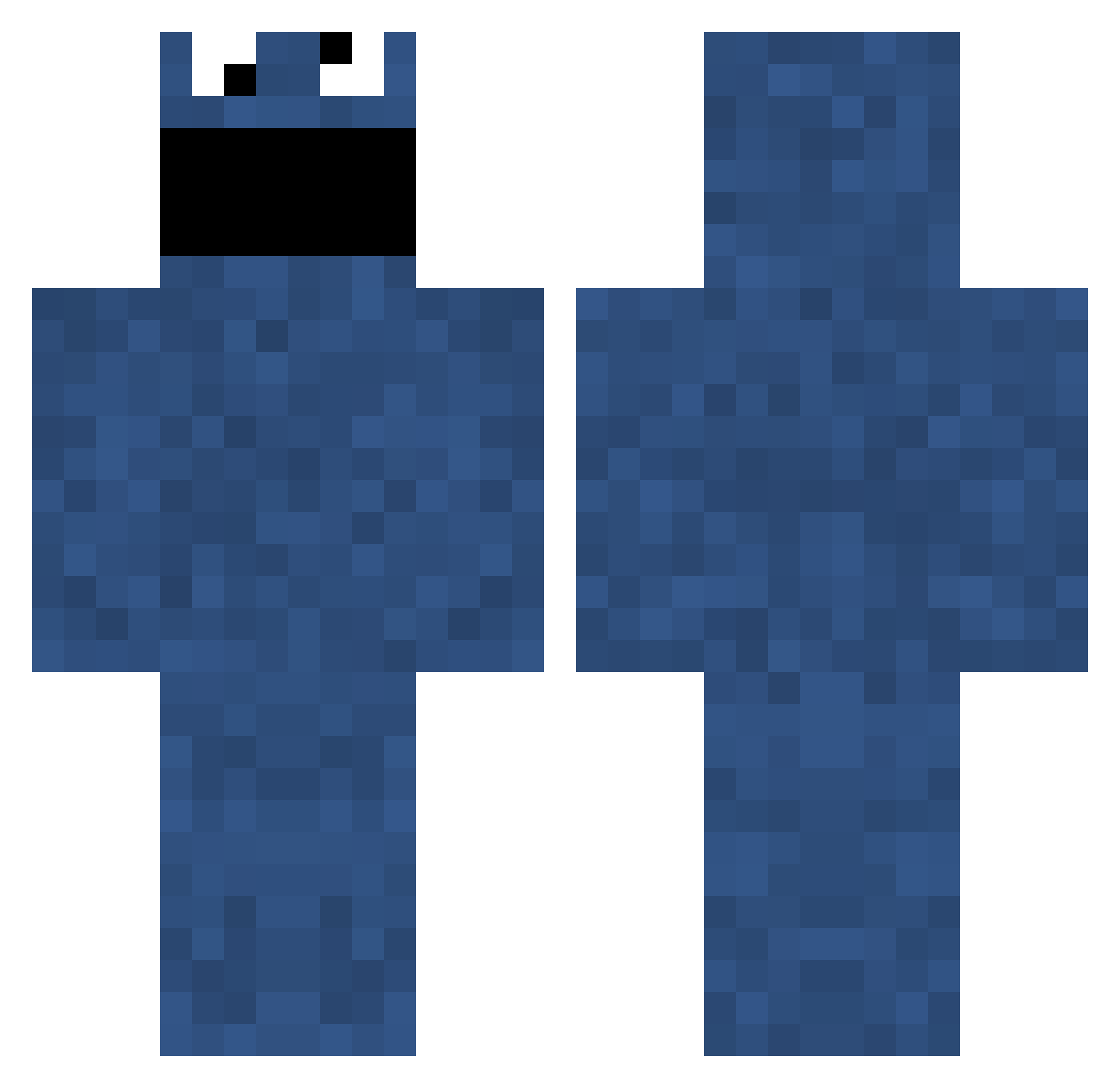
Current Minecraft skin of the player Andes22, loaded from the official Mojang API. Rotate the 3D model with your mouse or finger, then download the skin as a PNG file and use it in Minecraft: Bedrock Edition or Java Edition for free. When Andes22 changes their skin, this page updates automatically and the old skin stays in the history below.
Other players with this skin (863)
Andes22 was the 769th player we have seen with this skin, first spotted on 30.10.2026. The same skin was seen on these players. Open a nickname to see their current skin and skin history.
 KingPie44 jakek21 Ducimus Tjoffsan TryHardBanana noggster JFredson MR_Toast22 CatPainMeOw CuzImFabri_ GetRaided _fel1x_ ScoutVince Nurena mary10 TheHumanBlender Rottentoes Subbaka queekvondrak yamother1234 ieatrainbows45 var610 _CookieMonster_ cyphol Krazy_Kid87 Betoneira JyPx_XD Fohdeesha robwalton Becausee Zaekan builderz__ jockim greenday4500 JohannaSK x_EliTe_HiPpO_ kristiou7 CAF Zephyrfront Arkeis emmmmmm Its_Fal Phil_Eastwood Archaiveus wylin1 ControlXerox Danny_Lou anasasis01 Nanaconda mrdietzy doctorwho1000 Garagas98 turtlefighter360 _Naira_ PatOnTheNet CestMoi1815 VanishingCat bonifidejr jnczx Turner762
More Cookie Monster Minecraft skins
See all 298 Cookie Monster skins
How to install the Andes22 skin
- Press the Download button above to save the skin as a PNG file.
- Minecraft: Bedrock Edition (PE): open the Dressing Room from the main menu (or tap your character → Edit Character), go to Classic Skins → Owned, press the + (new skin) button, choose the downloaded PNG and pick the Classic (Steve) model. Works on PC and mobile; consoles cannot import custom skins.
- Minecraft: Java Edition: open the Minecraft Launcher, go to the Skins tab, click New Skin, load the PNG, pick the Classic (Steve) model and press Save & Use. You can also upload it at minecraft.net → Profile → Change Skin.
The skin does not show up after import - what should I do?
Restart Minecraft and open the Dressing Room again - imported skins sometimes appear only after a restart. Also make sure you selected the imported skin and picked the Classic (Steve) model.
Which model should I choose, Classic or Slim?
This skin is designed for the Classic (Steve) model. If you pick the wrong model, the arms of the skin will look stretched or squeezed.
Is the skin of Andes22 free to download?
Yes. Press Download, save the PNG file and use it in Minecraft: Bedrock Edition or Java Edition - no payment or registration needed. The skin also works on multiplayer servers and Realms.
More skins
Looking for more? Go back to all Minecraft skins and check the top skins of the week, month and all time, or find any player's skin by nickname.