
An_Zhou - Minecraft Skins & Skin History
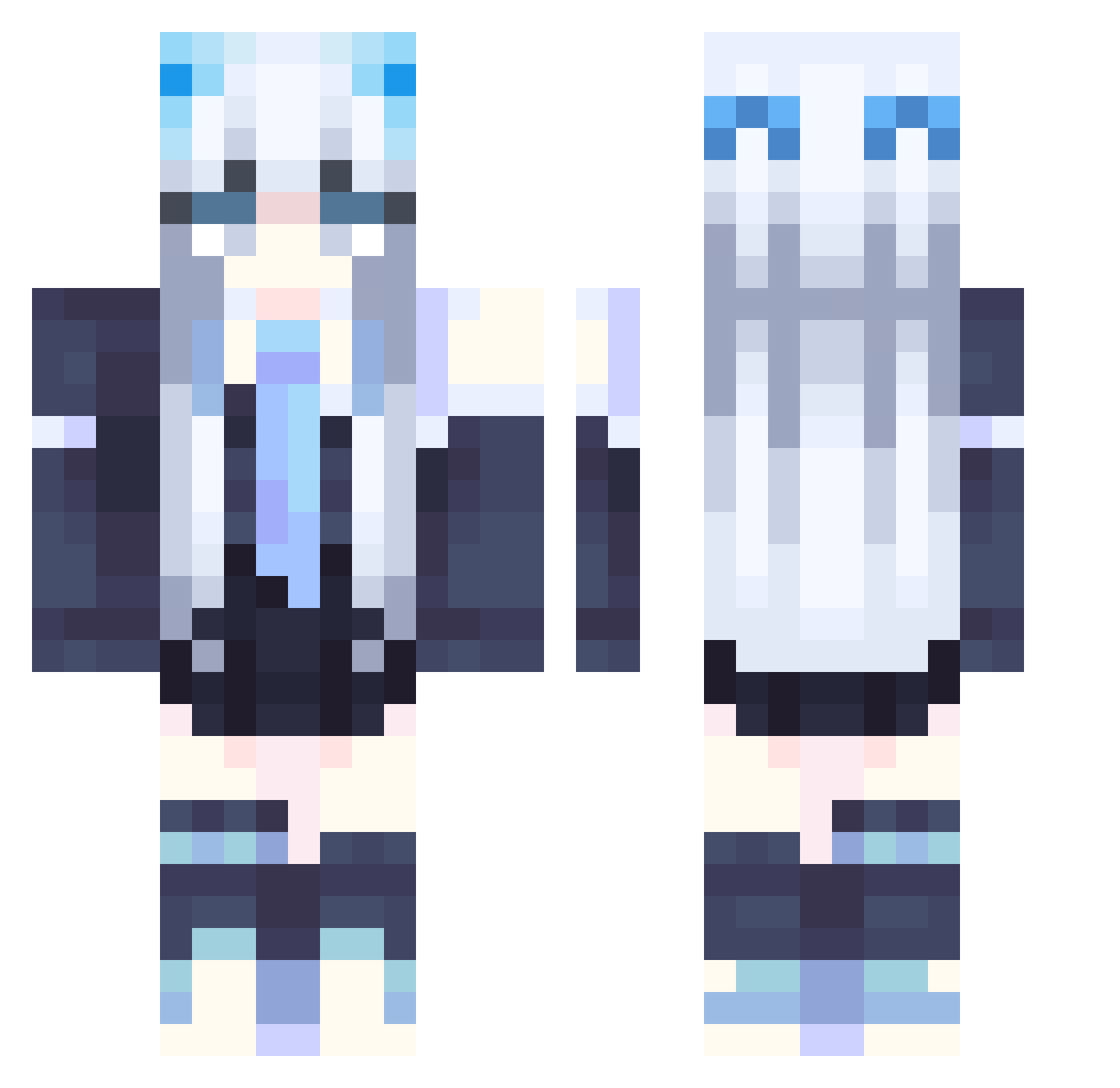
Current Minecraft skin of the player An_Zhou, loaded from the official Mojang API. Rotate the 3D model with your mouse or finger, then download the skin as a PNG file and use it in Minecraft: Bedrock Edition or Java Edition for free. When An_Zhou changes their skin, this page updates automatically and the old skin stays in the history below.
Other players with this skin (357)
An_Zhou was the 129th player we have seen with this skin, first spotted on 05.09.2026. The same skin was seen on these players. Open a nickname to see their current skin and skin history.
 Jessicalrm Sxnid jimmyhuang123 suluobai Markt098 yijing1226 Selfangel irislia0315 shizunagi_33 Insolente STARDUST1049 shenlz daifukmochi96743 Fuou OYOUMUO Yukitt3n ZestyCatboy agent_Chijiji yellowsibo hyakkisai limulu0422 bosinHU RimuRimuFB Niarey Smeliy Quinn0405 k_777 M0xiehd chen08309 NonameOSTK cappuccinoble mylovebaby TsundereSya oFly_ WinterNight0211 AkiSkov sergei_001 Laa_0 Willow_Vallen Morgenrote712 NinaHatsuse_1105 Wintersoul9 Ulrique FrankHan00 Bei_She KatDawgg3956 Wata_5922 Perra919 ANYING01 EmilyChang1208 Winniesu TrendStars NinjaAqua445 yunoblk Amber_Seville MoonMarang YxBz_ StarSkyCat note1017 azlmna
More School Uniform Minecraft skins
See all 7162 School Uniform skins
How to install the An_Zhou skin
- Press the Download button above to save the skin as a PNG file.
- Minecraft: Bedrock Edition (PE): open the Dressing Room from the main menu (or tap your character → Edit Character), go to Classic Skins → Owned, press the + (new skin) button, choose the downloaded PNG and pick the Classic (Steve) model. Works on PC and mobile; consoles cannot import custom skins.
- Minecraft: Java Edition: open the Minecraft Launcher, go to the Skins tab, click New Skin, load the PNG, pick the Classic (Steve) model and press Save & Use. You can also upload it at minecraft.net → Profile → Change Skin.
The skin does not show up after import - what should I do?
Restart Minecraft and open the Dressing Room again - imported skins sometimes appear only after a restart. Also make sure you selected the imported skin and picked the Classic (Steve) model.
Which model should I choose, Classic or Slim?
This skin is designed for the Classic (Steve) model. If you pick the wrong model, the arms of the skin will look stretched or squeezed.
Is the skin of An_Zhou free to download?
Yes. Press Download, save the PNG file and use it in Minecraft: Bedrock Edition or Java Edition - no payment or registration needed. The skin also works on multiplayer servers and Realms.
More skins
Looking for more? Go back to all Minecraft skins and check the top skins of the week, month and all time, or find any player's skin by nickname.