
Alabrir - Minecraft Skins & Skin History
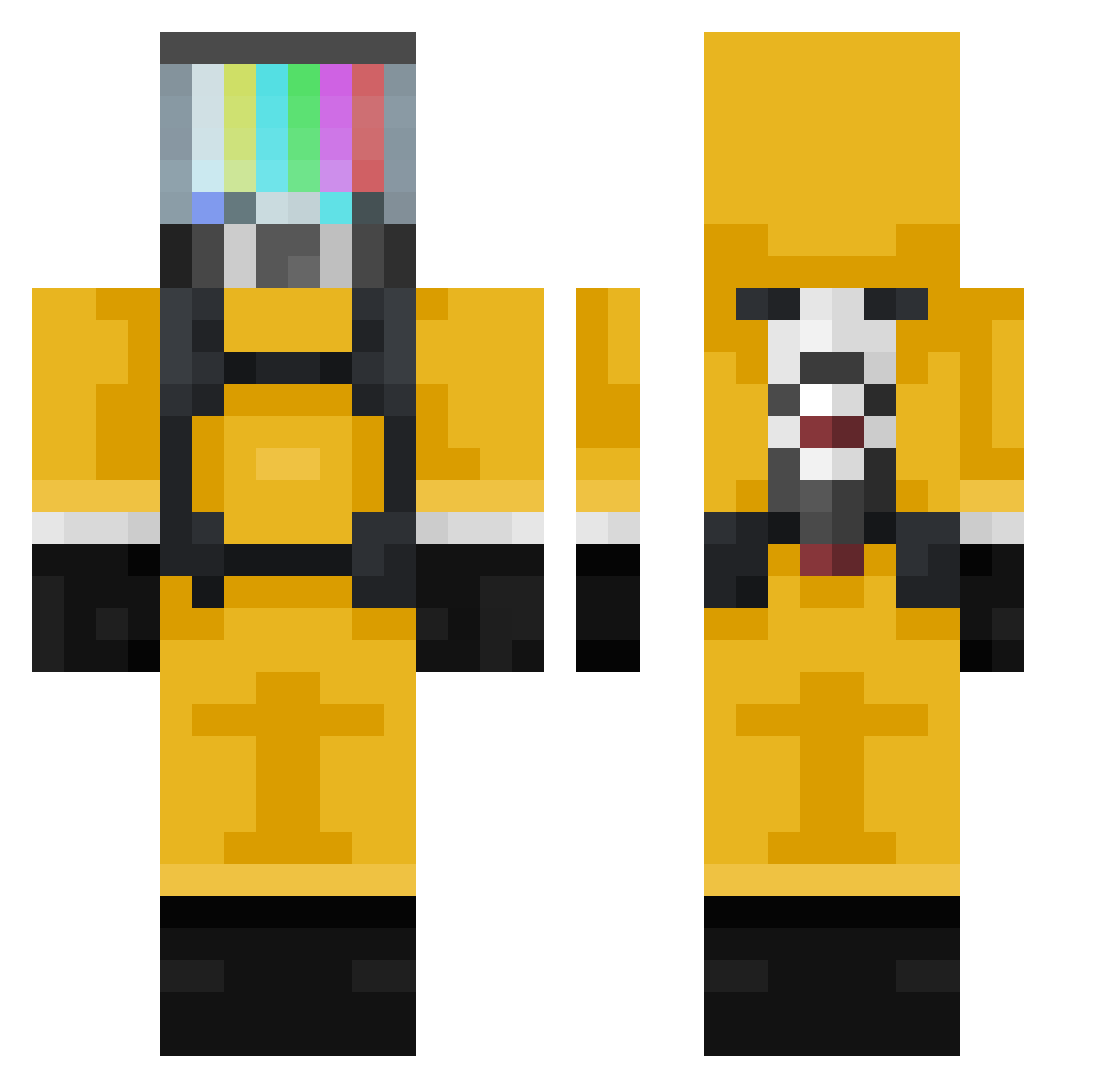
Current Minecraft skin of the player Alabrir, loaded from the official Mojang API. Rotate the 3D model with your mouse or finger, then download the skin as a PNG file and use it in Minecraft: Bedrock Edition or Java Edition for free. When Alabrir changes their skin, this page updates automatically and the old skin stays in the history below.
Other players with this skin (377)
Alabrir was the 310th player we have seen with this skin, first spotted on 21.10.2026. The same skin was seen on these players. Open a nickname to see their current skin and skin history.
 hoho18 willbill77 OSSEOUS_ K0rn3ll0 _Cludo Irondwarf2113 Nniiiss _Nobody_Is_Here_ F4d0 NyxOCE Rin888 leo8583 BUNSTIN bmunylguns ori129 AgentPIayboy Bidlo228 BOMANS555 Kurogo plade Dol_B kibawa LmnP Chanistanya MappinGod Darincho0 OhLxrdy DecaFix Diebambie SuperMiniG Tank040405 cavillalobos Hacero0o Herpes_91 miketant Baribuh xBlackWolf93x OrginalAce FMT2010 ZeroRanK BelianoR Biomechanical80 Syncetify ZeRo000_ jjsovik jorgeom25 iVloody jestem_nowy LUDA0410 Resmoque oscarallo vuxvis Michael2954 tentensss A1xLi FieldVillage K4NC7 TurboBlok Averight Oyrd98
More TV Head Minecraft skins
How to install the Alabrir skin
- Press the Download button above to save the skin as a PNG file.
- Minecraft: Bedrock Edition (PE): open the Dressing Room from the main menu (or tap your character → Edit Character), go to Classic Skins → Owned, press the + (new skin) button, choose the downloaded PNG and pick the Classic (Steve) model. Works on PC and mobile; consoles cannot import custom skins.
- Minecraft: Java Edition: open the Minecraft Launcher, go to the Skins tab, click New Skin, load the PNG, pick the Classic (Steve) model and press Save & Use. You can also upload it at minecraft.net → Profile → Change Skin.
The skin does not show up after import - what should I do?
Restart Minecraft and open the Dressing Room again - imported skins sometimes appear only after a restart. Also make sure you selected the imported skin and picked the Classic (Steve) model.
Which model should I choose, Classic or Slim?
This skin is designed for the Classic (Steve) model. If you pick the wrong model, the arms of the skin will look stretched or squeezed.
Is the skin of Alabrir free to download?
Yes. Press Download, save the PNG file and use it in Minecraft: Bedrock Edition or Java Edition - no payment or registration needed. The skin also works on multiplayer servers and Realms.
More skins
Looking for more? Go back to all Minecraft skins and check the top skins of the week, month and all time, or find any player's skin by nickname.