
AidzAF - Minecraft Skins & Skin History
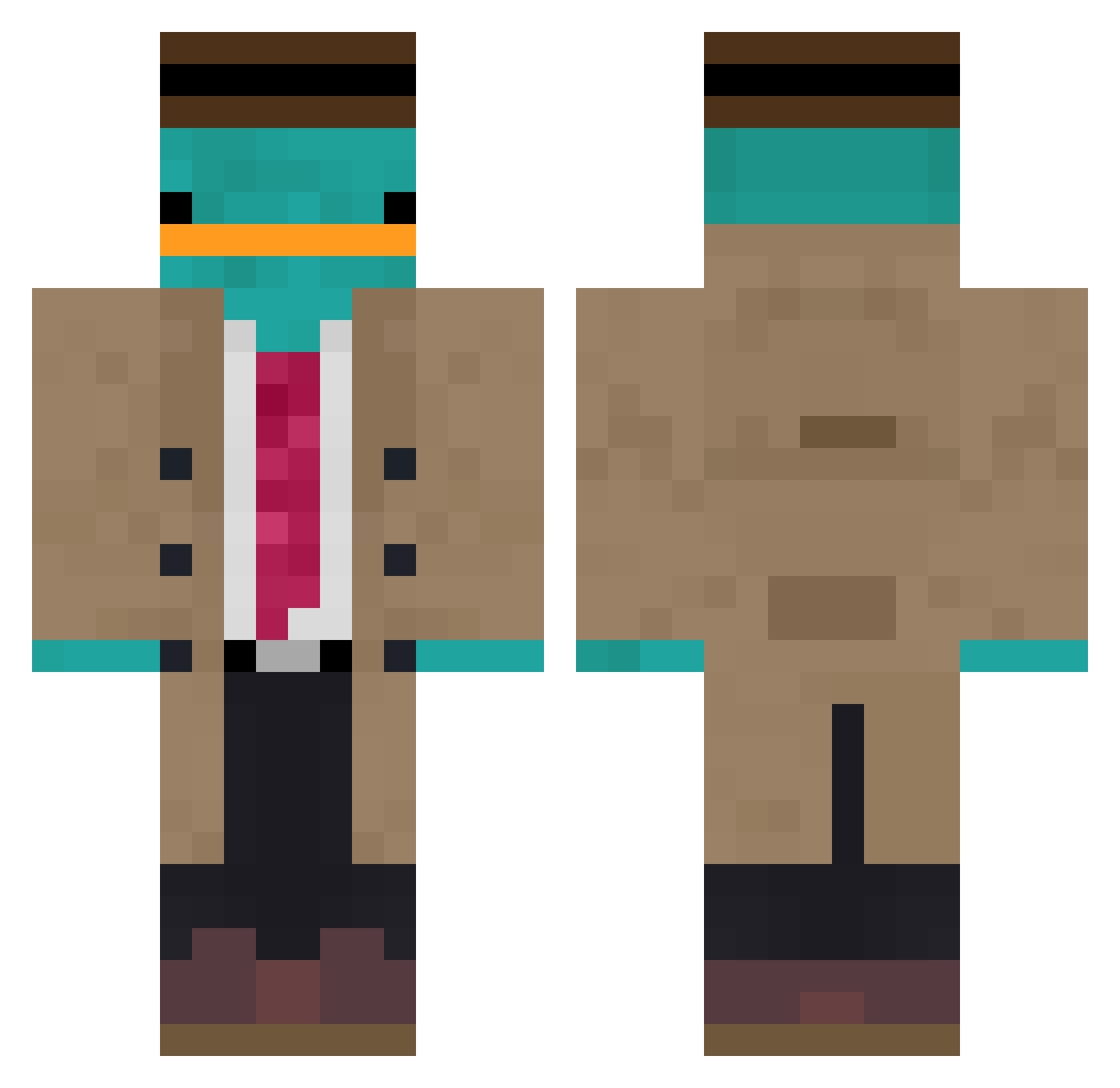
Current Minecraft skin of the player AidzAF, loaded from the official Mojang API. Rotate the 3D model with your mouse or finger, then download the skin as a PNG file and use it in Minecraft: Bedrock Edition or Java Edition for free. When AidzAF changes their skin, this page updates automatically and the old skin stays in the history below.
Other players with this skin (1116)
AidzAF was the 997th player we have seen with this skin, first spotted on 30.10.2026. The same skin was seen on these players. Open a nickname to see their current skin and skin history.
 Bl1nd1218 Dayen_ Helena_A01 CuteSpiderExe Feilia Said11_ diest64 slouchh uhraissa XplosiveRice Syno_zzZ LTSEH Wiiremote64 Iguro5 Lynyrd01 kubulastyXD ahnho1228 SYLFER1 hatBlush MrvsWrld Sourier02 F4RKey kickil2207 YaggerMcSwagger AGMainCharacter ItsYaaBoiMike Playboibada akilem N4X0R AdamBombX13 K13nan Helxo Christodave ClassicSpam lblay32 stonefarmer86 That_Kid_150 chad166 CaptnJoker69 BirdZaam14 Ozy69 AndyC2005 MarinBara7 Balthacas Snacks4Jack W11LD Bernyfive _potato_lord_ Brenfield UspiSaurus ayelysia czlowiek18 Knuffelkip eztenim ldmaalst PieroAngela KazukoSadow baarmoederkind SirP0tat0 FrankWham99
More Platypus Minecraft skins
How to install the AidzAF skin
- Press the Download button above to save the skin as a PNG file.
- Minecraft: Bedrock Edition (PE): open the Dressing Room from the main menu (or tap your character → Edit Character), go to Classic Skins → Owned, press the + (new skin) button, choose the downloaded PNG and pick the Classic (Steve) model. Works on PC and mobile; consoles cannot import custom skins.
- Minecraft: Java Edition: open the Minecraft Launcher, go to the Skins tab, click New Skin, load the PNG, pick the Classic (Steve) model and press Save & Use. You can also upload it at minecraft.net → Profile → Change Skin.
The skin does not show up after import - what should I do?
Restart Minecraft and open the Dressing Room again - imported skins sometimes appear only after a restart. Also make sure you selected the imported skin and picked the Classic (Steve) model.
Which model should I choose, Classic or Slim?
This skin is designed for the Classic (Steve) model. If you pick the wrong model, the arms of the skin will look stretched or squeezed.
Is the skin of AidzAF free to download?
Yes. Press Download, save the PNG file and use it in Minecraft: Bedrock Edition or Java Edition - no payment or registration needed. The skin also works on multiplayer servers and Realms.
More skins
Looking for more? Go back to all Minecraft skins and check the top skins of the week, month and all time, or find any player's skin by nickname.