
AceEnderBlade - Minecraft Skins & Skin History
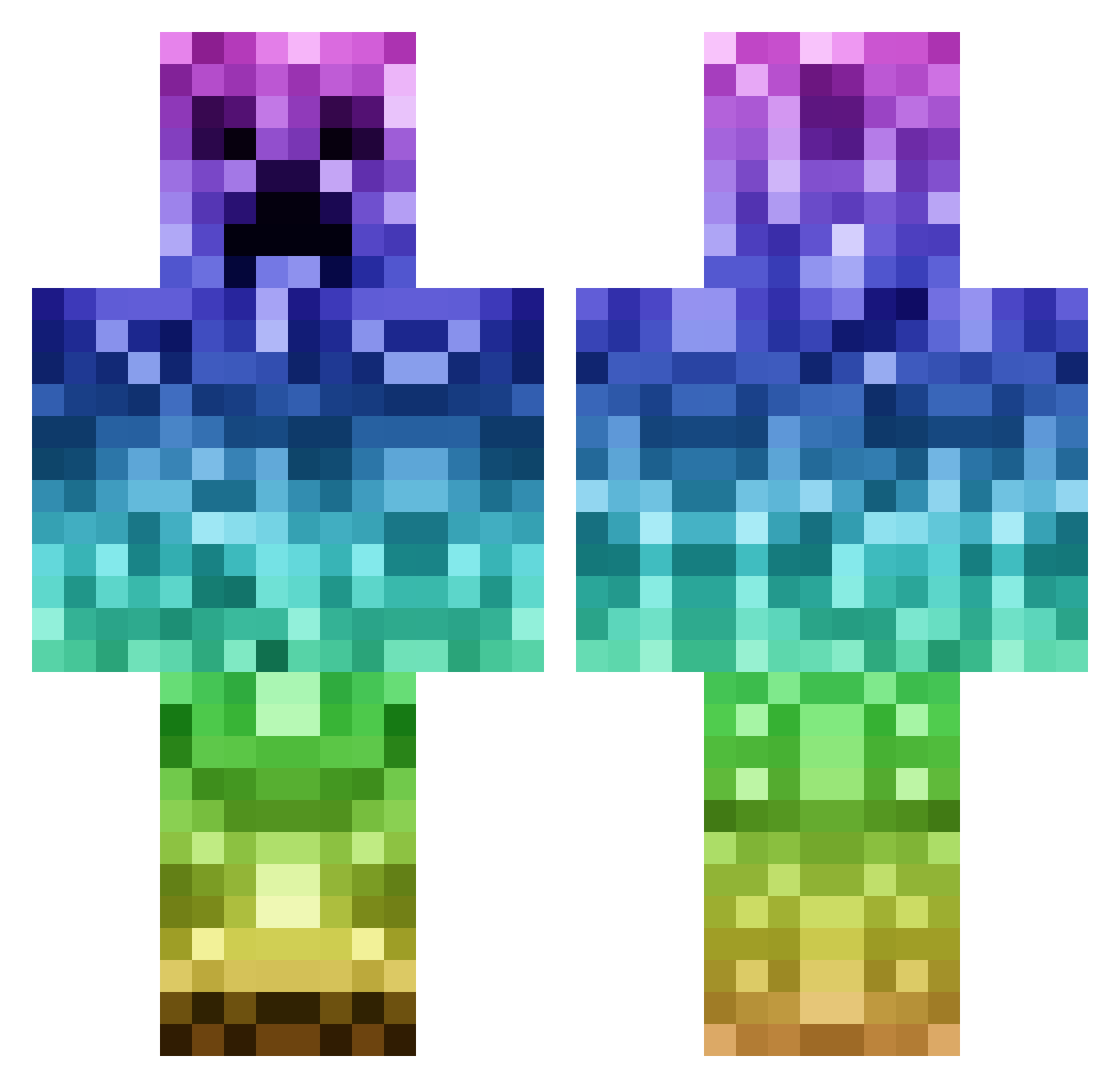
Current Minecraft skin of the player AceEnderBlade, loaded from the official Mojang API. Rotate the 3D model with your mouse or finger, then download the skin as a PNG file and use it in Minecraft: Bedrock Edition or Java Edition for free. When AceEnderBlade changes their skin, this page updates automatically and the old skin stays in the history below.
Other players with this skin (192)
AceEnderBlade was the 140th player we have seen with this skin, first spotted on 16.10.2026. The same skin was seen on these players. Open a nickname to see their current skin and skin history.
 SheSpawn13 kasp435 Ginrow Mannyd04 ha2shu Jianghua Sneaky55 Sad5760 FrankXXX lingying123 Appendix_ Davidsheffey Crispywonton55 Rasberry39 SirPilaf W_shirt ooXJunXoo j0jinho SpacePuppeh itzAroh jathomas1125 unionJr DeleteMePlease99 stressless_ cook1311 NaoLvTi fumo_flandre LeSavage Matty_the_Man negi_sansan unkai01 TheFLYdutchMAN Tir___ Gordon_Chan Kuchensalat24 jessiemos ttxs123 Daan3108 niceymann aaa_0 DieBratwurstLuca FrancoisT mudd4 Ellerski kuyunjian ForTheBirbs PizzaKnight2017 dabman01 SweetJunee xApex_Pvpx Capotillo itsuitsu PKL888 Project3405 Gigachad0619 MadmanKreig PackDFlukkOut420 RyuHoc Monimoner Freebird6666
More Gradient Minecraft skins
How to install the AceEnderBlade skin
- Press the Download button above to save the skin as a PNG file.
- Minecraft: Bedrock Edition (PE): open the Dressing Room from the main menu (or tap your character → Edit Character), go to Classic Skins → Owned, press the + (new skin) button, choose the downloaded PNG and pick the Classic (Steve) model. Works on PC and mobile; consoles cannot import custom skins.
- Minecraft: Java Edition: open the Minecraft Launcher, go to the Skins tab, click New Skin, load the PNG, pick the Classic (Steve) model and press Save & Use. You can also upload it at minecraft.net → Profile → Change Skin.
The skin does not show up after import - what should I do?
Restart Minecraft and open the Dressing Room again - imported skins sometimes appear only after a restart. Also make sure you selected the imported skin and picked the Classic (Steve) model.
Which model should I choose, Classic or Slim?
This skin is designed for the Classic (Steve) model. If you pick the wrong model, the arms of the skin will look stretched or squeezed.
Is the skin of AceEnderBlade free to download?
Yes. Press Download, save the PNG file and use it in Minecraft: Bedrock Edition or Java Edition - no payment or registration needed. The skin also works on multiplayer servers and Realms.
More skins
Looking for more? Go back to all Minecraft skins and check the top skins of the week, month and all time, or find any player's skin by nickname.