
Aaron_iguess - Minecraft Skins & Skin History
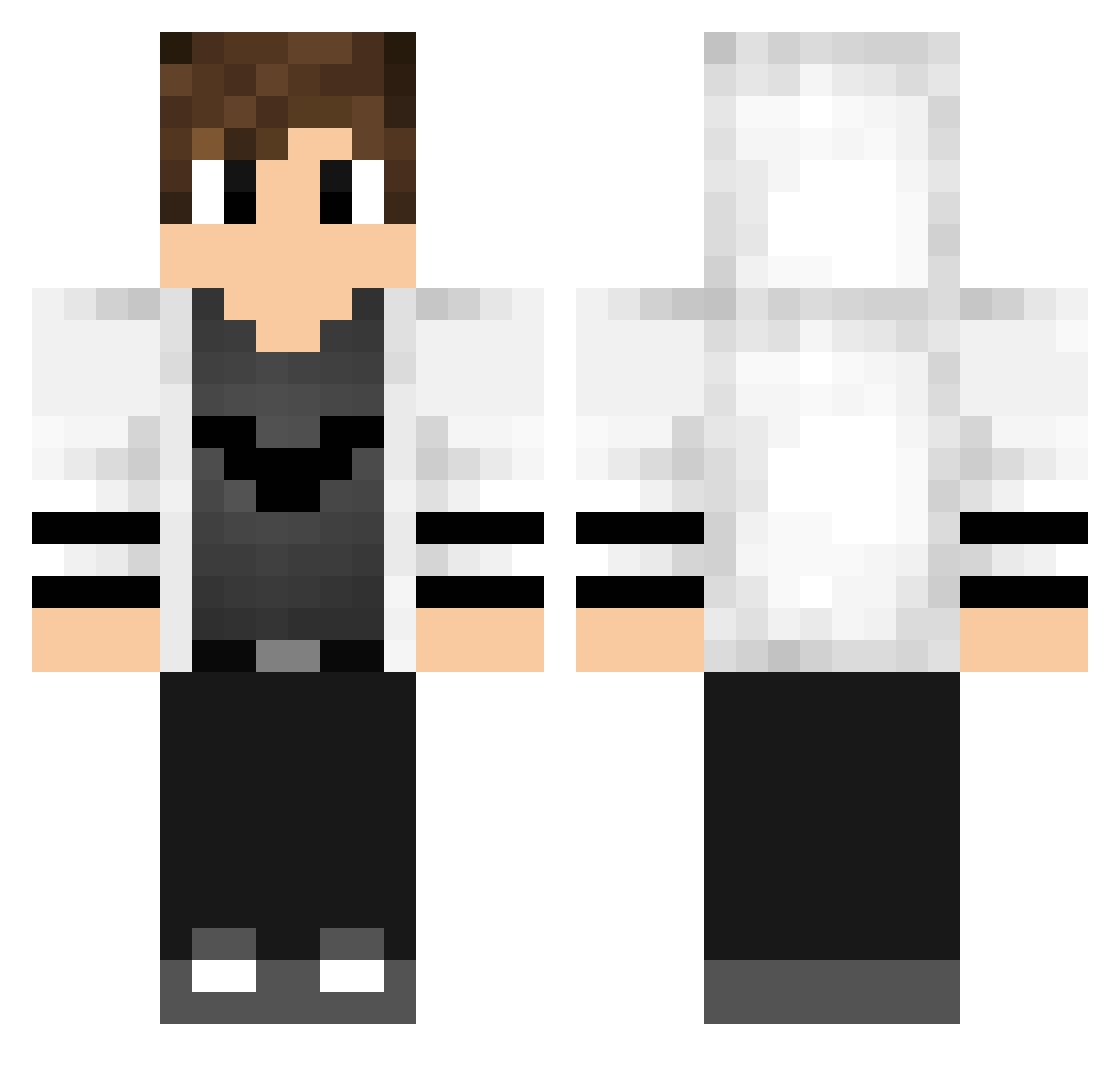
Current Minecraft skin of the player Aaron_iguess, loaded from the official Mojang API. Rotate the 3D model with your mouse or finger, then download the skin as a PNG file and use it in Minecraft: Bedrock Edition or Java Edition for free. When Aaron_iguess changes their skin, this page updates automatically and the old skin stays in the history below.
Other players with this skin (768)
Aaron_iguess was the 584th player we have seen with this skin, first spotted on 17.10.2026. The same skin was seen on these players. Open a nickname to see their current skin and skin history.
 Nikstar243 Bolres DaiBM1 nxndoq shap1k dreamkgm Bradston420 UndeadEngine Vifo0 JottaOne PedrooNieto SzyMoN2125 LEGEND_Basti Helix100 RaFFiii_ Geckin Guddergud minitabss pedro_sperli Tekeshy Mattia7CRAFT RedstoneWarlord rhuanpabloromero Le_Kinge NicklasNMN MustafaHilmi11 RagingRid3r2170 DarkSoul1708 BOOFY_5 Osson4 Cosine59 Podrobiony_1 Ibraa_64 ___HEXON___ Mrsandro123 BigBroCarrot BrianPLMC I_Viralist_I Pedrok1B Krlos9720 Pillager22 mariolas97 AUT_Jan zimka5841 Mathtsuki hassan057 MacDubbelMackan Ja_KubeQ_910 crane_1029 Prochy101 Phelix34 ZFRPirate TheBeastlnside vicecomes0 Maurice_Ouk Principle121 marsik303 OutHelix TechGaming1127 AdriaxVP12
More Bat Symbol Minecraft skins
How to install the Aaron_iguess skin
- Press the Download button above to save the skin as a PNG file.
- Minecraft: Bedrock Edition (PE): open the Dressing Room from the main menu (or tap your character → Edit Character), go to Classic Skins → Owned, press the + (new skin) button, choose the downloaded PNG and pick the Classic (Steve) model. Works on PC and mobile; consoles cannot import custom skins.
- Minecraft: Java Edition: open the Minecraft Launcher, go to the Skins tab, click New Skin, load the PNG, pick the Classic (Steve) model and press Save & Use. You can also upload it at minecraft.net → Profile → Change Skin.
The skin does not show up after import - what should I do?
Restart Minecraft and open the Dressing Room again - imported skins sometimes appear only after a restart. Also make sure you selected the imported skin and picked the Classic (Steve) model.
Which model should I choose, Classic or Slim?
This skin is designed for the Classic (Steve) model. If you pick the wrong model, the arms of the skin will look stretched or squeezed.
Is the skin of Aaron_iguess free to download?
Yes. Press Download, save the PNG file and use it in Minecraft: Bedrock Edition or Java Edition - no payment or registration needed. The skin also works on multiplayer servers and Realms.
More skins
Looking for more? Go back to all Minecraft skins and check the top skins of the week, month and all time, or find any player's skin by nickname.