
ABontop1 - Minecraft Skins & Skin History
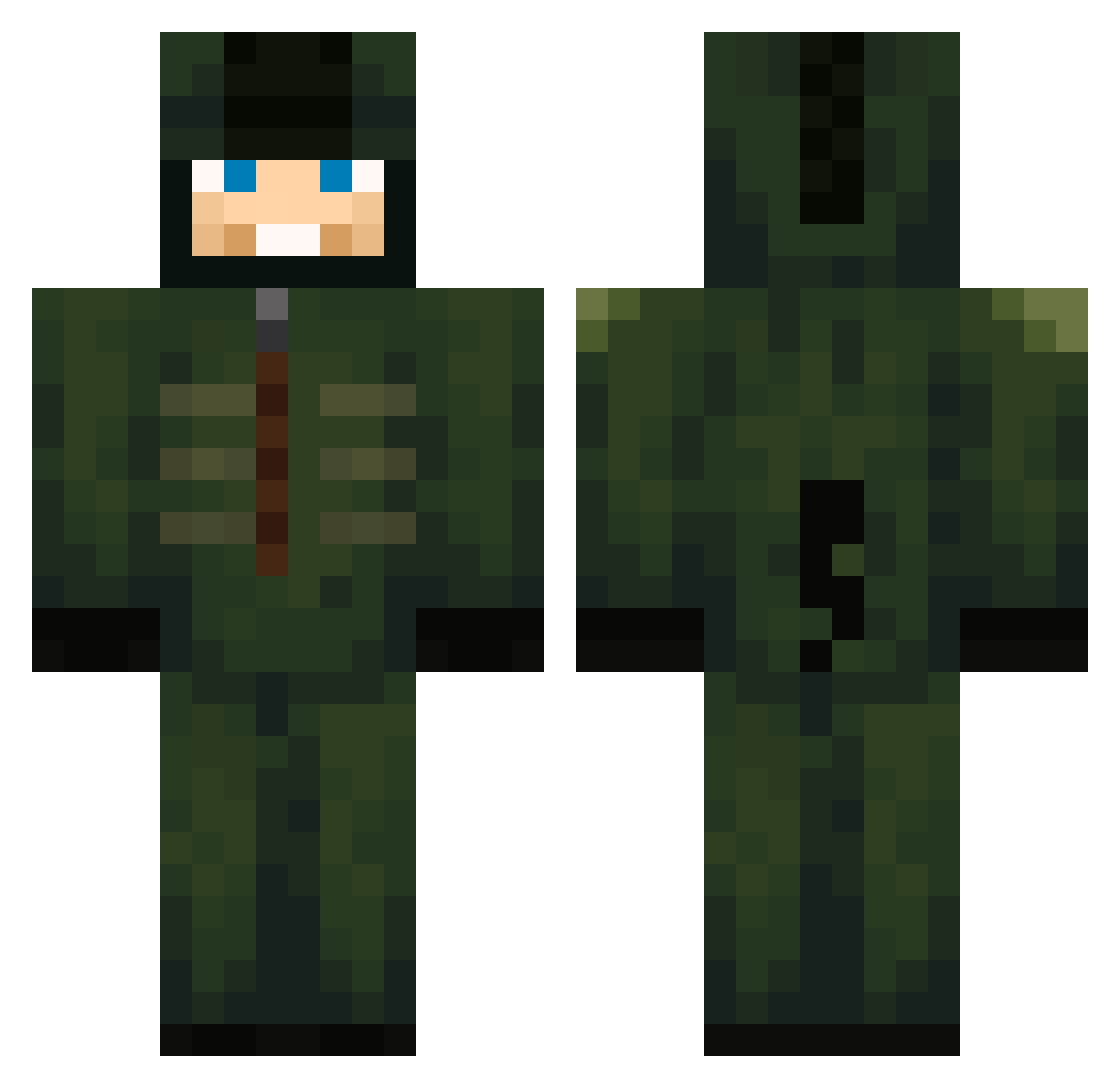
Current Minecraft skin of the player ABontop1, loaded from the official Mojang API. Rotate the 3D model with your mouse or finger, then download the skin as a PNG file and use it in Minecraft: Bedrock Edition or Java Edition for free. When ABontop1 changes their skin, this page updates automatically and the old skin stays in the history below.
Other players with this skin (750)
ABontop1 was the 697th player we have seen with this skin, first spotted on 03.11.2026. The same skin was seen on these players. Open a nickname to see their current skin and skin history.
 username1930 elninofet_us DairisLV AREPAH clonewars2345 grimma511 cyraz911 Gatinsky notno2 Darkremar InsanePatrick72 bentja09 PTfommi Aturdido TDASHE Rango86 SashaIsD1 vMiau Schneider07 Anthony88764 Jason_GGAZ lugn pepealher gomonguss Glix103 ubad133213213 Mi2eru baconhair500 jamal421 Jibenji Rhude1 bryaneirooo Akseldrep crustyzach victorpk1999 Mrnja stibjo1413 choiminseong Pokemontrainer3 Radagast_MC IsDaJake Godlike3YT drbaker4 LaBestChipo deathatstrike98 WINTERZ28 MarioCraft5000 Tim220207 YourDailyNoob21 tiko3mk rnjswlsdn Cillian22 djanrWla Windyiscute Nuclear__Snail xjaydennn luizfefe Tektek kimjunsu7007 GaboM13
More Kigurumi Minecraft skins
How to install the ABontop1 skin
- Press the Download button above to save the skin as a PNG file.
- Minecraft: Bedrock Edition (PE): open the Dressing Room from the main menu (or tap your character → Edit Character), go to Classic Skins → Owned, press the + (new skin) button, choose the downloaded PNG and pick the Classic (Steve) model. Works on PC and mobile; consoles cannot import custom skins.
- Minecraft: Java Edition: open the Minecraft Launcher, go to the Skins tab, click New Skin, load the PNG, pick the Classic (Steve) model and press Save & Use. You can also upload it at minecraft.net → Profile → Change Skin.
The skin does not show up after import - what should I do?
Restart Minecraft and open the Dressing Room again - imported skins sometimes appear only after a restart. Also make sure you selected the imported skin and picked the Classic (Steve) model.
Which model should I choose, Classic or Slim?
This skin is designed for the Classic (Steve) model. If you pick the wrong model, the arms of the skin will look stretched or squeezed.
Is the skin of ABontop1 free to download?
Yes. Press Download, save the PNG file and use it in Minecraft: Bedrock Edition or Java Edition - no payment or registration needed. The skin also works on multiplayer servers and Realms.
More skins
Looking for more? Go back to all Minecraft skins and check the top skins of the week, month and all time, or find any player's skin by nickname.