
777art - Minecraft Skins & Skin History
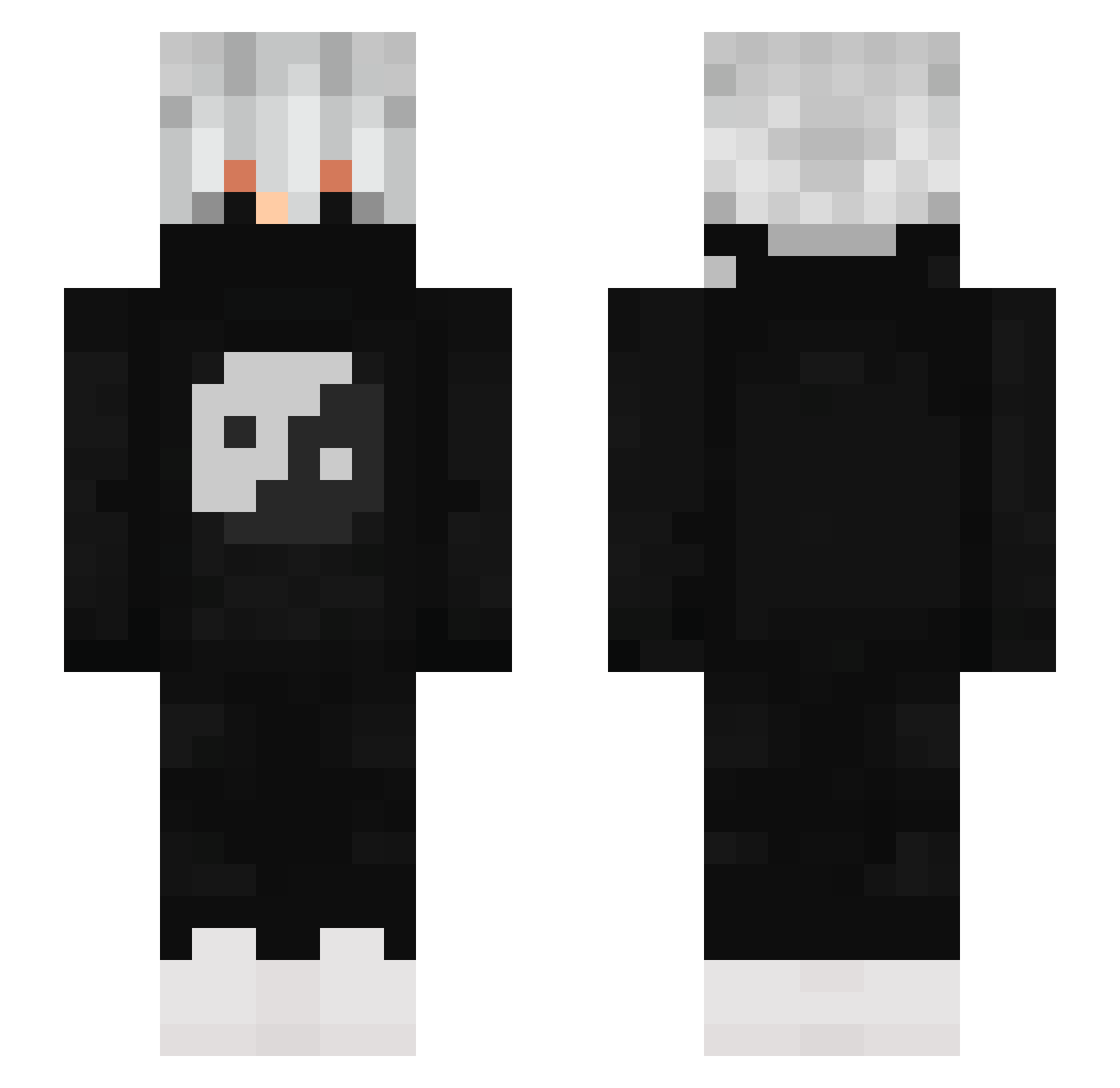
Current Minecraft skin of the player 777art, loaded from the official Mojang API. Rotate the 3D model with your mouse or finger, then download the skin as a PNG file and use it in Minecraft: Bedrock Edition or Java Edition for free. When 777art changes their skin, this page updates automatically and the old skin stays in the history below.
Other players with this skin (880)
777art was the 827th player we have seen with this skin, first spotted on 30.10.2026. The same skin was seen on these players. Open a nickname to see their current skin and skin history.
 lolfifty Nxvr01 FARHAN_COMBO AdeLode BeratMert xXShadowFoxXx23 Emanuel__ Grollfinka8888 woxz1n 0nlyLuca Navvi_0 iDqrkness_ LzzinX Qtsenpai001 timmy1323 Deezerko MichiTheKing13 jdawg_games Pshyco123 slayerdbs Stuntet Gottmeister1 Ace_The_Wolf633 pvpjayy mrclown7 YzYgue Sneekzz LUCAS_1223 TGLPLA1 Dromar228 Sternritter_D kikin_1XVK8_1231 MrArvi vert1_uwu Lui_0907 1ly4babyandy TrinkRedBull vilhena_69 amugo336 AnhBaCop JayslonXD ShadowLord230 DrahyChlebaMedy_ oreia006 Unicolax zzznoted efeyz crazymaster17 egezx ZiroWasTaken ZkySiuuu zNight303 snoopy_pvp Niel_21 FunEgod VulgoShilohh LoveDrxplet Joxa05 CROSS0V PGCgRpHop
More Yin Yang Minecraft skins
How to install the 777art skin
- Press the Download button above to save the skin as a PNG file.
- Minecraft: Bedrock Edition (PE): open the Dressing Room from the main menu (or tap your character → Edit Character), go to Classic Skins → Owned, press the + (new skin) button, choose the downloaded PNG and pick the Slim (Alex) model. Works on PC and mobile; consoles cannot import custom skins.
- Minecraft: Java Edition: open the Minecraft Launcher, go to the Skins tab, click New Skin, load the PNG, pick the Slim (Alex) model and press Save & Use. You can also upload it at minecraft.net → Profile → Change Skin.
The skin does not show up after import - what should I do?
Restart Minecraft and open the Dressing Room again - imported skins sometimes appear only after a restart. Also make sure you selected the imported skin and picked the Slim (Alex) model.
Which model should I choose, Classic or Slim?
This skin is designed for the Slim (Alex) model. If you pick the wrong model, the arms of the skin will look stretched or squeezed.
Is the skin of 777art free to download?
Yes. Press Download, save the PNG file and use it in Minecraft: Bedrock Edition or Java Edition - no payment or registration needed. The skin also works on multiplayer servers and Realms.
More skins
Looking for more? Go back to all Minecraft skins and check the top skins of the week, month and all time, or find any player's skin by nickname.