
2076 - Minecraft Skins & Skin History
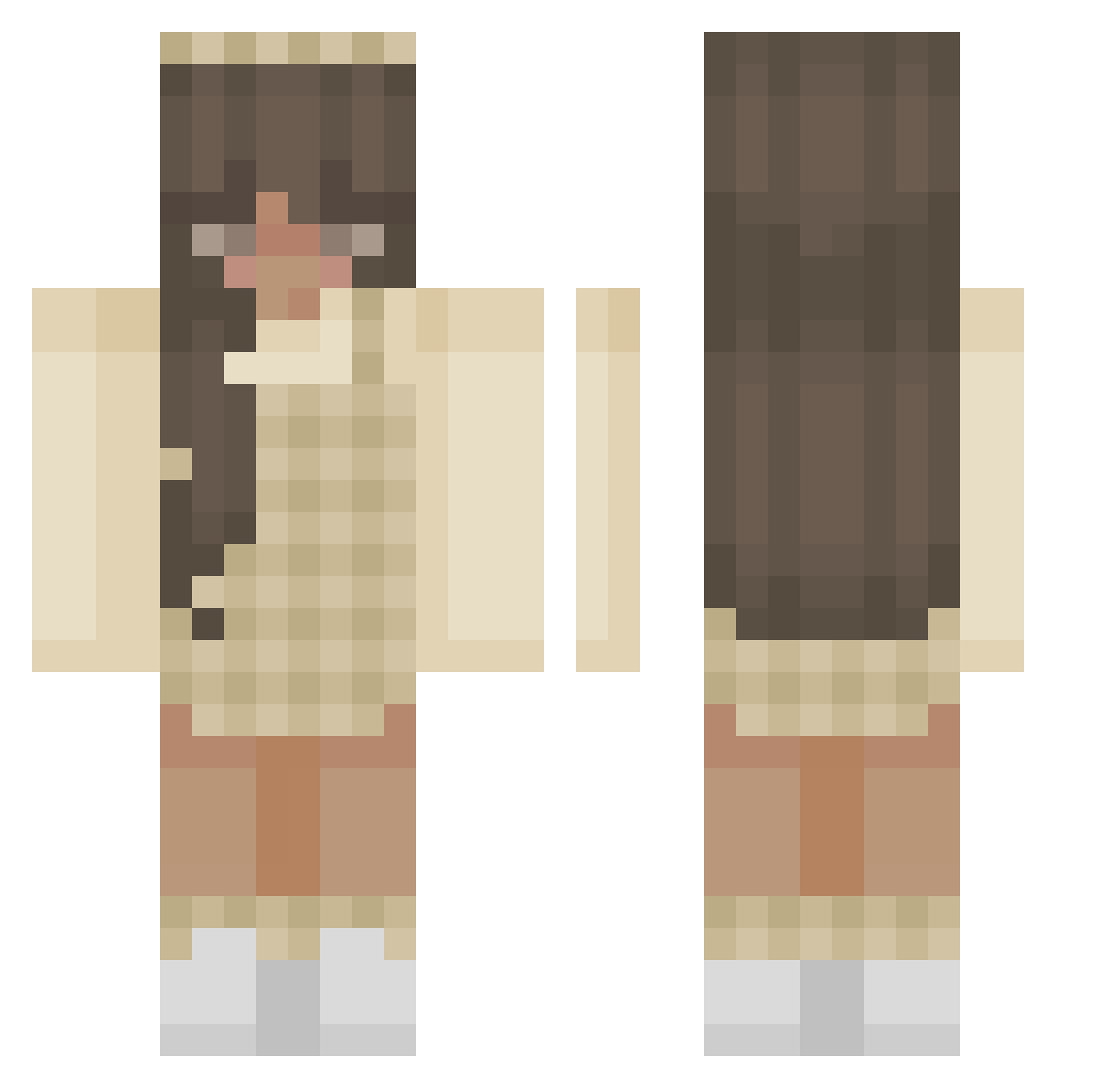
Current Minecraft skin of the player 2076, loaded from the official Mojang API. Rotate the 3D model with your mouse or finger, then download the skin as a PNG file and use it in Minecraft: Bedrock Edition or Java Edition for free. When 2076 changes their skin, this page updates automatically and the old skin stays in the history below.
Other players with this skin (387)
2076 was the 340th player we have seen with this skin, first spotted on 23.10.2026. The same skin was seen on these players. Open a nickname to see their current skin and skin history.
 bubblestheocto RainglowUnicorn Michael__Myers Lison littlewhale988 justammy Tavoyaispretty marriah001 HttpRoxie chudwud arikg13 bluesbebe Denesse NanoProbes Leona51 sageqt LeafyFruit Tentense char1108 spinachcat333 PeterPan33 VzxScripts rosemiax Khitkats sarah_baka xlvlyonda avvicted Evaluna_ dtlaela fam3 MiioMoki Yoshiikins Danelle16 KrieselPapa _itcy_ drainbnny MuffinChel MariiiR __Nautilus_ leathel626 kaybreex sqammie bactive Hazel_123 elliemh Superschaapie Crazy_Potato01 itzxholliee Rosie_Horse emanuelly2010 octaviaa Kittycat112108 bisteka69 NightfallAngel5 kissmyaxexox Tristaw DiamonddStar YouKiara Legussy egril00
More Aesthetic Minecraft skins
How to install the 2076 skin
- Press the Download button above to save the skin as a PNG file.
- Minecraft: Bedrock Edition (PE): open the Dressing Room from the main menu (or tap your character → Edit Character), go to Classic Skins → Owned, press the + (new skin) button, choose the downloaded PNG and pick the Classic (Steve) model. Works on PC and mobile; consoles cannot import custom skins.
- Minecraft: Java Edition: open the Minecraft Launcher, go to the Skins tab, click New Skin, load the PNG, pick the Classic (Steve) model and press Save & Use. You can also upload it at minecraft.net → Profile → Change Skin.
The skin does not show up after import - what should I do?
Restart Minecraft and open the Dressing Room again - imported skins sometimes appear only after a restart. Also make sure you selected the imported skin and picked the Classic (Steve) model.
Which model should I choose, Classic or Slim?
This skin is designed for the Classic (Steve) model. If you pick the wrong model, the arms of the skin will look stretched or squeezed.
Is the skin of 2076 free to download?
Yes. Press Download, save the PNG file and use it in Minecraft: Bedrock Edition or Java Edition - no payment or registration needed. The skin also works on multiplayer servers and Realms.
More skins
Looking for more? Go back to all Minecraft skins and check the top skins of the week, month and all time, or find any player's skin by nickname.