
02milk - Minecraft Skins & Skin History
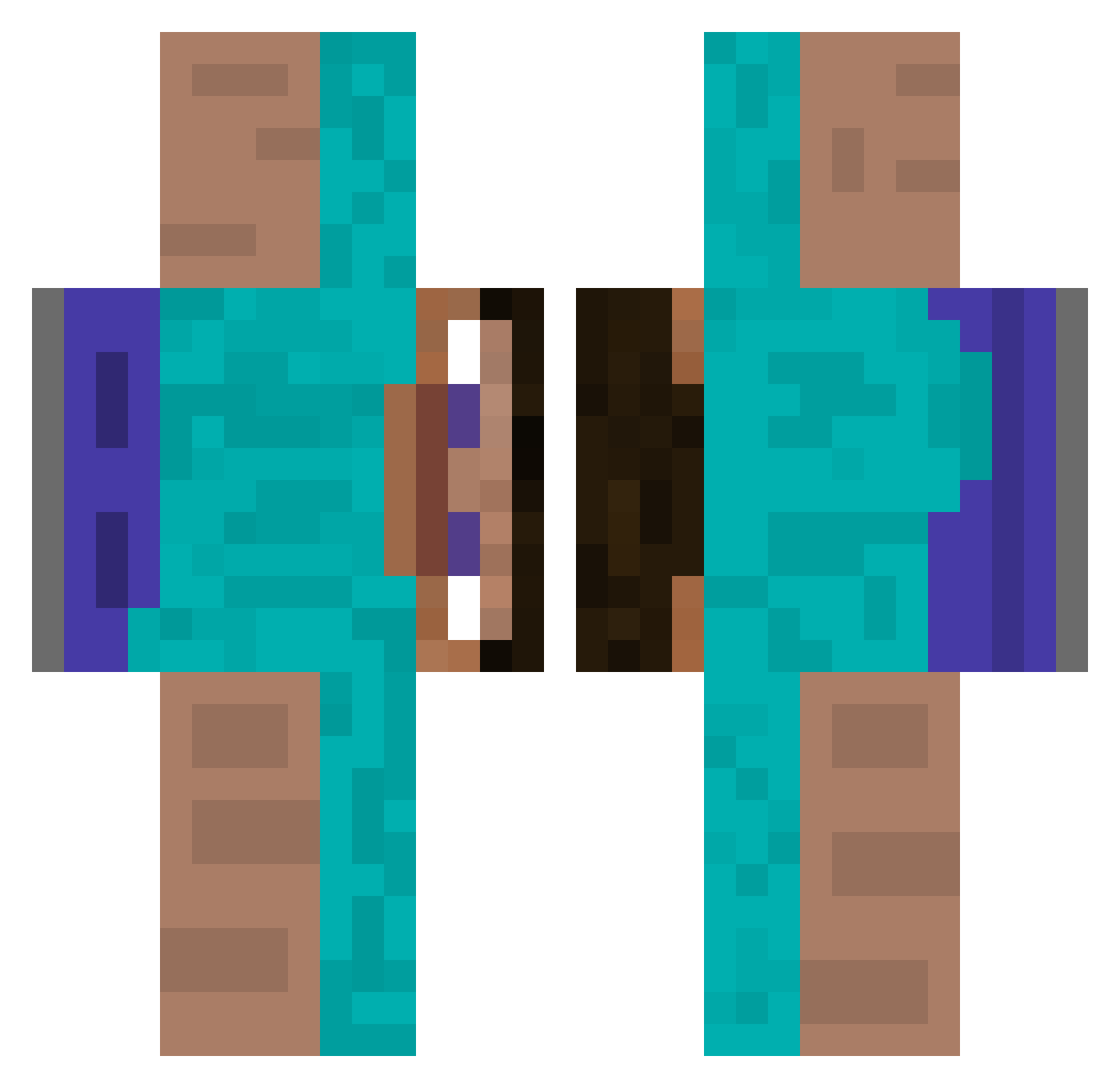
Current Minecraft skin of the player 02milk, loaded from the official Mojang API. Rotate the 3D model with your mouse or finger, then download the skin as a PNG file and use it in Minecraft: Bedrock Edition or Java Edition for free. When 02milk changes their skin, this page updates automatically and the old skin stays in the history below.
Other players with this skin (512)
02milk was the 430th player we have seen with this skin, first spotted on 23.10.2026. The same skin was seen on these players. Open a nickname to see their current skin and skin history.
 RayGun06 Koch_Khan Cabecapelad4 saram1249 EmekliAstronom anngbbbb marmermer lilsslan Jetstream5343 Aguyouknow Terramax555 CocoVitor HalConNNN BearsDa Nokrazmik funnyepicgamer Fym00f Macyii Paranoia808 CreeperKiller46 denvvs superhuevin3 Eder23sl byLapus3 brocoli_pegajoso PickChef OBLIK34 dmncsz XTPotato Iasmim08 Hezbrollah rchy taklakingg ArturMCdelicia QMI2 YuNXiNnooB q_ts0181 _kokoloko untergxgangen OneHunted petitpeyre JuanPatatas Terto1 snow_azerty gamer41lp _Gueds_ lucaalba37 ruehv HalilIK Sanniro6 GreenShadyy kornwastaken jalambihh_billau Se1le Slygate Lcw0518 Skibz5 glitterfreeze BeZin97 fasi13
How to install the 02milk skin
- Press the Download button above to save the skin as a PNG file.
- Minecraft: Bedrock Edition (PE): open the Dressing Room from the main menu (or tap your character → Edit Character), go to Classic Skins → Owned, press the + (new skin) button, choose the downloaded PNG and pick the Classic (Steve) model. Works on PC and mobile; consoles cannot import custom skins.
- Minecraft: Java Edition: open the Minecraft Launcher, go to the Skins tab, click New Skin, load the PNG, pick the Classic (Steve) model and press Save & Use. You can also upload it at minecraft.net → Profile → Change Skin.
The skin does not show up after import - what should I do?
Restart Minecraft and open the Dressing Room again - imported skins sometimes appear only after a restart. Also make sure you selected the imported skin and picked the Classic (Steve) model.
Which model should I choose, Classic or Slim?
This skin is designed for the Classic (Steve) model. If you pick the wrong model, the arms of the skin will look stretched or squeezed.
Is the skin of 02milk free to download?
Yes. Press Download, save the PNG file and use it in Minecraft: Bedrock Edition or Java Edition - no payment or registration needed. The skin also works on multiplayer servers and Realms.
More skins
Looking for more? Go back to all Minecraft skins and check the top skins of the week, month and all time, or find any player's skin by nickname.