
ztirxm - Minecraft Skins & Skin History
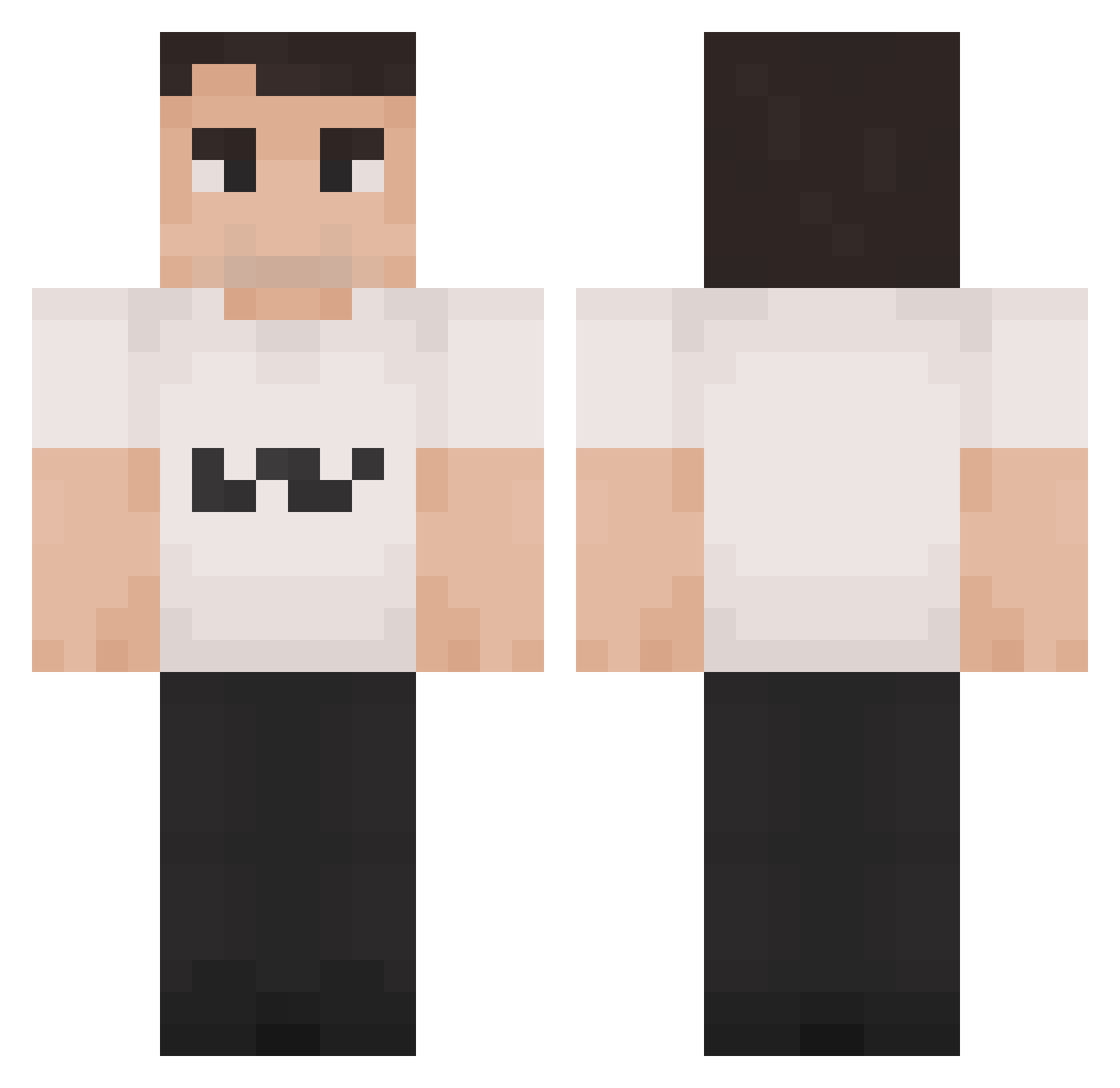
Current Minecraft skin of the player ztirxm, loaded from the official Mojang API. Rotate the 3D model with your mouse or finger, then download the skin as a PNG file and use it in Minecraft: Bedrock Edition or Java Edition for free. When ztirxm changes their skin, this page updates automatically and the old skin stays in the history below.
Other players with this skin (1419)
ztirxm was the 1228th player we have seen with this skin, first spotted on 23.10.2026. The same skin was seen on these players. Open a nickname to see their current skin and skin history.
 SakaiiX Real_Torxn monkeykoolaid23 charwiekirk BigOldFishMan D0GGIS jjava2920 CharlieKirk4ever Alx_Wllmsn Merca27 rowanfarr Nautica_Malone_ NeonBandit SLXNick GigaSolos Baris020 ionutBELEAUA unfreekirk22 oREEange jcosorio04 Hagounicek pennngu LuciferG59 MomSexer369 blazeyboi hoxa Maut1st Celiian24 charliekirk31 Manu012011 astrorebels dustyn MostWanted_71 johnjimjohn NicotineInhaler TuxaTaco ThaBiggKirk KohKohNut1202 kecskebeka MauschbertTM Mikakson Poo420 AshF2013 Andreegui cashmoneycooper MARIO_GAY Theikos2G vibcerr Galacticgod23 Notch4r qDac erax71 Kuyunki Dieguito_06 wowsam88 SerraBell ZXLaw AntonioTheGoat mishourth OGApfel_
More Schlatt Minecraft skins
How to install the ztirxm skin
- Press the Download button above to save the skin as a PNG file.
- Minecraft: Bedrock Edition (PE): open the Dressing Room from the main menu (or tap your character → Edit Character), go to Classic Skins → Owned, press the + (new skin) button, choose the downloaded PNG and pick the Classic (Steve) model. Works on PC and mobile; consoles cannot import custom skins.
- Minecraft: Java Edition: open the Minecraft Launcher, go to the Skins tab, click New Skin, load the PNG, pick the Classic (Steve) model and press Save & Use. You can also upload it at minecraft.net → Profile → Change Skin.
The skin does not show up after import - what should I do?
Restart Minecraft and open the Dressing Room again - imported skins sometimes appear only after a restart. Also make sure you selected the imported skin and picked the Classic (Steve) model.
Which model should I choose, Classic or Slim?
This skin is designed for the Classic (Steve) model. If you pick the wrong model, the arms of the skin will look stretched or squeezed.
Is the skin of ztirxm free to download?
Yes. Press Download, save the PNG file and use it in Minecraft: Bedrock Edition or Java Edition - no payment or registration needed. The skin also works on multiplayer servers and Realms.
More skins
Looking for more? Go back to all Minecraft skins and check the top skins of the week, month and all time, or find any player's skin by nickname.