
zod8 - Minecraft Skins & Skin History
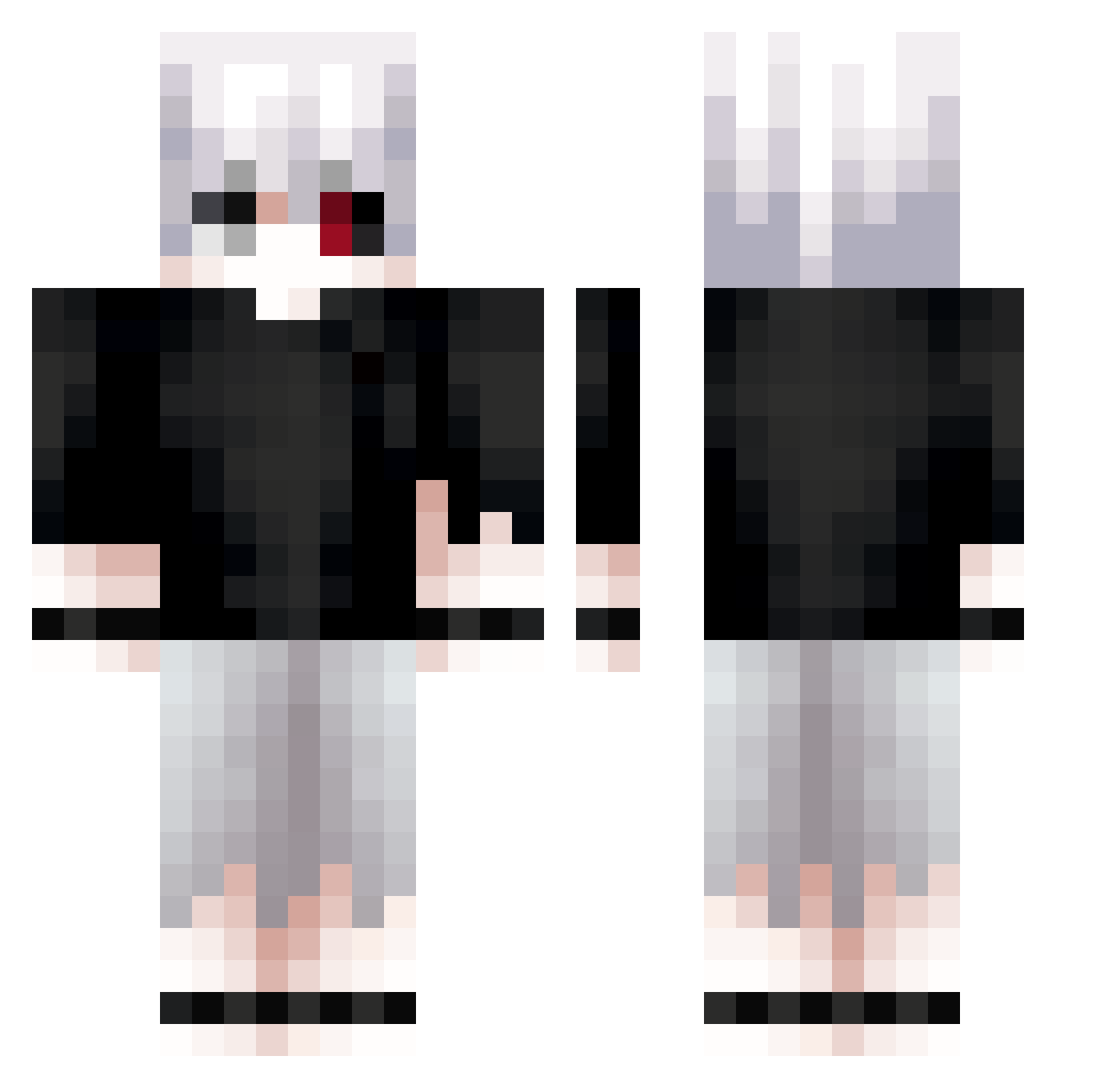
Current Minecraft skin of the player zod8, loaded from the official Mojang API. Rotate the 3D model with your mouse or finger, then download the skin as a PNG file and use it in Minecraft: Bedrock Edition or Java Edition for free. When zod8 changes their skin, this page updates automatically and the old skin stays in the history below.
Other players with this skin (761)
zod8 was the 748th player we have seen with this skin, first spotted on 10.11.2026. The same skin was seen on these players. Open a nickname to see their current skin and skin history.
 Ewhtidk Ewlxz kryswavoogah Vithxzz nofacex1 Kuroyasha33 swat52 mokiyoo ChicoSad ARe0611 stoRRR krunkerstrikepro shadow_0626 Li4san shamslol Ninjalinc2 xAlex09s Beanos3 samcoc sotddr MAGALbDAAA AmorNaPraia Julebees Sc0rpvse Serpherion Zidows whitestuff_ Benno2210 xRitchii sevmekteysen iwannabethe jacquestiago wariatka_1988 s_sunkidz A1Wilku KaowpunGamer ZetsuboWhite Disaray Pudding_cat_ AWG_Kanjou astrocar Tokiort melobelo11 Fate_UBW4 loai20 sephiuwu KaKashiNgg Hollowgrave r0booo Emlio008 braingumm Critical_Virus Kazuto3o NerfGocata smrz_ Java_DT KitaKisho jackjack0910 May1233 Moonlight6999
More Kaneki Minecraft skins
How to install the zod8 skin
- Press the Download button above to save the skin as a PNG file.
- Minecraft: Bedrock Edition (PE): open the Dressing Room from the main menu (or tap your character → Edit Character), go to Classic Skins → Owned, press the + (new skin) button, choose the downloaded PNG and pick the Classic (Steve) model. Works on PC and mobile; consoles cannot import custom skins.
- Minecraft: Java Edition: open the Minecraft Launcher, go to the Skins tab, click New Skin, load the PNG, pick the Classic (Steve) model and press Save & Use. You can also upload it at minecraft.net → Profile → Change Skin.
The skin does not show up after import - what should I do?
Restart Minecraft and open the Dressing Room again - imported skins sometimes appear only after a restart. Also make sure you selected the imported skin and picked the Classic (Steve) model.
Which model should I choose, Classic or Slim?
This skin is designed for the Classic (Steve) model. If you pick the wrong model, the arms of the skin will look stretched or squeezed.
Is the skin of zod8 free to download?
Yes. Press Download, save the PNG file and use it in Minecraft: Bedrock Edition or Java Edition - no payment or registration needed. The skin also works on multiplayer servers and Realms.
More skins
Looking for more? Go back to all Minecraft skins and check the top skins of the week, month and all time, or find any player's skin by nickname.