
zerooitoo - Minecraft Skins & Skin History
Current Minecraft skin of the player zerooitoo, loaded from the official Mojang API. Rotate the 3D model with your mouse or finger, then download the skin as a PNG file and use it in Minecraft: Bedrock Edition or Java Edition for free. When zerooitoo changes their skin, this page updates automatically and the old skin stays in the history below.

Other players with this skin (79)
zerooitoo was the 25th player we have seen with this skin, first spotted on 01.09.2026. The same skin was seen on these players. Open a nickname to see their current skin and skin history.
 Teba108 woldi1881 fade2525 Tx_li
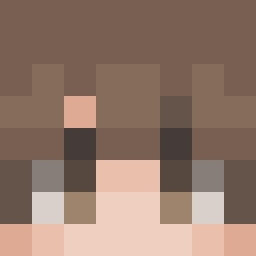 tajin98 JamesDavy3627 Knegof2 Scriptiq BalistickB popra_0 kawazakiwtf CrinkleCutFries_ SnekyMato Al3Xtrem11 luis_187 Mikaboshi__ Kerim0s Techno6478 Clacking _Ellaaaa__ Duduss1 PedroNB kapiks Notmasssineo
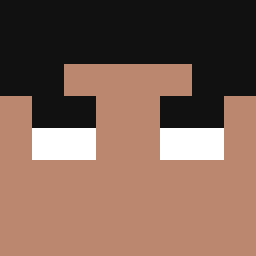 ALBATHROSD fallzone GHGehmal ThenewKingDutch 6EQX Vynnz_ _delta_space_ pr4zyn3k afdruk Fabiano7958 CraftCat369 tobayass nabeehee koksiu84 HOHOHOCCPCAT Mxrtt_ Fabian7323 AiZenn_7 RyqonZ grassfild NikhilYT_ pvs3600 TVLieL Axou612 Dexsiredxx DRAGOYT44 itssnoahz LinhqCYuD0224 lmuxj Szafirek21 Mattejug SxucisSe NotLilac_ arczi77 Mintieu VICHO_SANDY
How to install the zerooitoo skin
- Press the Download button above to save the skin as a PNG file.
- Minecraft: Bedrock Edition (PE): open the Dressing Room from the main menu (or tap your character → Edit Character), go to Classic Skins → Owned, press the + (new skin) button, choose the downloaded PNG and pick the Slim (Alex) model. Works on PC and mobile; consoles cannot import custom skins.
- Minecraft: Java Edition: open the Minecraft Launcher, go to the Skins tab, click New Skin, load the PNG, pick the Slim (Alex) model and press Save & Use. You can also upload it at minecraft.net → Profile → Change Skin.
The skin does not show up after import - what should I do?
Restart Minecraft and open the Dressing Room again - imported skins sometimes appear only after a restart. Also make sure you selected the imported skin and picked the Slim (Alex) model.
Which model should I choose, Classic or Slim?
This skin is designed for the Slim (Alex) model. If you pick the wrong model, the arms of the skin will look stretched or squeezed.
Is the skin of zerooitoo free to download?
Yes. Press Download, save the PNG file and use it in Minecraft: Bedrock Edition or Java Edition - no payment or registration needed. The skin also works on multiplayer servers and Realms.
More skins
Looking for more? Go back to all Minecraft skins and check the top skins of the week, month and all time, or find any player's skin by nickname.