
zeemhz - Minecraft Skins & Skin History
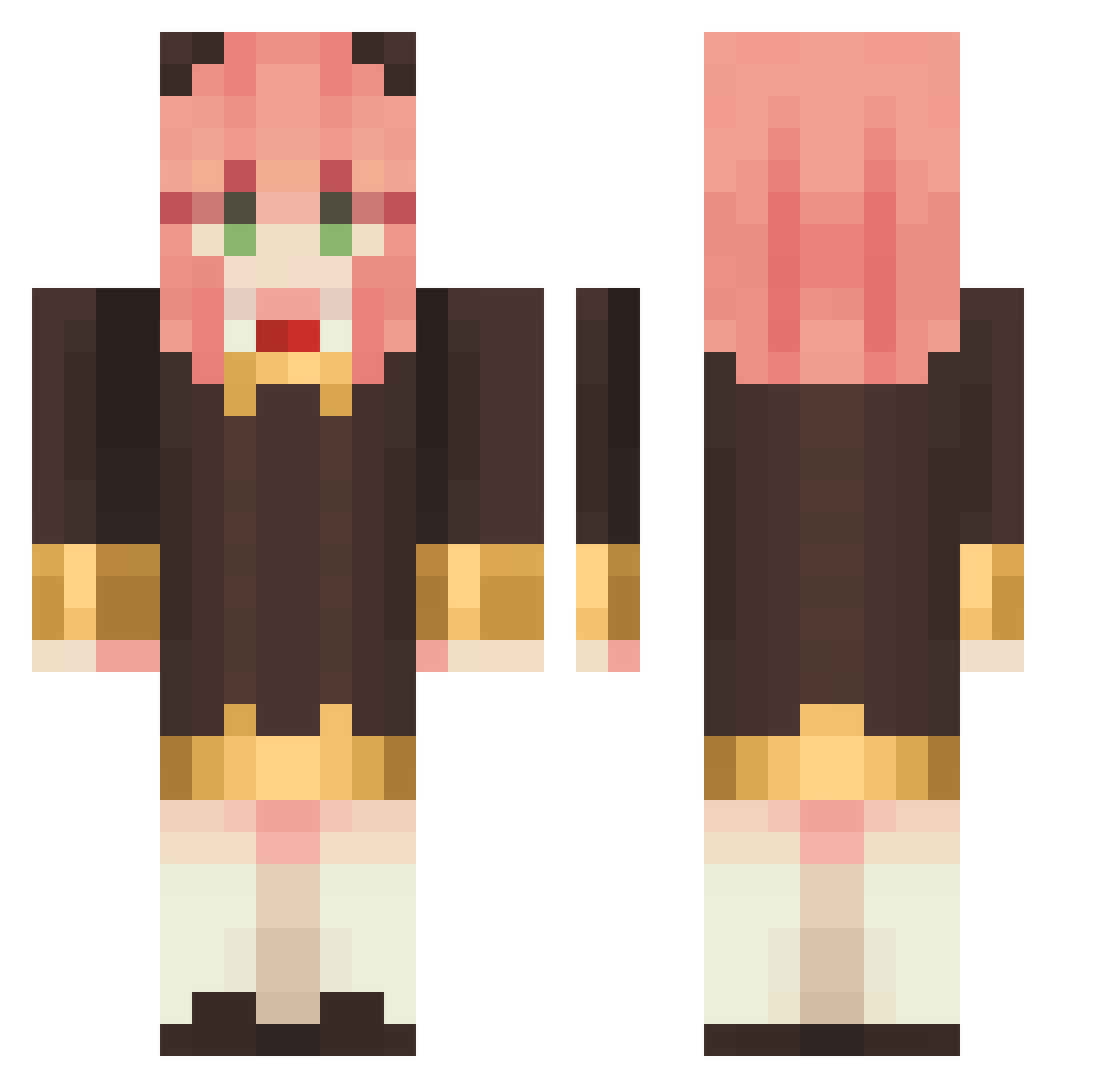
Current Minecraft skin of the player zeemhz, loaded from the official Mojang API. Rotate the 3D model with your mouse or finger, then download the skin as a PNG file and use it in Minecraft: Bedrock Edition or Java Edition for free. When zeemhz changes their skin, this page updates automatically and the old skin stays in the history below.
Other players with this skin (1134)
zeemhz was the 929th player we have seen with this skin, first spotted on 20.10.2026. The same skin was seen on these players. Open a nickname to see their current skin and skin history.
 Cardanlover Mouseee0312 choou Lllsy05 Ryuukou12 nyancorny OudonMeister BabyRarity RiderWaite ab102310 Dani_OwO SixDuke FFXII_ Meriii77 GinaWeasley purplepegger Garmos uj930520 xhemera0 PeachyKiwii XoshadowoX Pawlala JI_Hyuni quartz9654 StarFirefly innNNnnN212 Olulu_0 RikkasamaQAQ Loveyouawa ShqL_FN E2_Z2 Jopacetka HF10086 ViolentHabits HYKUUUN kelvin_Yeh dbswjd0502 BiscuitBG GermanDH CaYenneee WidYds chi88ao shisyamomaru Satoru_ishi JiyunBBM momomoyaaa HenryChung0530 Peanut_H Michellcs Shadderfish CCHHYYDS Liwalri inAanya manbo_0 SakalCoolKid juliachizz Ying_hun tsuzu_ Dead_Lord57 Hanchengyo
More Anya Forger Minecraft skins
How to install the zeemhz skin
- Press the Download button above to save the skin as a PNG file.
- Minecraft: Bedrock Edition (PE): open the Dressing Room from the main menu (or tap your character → Edit Character), go to Classic Skins → Owned, press the + (new skin) button, choose the downloaded PNG and pick the Classic (Steve) model. Works on PC and mobile; consoles cannot import custom skins.
- Minecraft: Java Edition: open the Minecraft Launcher, go to the Skins tab, click New Skin, load the PNG, pick the Classic (Steve) model and press Save & Use. You can also upload it at minecraft.net → Profile → Change Skin.
The skin does not show up after import - what should I do?
Restart Minecraft and open the Dressing Room again - imported skins sometimes appear only after a restart. Also make sure you selected the imported skin and picked the Classic (Steve) model.
Which model should I choose, Classic or Slim?
This skin is designed for the Classic (Steve) model. If you pick the wrong model, the arms of the skin will look stretched or squeezed.
Is the skin of zeemhz free to download?
Yes. Press Download, save the PNG file and use it in Minecraft: Bedrock Edition or Java Edition - no payment or registration needed. The skin also works on multiplayer servers and Realms.
More skins
Looking for more? Go back to all Minecraft skins and check the top skins of the week, month and all time, or find any player's skin by nickname.