
yousung114 - Minecraft Skins & Skin History
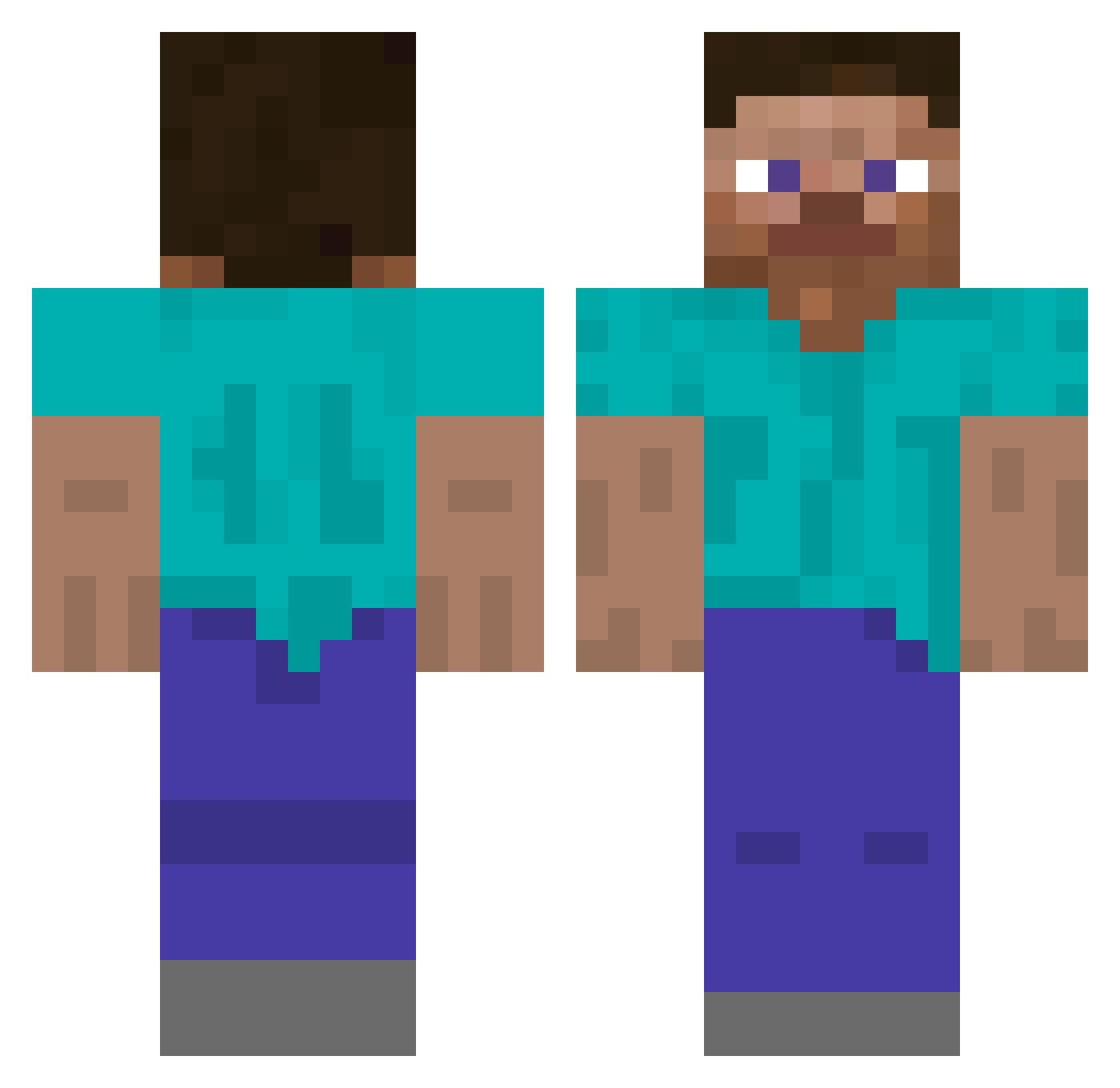
Current Minecraft skin of the player yousung114, loaded from the official Mojang API. Rotate the 3D model with your mouse or finger, then download the skin as a PNG file and use it in Minecraft: Bedrock Edition or Java Edition for free. When yousung114 changes their skin, this page updates automatically and the old skin stays in the history below.
Other players with this skin (642)
yousung114 was the 557th player we have seen with this skin, first spotted on 27.10.2026. The same skin was seen on these players. Open a nickname to see their current skin and skin history.
 hud004 DeltaGT24 HM_QZ Weeb00 TW_GGininder havoxkz TrashVillager47 Deus_Steve FaccioTekashi69 fortune1234 PURITWO TommyBOOM fawamaka wjsdbsgh1027 TheBlueStag Carps123 221345 CHILDERR PanBaguette25 fkfd Josiro98 matsige DVWarrior78 leonardogiacint0 SentientCube Pesslo MoistBreaddddd golfwan Rokasizgod _GoZ Cruziu cFx1 Mashnoy UnsnappedCash Yannro DianXiii JengJet asdfgv57 Lemoonade0121 iJFx7 ljj1312 sanabi_1 coolkid967 iPhntm iTsMonkey3 aeaeea feehrs abj218 sainzz131 Eeveenightshade KIMMMMMMMMMM KiritoKirigyaK Gaspoutche xxcaliverxx Vaperpanda Apexferret3954 gs4lles DayofDoom2000 idoM263 ananas56
How to install the yousung114 skin
- Press the Download button above to save the skin as a PNG file.
- Minecraft: Bedrock Edition (PE): open the Dressing Room from the main menu (or tap your character → Edit Character), go to Classic Skins → Owned, press the + (new skin) button, choose the downloaded PNG and pick the Classic (Steve) model. Works on PC and mobile; consoles cannot import custom skins.
- Minecraft: Java Edition: open the Minecraft Launcher, go to the Skins tab, click New Skin, load the PNG, pick the Classic (Steve) model and press Save & Use. You can also upload it at minecraft.net → Profile → Change Skin.
The skin does not show up after import - what should I do?
Restart Minecraft and open the Dressing Room again - imported skins sometimes appear only after a restart. Also make sure you selected the imported skin and picked the Classic (Steve) model.
Which model should I choose, Classic or Slim?
This skin is designed for the Classic (Steve) model. If you pick the wrong model, the arms of the skin will look stretched or squeezed.
Is the skin of yousung114 free to download?
Yes. Press Download, save the PNG file and use it in Minecraft: Bedrock Edition or Java Edition - no payment or registration needed. The skin also works on multiplayer servers and Realms.
More skins
Looking for more? Go back to all Minecraft skins and check the top skins of the week, month and all time, or find any player's skin by nickname.