
yFhxz - Minecraft Skins & Skin History
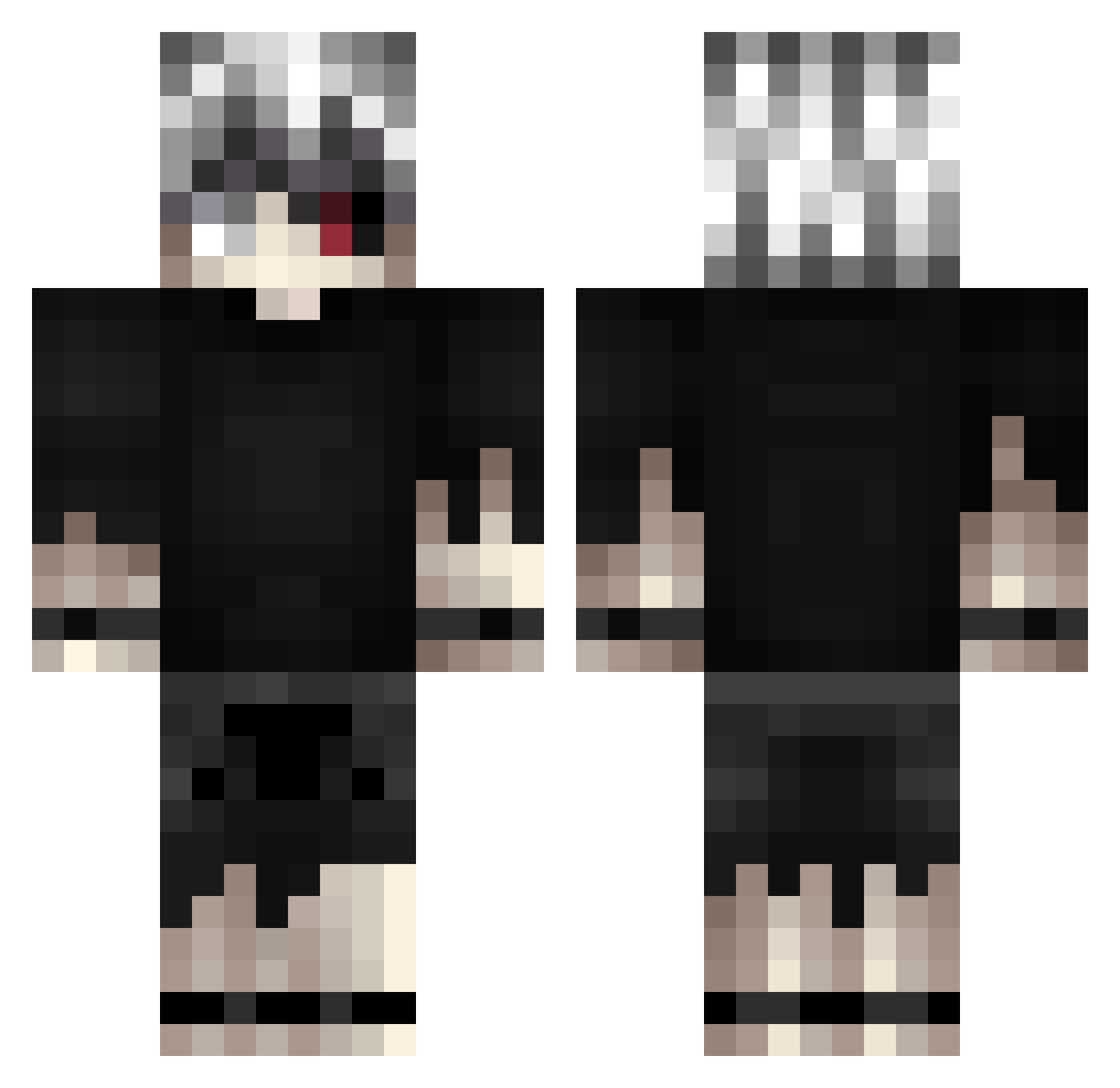
Current Minecraft skin of the player yFhxz, loaded from the official Mojang API. Rotate the 3D model with your mouse or finger, then download the skin as a PNG file and use it in Minecraft: Bedrock Edition or Java Edition for free. When yFhxz changes their skin, this page updates automatically and the old skin stays in the history below.
Other players with this skin (421)
yFhxz was the 323rd player we have seen with this skin, first spotted on 17.10.2026. The same skin was seen on these players. Open a nickname to see their current skin and skin history.
 Nrgir_8310 IWILLEATYOUXD rokma1x Finn231 eyg75263 arxes_ chetr DBeel mouatzz EmperorBigdog Miague Bootygio Cansu_123 EthanIsntGay OnlyMe_Sensei Thanatos_xits Roguekillshot Blackout8438 Adsukk RM1105 PlayboiShooter roxyroller45 FlussNoir MercilessDoge umeboshi86 CalebW2508 Mazuuub salvo17 Not_Erzey milanmilkshake MisterConeMan azarodexd NYTEFALL Lucc2 Filipines Jawnns xRedon WimpyGophers Cracor58 ComPlayn_ MXCLAPZ DPDSenpaiiii huseen123 reepzu shadow472 UroyGames Shinichi_31 Voisinus2000 Death_Demonz K415ER YamiyoSan BatKaneki SirFox15 Rose888 LolloXVI pyah_the_pelican BaToRaX milk108 Jboogy0304 HYRO_xc
More Kaneki Ken Minecraft skins
How to install the yFhxz skin
- Press the Download button above to save the skin as a PNG file.
- Minecraft: Bedrock Edition (PE): open the Dressing Room from the main menu (or tap your character → Edit Character), go to Classic Skins → Owned, press the + (new skin) button, choose the downloaded PNG and pick the Classic (Steve) model. Works on PC and mobile; consoles cannot import custom skins.
- Minecraft: Java Edition: open the Minecraft Launcher, go to the Skins tab, click New Skin, load the PNG, pick the Classic (Steve) model and press Save & Use. You can also upload it at minecraft.net → Profile → Change Skin.
The skin does not show up after import - what should I do?
Restart Minecraft and open the Dressing Room again - imported skins sometimes appear only after a restart. Also make sure you selected the imported skin and picked the Classic (Steve) model.
Which model should I choose, Classic or Slim?
This skin is designed for the Classic (Steve) model. If you pick the wrong model, the arms of the skin will look stretched or squeezed.
Is the skin of yFhxz free to download?
Yes. Press Download, save the PNG file and use it in Minecraft: Bedrock Edition or Java Edition - no payment or registration needed. The skin also works on multiplayer servers and Realms.
More skins
Looking for more? Go back to all Minecraft skins and check the top skins of the week, month and all time, or find any player's skin by nickname.