
xx_GUIWOW - Minecraft Skins & Skin History
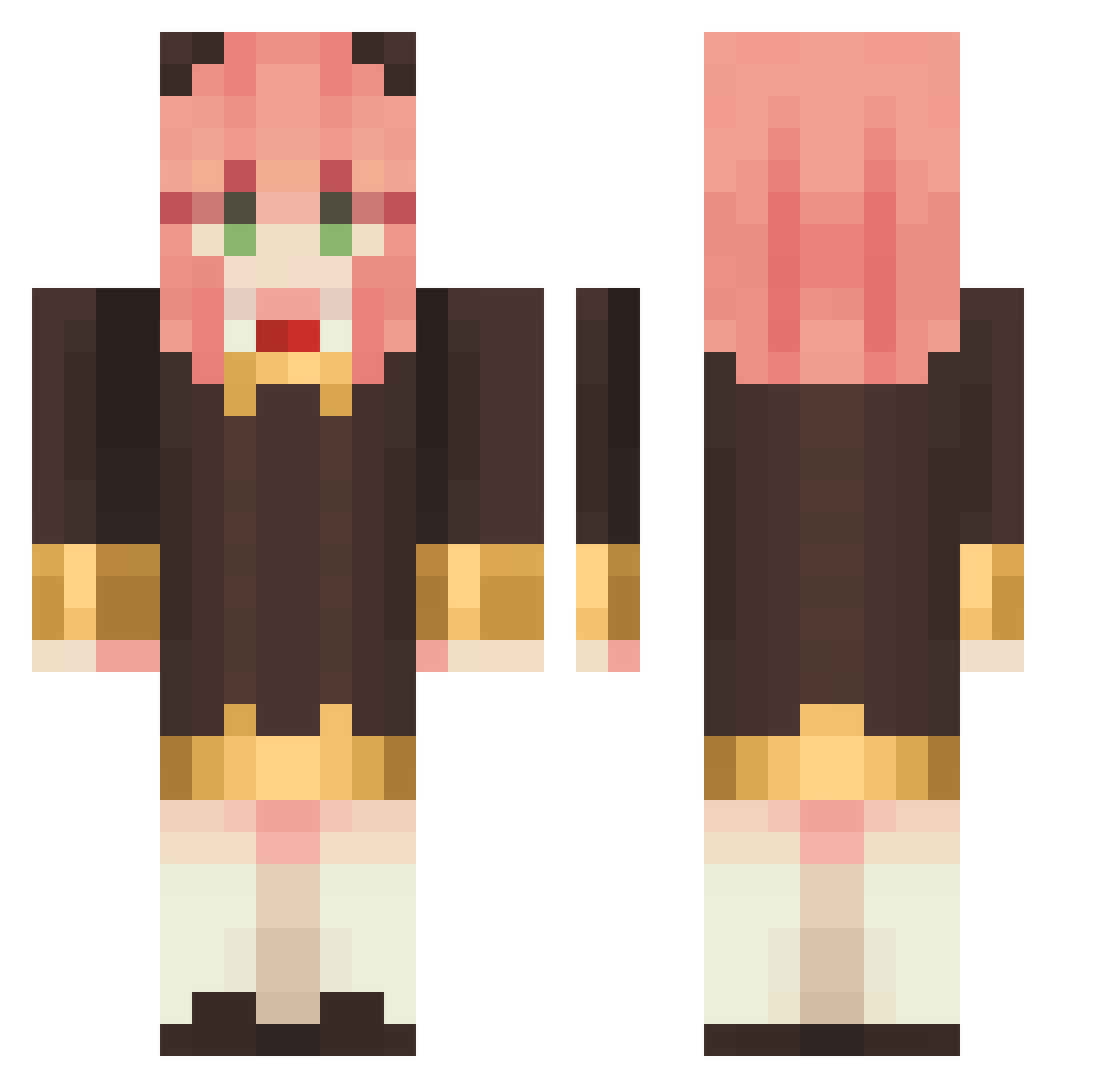
Current Minecraft skin of the player xx_GUIWOW, loaded from the official Mojang API. Rotate the 3D model with your mouse or finger, then download the skin as a PNG file and use it in Minecraft: Bedrock Edition or Java Edition for free. When xx_GUIWOW changes their skin, this page updates automatically and the old skin stays in the history below.
Other players with this skin (1133)
xx_GUIWOW was the 1031st player we have seen with this skin, first spotted on 27.10.2026. The same skin was seen on these players. Open a nickname to see their current skin and skin history.
 Nekkhris Deiviann Toruyoo AnnaBear2014 Apengpeng Rxeria HappyCatcyc M1NUS_ZER0 Mouur1d bxxIng kojoc KCDQ_ chuye_crazy Baka1003 skyjenny Richarlete Badfer gerson3208 powerrpufgirl Kasupe tyy134 jiqimao Eltunas1414 Cynatensi kam823 Chicho98 LULU617 cafeore92 Qoo222222 Nick97_u Tzuyu04Anya Taki000 zegzip pigchuan WeberRuan07 TheSinisterBl4de Meow_hah Xiaz3 N1ckZ_0ng AnyaTheKawaii MamaDiane rin398 matuuuuuuuuuuu WatsonnAmelia Ya_y Clowzera hyeewe Godnulim1011 Serori_GG NickYunn_ ggyy9487 _here_ CARAMELOGAMER13 ganlinnian87 Oneclocko saratantan nekorobon Evenior Jessie0913 JETOBALO
More Anya Forger Minecraft skins
How to install the xx_GUIWOW skin
- Press the Download button above to save the skin as a PNG file.
- Minecraft: Bedrock Edition (PE): open the Dressing Room from the main menu (or tap your character → Edit Character), go to Classic Skins → Owned, press the + (new skin) button, choose the downloaded PNG and pick the Classic (Steve) model. Works on PC and mobile; consoles cannot import custom skins.
- Minecraft: Java Edition: open the Minecraft Launcher, go to the Skins tab, click New Skin, load the PNG, pick the Classic (Steve) model and press Save & Use. You can also upload it at minecraft.net → Profile → Change Skin.
The skin does not show up after import - what should I do?
Restart Minecraft and open the Dressing Room again - imported skins sometimes appear only after a restart. Also make sure you selected the imported skin and picked the Classic (Steve) model.
Which model should I choose, Classic or Slim?
This skin is designed for the Classic (Steve) model. If you pick the wrong model, the arms of the skin will look stretched or squeezed.
Is the skin of xx_GUIWOW free to download?
Yes. Press Download, save the PNG file and use it in Minecraft: Bedrock Edition or Java Edition - no payment or registration needed. The skin also works on multiplayer servers and Realms.
More skins
Looking for more? Go back to all Minecraft skins and check the top skins of the week, month and all time, or find any player's skin by nickname.