
uDeyzin - Minecraft Skins & Skin History
Current Minecraft skin of the player uDeyzin, loaded from the official Mojang API. Rotate the 3D model with your mouse or finger, then download the skin as a PNG file and use it in Minecraft: Bedrock Edition or Java Edition for free. When uDeyzin changes their skin, this page updates automatically and the old skin stays in the history below.
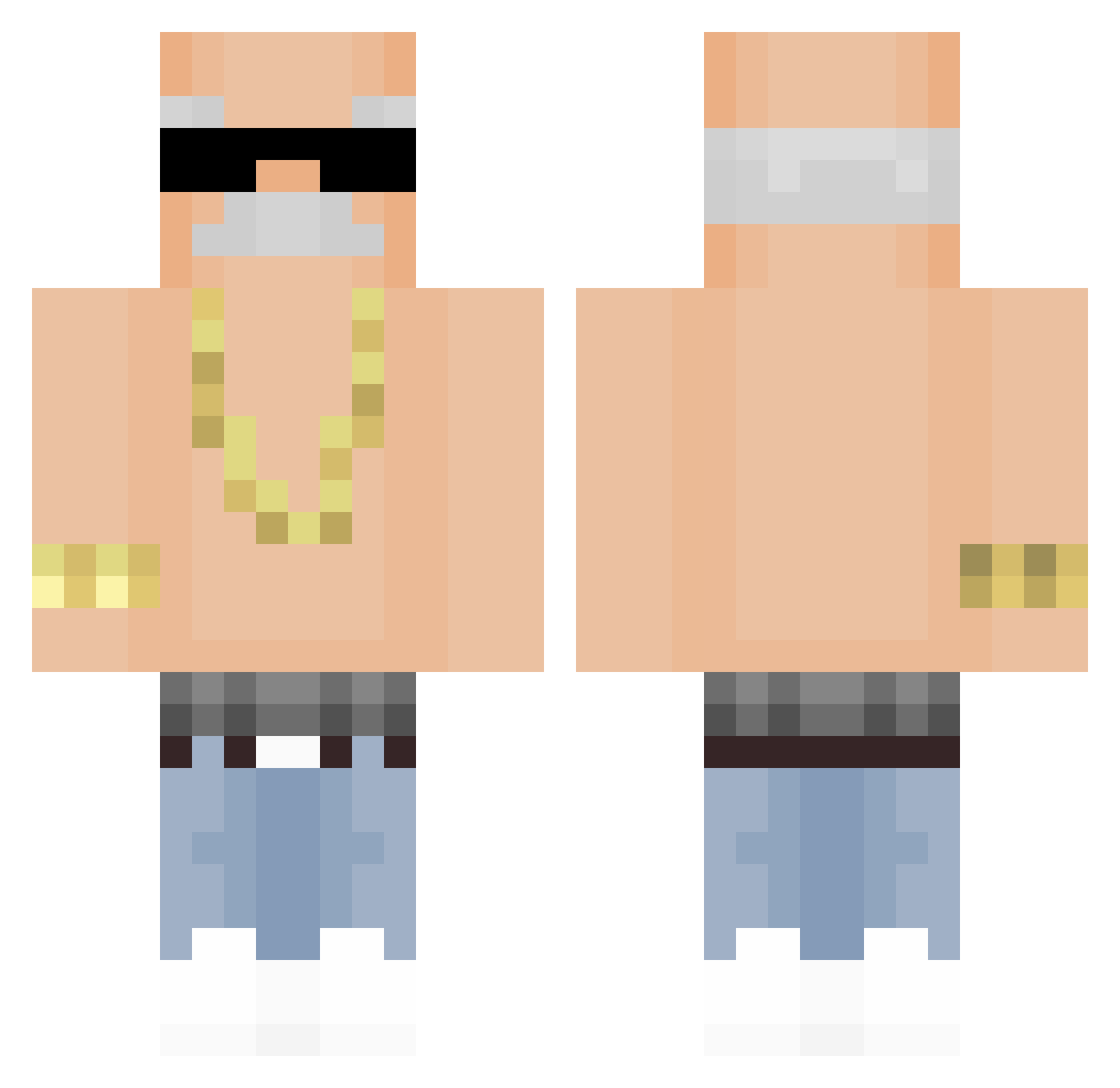
Other players with this skin (414)
uDeyzin was the 332nd player we have seen with this skin, first spotted on 26.10.2026. The same skin was seen on these players. Open a nickname to see their current skin and skin history.
 NunuBTG bigpenut MioClient PoWERxxx Zerooooo01 PDfreak130 RohanKishibe216 Mime_901 ilushenka Smar_samochodowy Manguito1411 II_Nic0co_II TFFTHYYMTK williewonkareal eric142 kor7363 Zebrazz2209 Thawlesss Bukalemun3407 Gnooot HUNTERQ8GG TRKLBE Germes demirtirtar maxwell_OD Azryl_ Nastyy1337 JFerAl GanyuDaddy Leodlc23 ho001108 joakopiojoso87 Amaru_Nicolas XiYuan1324 Master__Wei Sr_Kroks Miggleh FunnyBatoon RaivoKlif GYN_Dev HIGH_SECURITY TheFirsTx5 Bliszkopt COKOLOKKO Leonardo_PZ MAN_BAT1 krelleGoat PizzaRat72 FELIPEKEMPAPE TheBabyBluez masaoreore TenHaseo eXfosse2 Sanitv04 Twitch_zChrees_ kwtherine kw_711 warabimoti4720 Jesu_s_ ojjjjjjjj
More Grandpa Minecraft skins
How to install the uDeyzin skin
- Press the Download button above to save the skin as a PNG file.
- Minecraft: Bedrock Edition (PE): open the Dressing Room from the main menu (or tap your character → Edit Character), go to Classic Skins → Owned, press the + (new skin) button, choose the downloaded PNG and pick the Classic (Steve) model. Works on PC and mobile; consoles cannot import custom skins.
- Minecraft: Java Edition: open the Minecraft Launcher, go to the Skins tab, click New Skin, load the PNG, pick the Classic (Steve) model and press Save & Use. You can also upload it at minecraft.net → Profile → Change Skin.
The skin does not show up after import - what should I do?
Restart Minecraft and open the Dressing Room again - imported skins sometimes appear only after a restart. Also make sure you selected the imported skin and picked the Classic (Steve) model.
Which model should I choose, Classic or Slim?
This skin is designed for the Classic (Steve) model. If you pick the wrong model, the arms of the skin will look stretched or squeezed.
Is the skin of uDeyzin free to download?
Yes. Press Download, save the PNG file and use it in Minecraft: Bedrock Edition or Java Edition - no payment or registration needed. The skin also works on multiplayer servers and Realms.
More skins
Looking for more? Go back to all Minecraft skins and check the top skins of the week, month and all time, or find any player's skin by nickname.