
try_hqrd - Minecraft Skins & Skin History
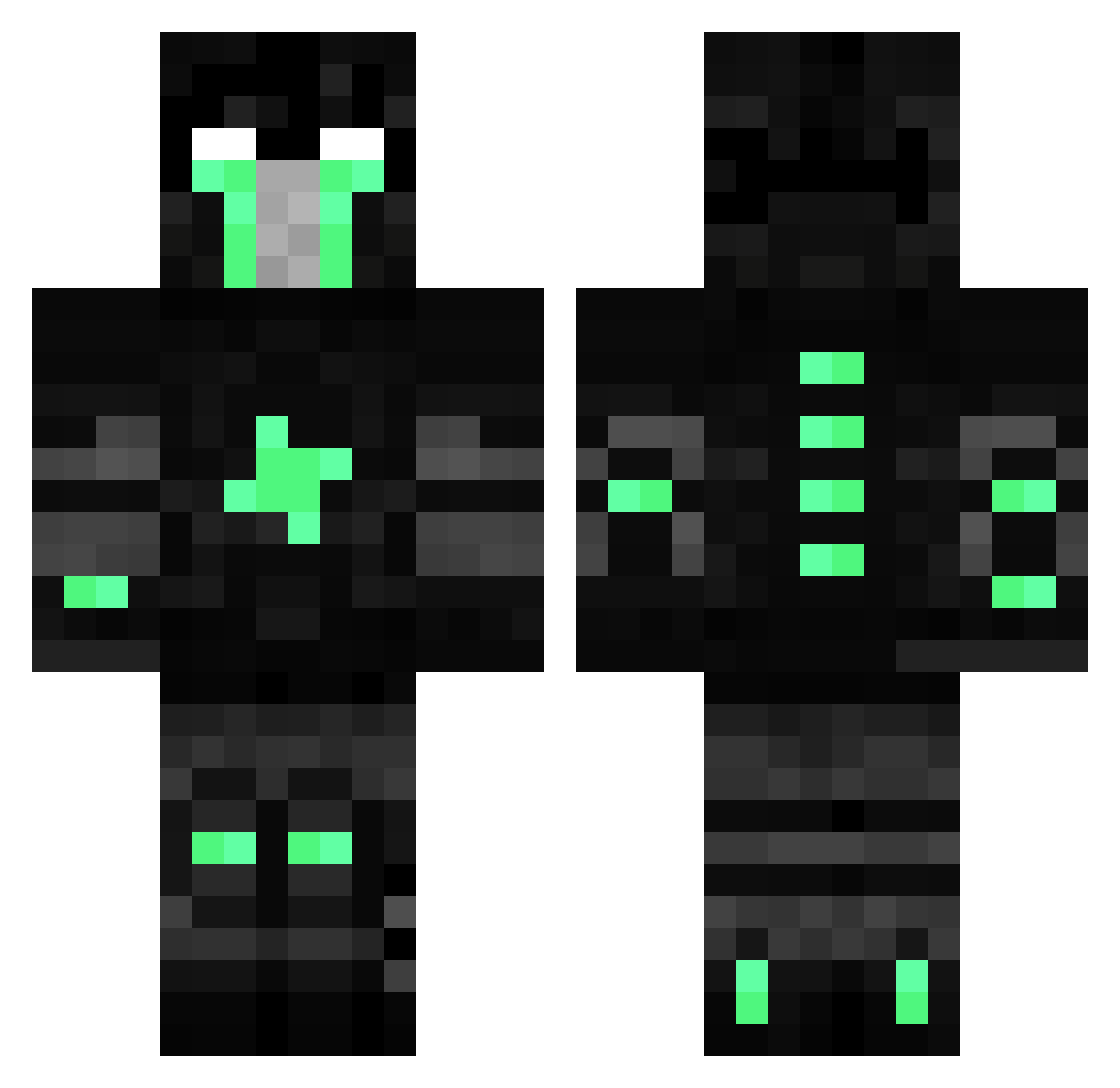
Current Minecraft skin of the player try_hqrd, loaded from the official Mojang API. Rotate the 3D model with your mouse or finger, then download the skin as a PNG file and use it in Minecraft: Bedrock Edition or Java Edition for free. When try_hqrd changes their skin, this page updates automatically and the old skin stays in the history below.
Other players with this skin (107)
try_hqrd was the 84th player we have seen with this skin, first spotted on 19.10.2026. The same skin was seen on these players. Open a nickname to see their current skin and skin history.
 ChibiF PrivateMerciless XxDANTEHxX zDanteh UlisesOkey Rhw Justinos Meister10 Slqck LaStreetZerZer adrmak DiagonalMaple kron22 ByRodolfoYT Vyres Dogeeeeeeeeeeee NIDZUUUUUUU XXXHACKXXX DantehSG RolliRolli RACAEXDERPINGER yesteban159 Irce Esck Hajtajv SrRenan malabar greensalt bthy xAntq XxXxXfra54XxXxX Gokuh_ Pferdebesamer BesiktasliV_1 Andymacs 20Julien02 Captived DantehReturns Hoonneeyy ItsIronPvP UriChqter xNyanGuysFP Man_Of_Crumpets chrisiro Wolfarmband84 MeddlMoe uglyassniqqa Jonq_ Italy300 DantehPeruano HelloKittyRAWR Chungy1 ImAdeh TheNewDanteh Sable_Sentinel BigOlGodfrey qAdr1an_ GoldenSaint4 iBeatursource BestStats
More Isaac Clarke Minecraft skins
See all 1116 Isaac Clarke skins
How to install the try_hqrd skin
- Press the Download button above to save the skin as a PNG file.
- Minecraft: Bedrock Edition (PE): open the Dressing Room from the main menu (or tap your character → Edit Character), go to Classic Skins → Owned, press the + (new skin) button, choose the downloaded PNG and pick the Classic (Steve) model. Works on PC and mobile; consoles cannot import custom skins.
- Minecraft: Java Edition: open the Minecraft Launcher, go to the Skins tab, click New Skin, load the PNG, pick the Classic (Steve) model and press Save & Use. You can also upload it at minecraft.net → Profile → Change Skin.
The skin does not show up after import - what should I do?
Restart Minecraft and open the Dressing Room again - imported skins sometimes appear only after a restart. Also make sure you selected the imported skin and picked the Classic (Steve) model.
Which model should I choose, Classic or Slim?
This skin is designed for the Classic (Steve) model. If you pick the wrong model, the arms of the skin will look stretched or squeezed.
Is the skin of try_hqrd free to download?
Yes. Press Download, save the PNG file and use it in Minecraft: Bedrock Edition or Java Edition - no payment or registration needed. The skin also works on multiplayer servers and Realms.
More skins
Looking for more? Go back to all Minecraft skins and check the top skins of the week, month and all time, or find any player's skin by nickname.