
theogorth - Minecraft Skins & Skin History
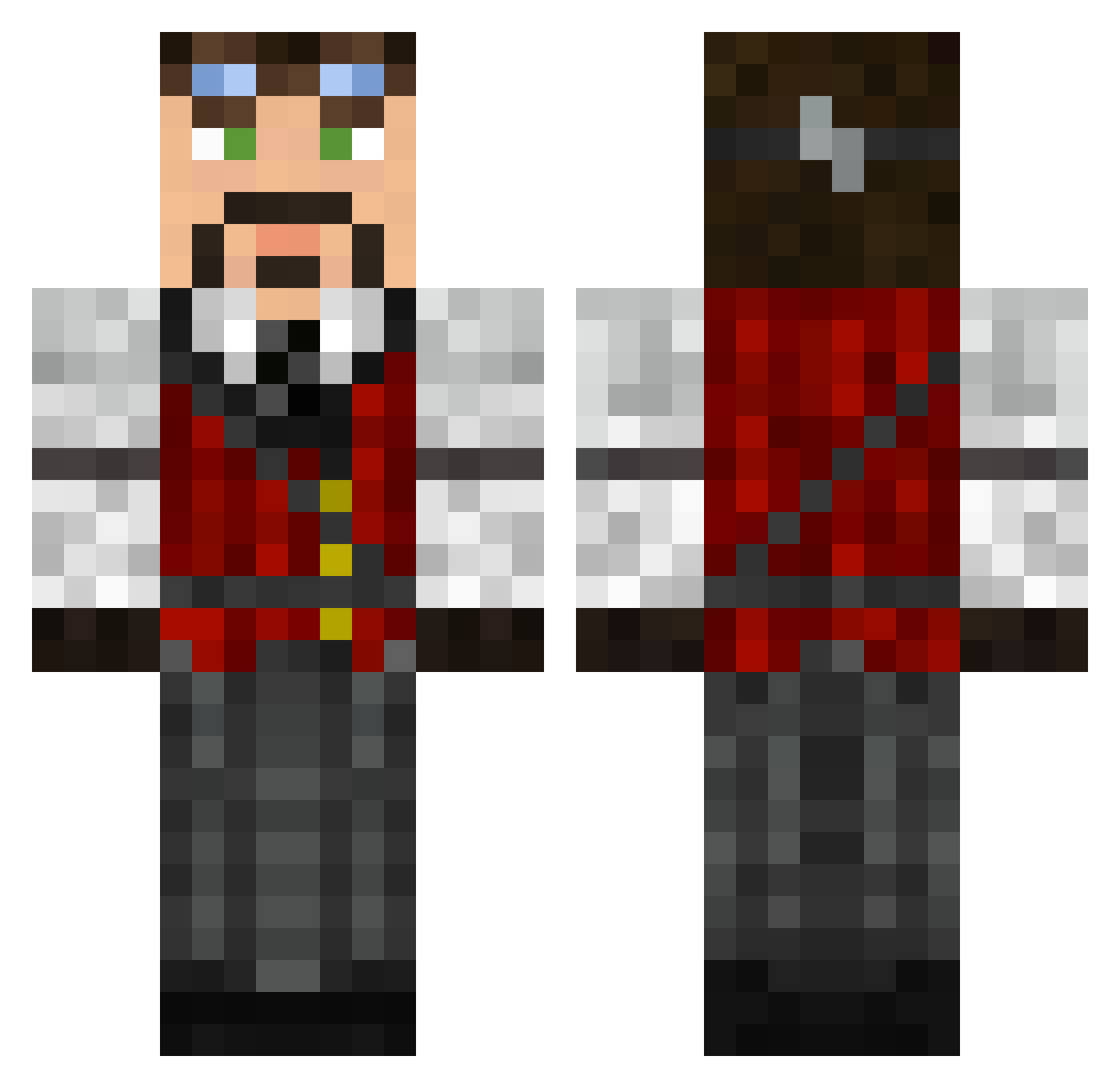
Current Minecraft skin of the player theogorth, loaded from the official Mojang API. Rotate the 3D model with your mouse or finger, then download the skin as a PNG file and use it in Minecraft: Bedrock Edition or Java Edition for free. When theogorth changes their skin, this page updates automatically and the old skin stays in the history below.
Other players with this skin (626)
theogorth was the 585th player we have seen with this skin, first spotted on 02.11.2026. The same skin was seen on these players. Open a nickname to see their current skin and skin history.
 Jerry_Cornelious SilverShades cashey sherl980 Thruik PhogoX Viminas Aidan03 blacccktigeeer nbravinski Timber1996 McNaire rta007 ChrsL DeadB4Dusk flametornado Tachang Syrax__ Lenatr Sir_Dom greycatbrigade sunny404 ProtocolAlpha wolpoff puffn_flower wylie25 haaodb Difraw Thestanly27 Aerikan Ukalapi gilgalad72 DuctTape28 smurfyownsall sg10 hugofraga trevychips Illiphar taskmaker2 chrsdbll JorntheMad Pawel101 Bardenclown kromlir BigBamjohnny5 Trustynn fourthhammer CN061 Pugwash08 sabraam Wise_Lemon randomgut Tezza2007 OVN7ES MinerCrafter01 joshraa MaestroJayce Shibobi Subnegative crippledsausage
More Steampunk Minecraft skins
How to install the theogorth skin
- Press the Download button above to save the skin as a PNG file.
- Minecraft: Bedrock Edition (PE): open the Dressing Room from the main menu (or tap your character → Edit Character), go to Classic Skins → Owned, press the + (new skin) button, choose the downloaded PNG and pick the Classic (Steve) model. Works on PC and mobile; consoles cannot import custom skins.
- Minecraft: Java Edition: open the Minecraft Launcher, go to the Skins tab, click New Skin, load the PNG, pick the Classic (Steve) model and press Save & Use. You can also upload it at minecraft.net → Profile → Change Skin.
The skin does not show up after import - what should I do?
Restart Minecraft and open the Dressing Room again - imported skins sometimes appear only after a restart. Also make sure you selected the imported skin and picked the Classic (Steve) model.
Which model should I choose, Classic or Slim?
This skin is designed for the Classic (Steve) model. If you pick the wrong model, the arms of the skin will look stretched or squeezed.
Is the skin of theogorth free to download?
Yes. Press Download, save the PNG file and use it in Minecraft: Bedrock Edition or Java Edition - no payment or registration needed. The skin also works on multiplayer servers and Realms.
More skins
Looking for more? Go back to all Minecraft skins and check the top skins of the week, month and all time, or find any player's skin by nickname.