
tealion - Minecraft Skins & Skin History
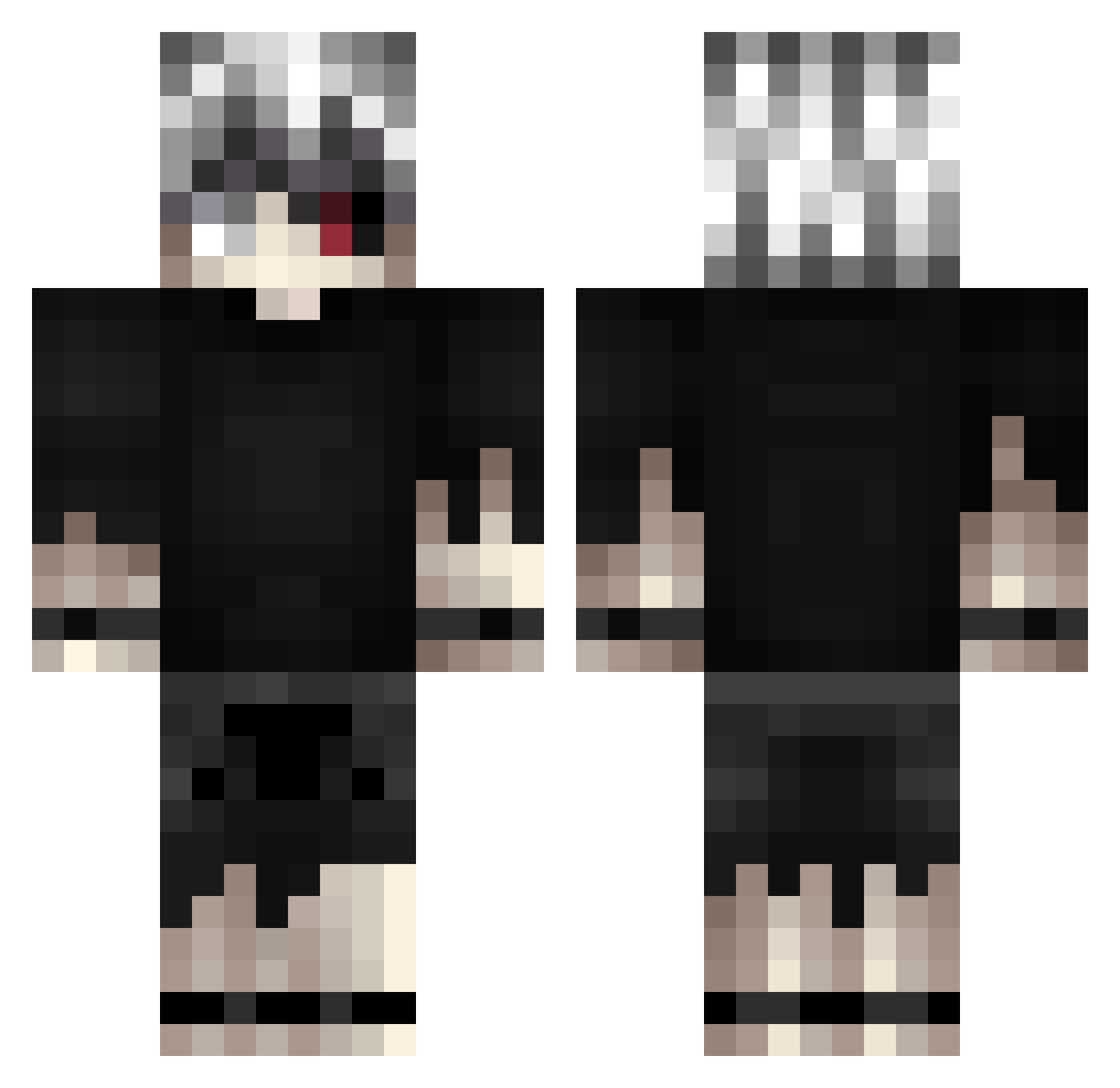
Current Minecraft skin of the player tealion, loaded from the official Mojang API. Rotate the 3D model with your mouse or finger, then download the skin as a PNG file and use it in Minecraft: Bedrock Edition or Java Edition for free. When tealion changes their skin, this page updates automatically and the old skin stays in the history below.
Other players with this skin (421)
tealion was the 393rd player we have seen with this skin, first spotted on 30.10.2026. The same skin was seen on these players. Open a nickname to see their current skin and skin history.
 TripHippie DemolOfficial WUJT2137 Karmageddon71 Kenikii Rankzify vavanouu_ Routack SabriOG cwispy133 Stufb1tsh nixnix666 Sluushinho K1ngAngel GinKSA Esteban_____ YoungNuno GimpsRum Justin3686 iWiked Jaxattax417 Vonnyx Louissq DrewWarb Evenbr ItsOfficiallyJd i_love_tork webtoon_addict Mr_Sticku zILikeDaWay rafyraf09 ZENWEST Sonticg wyuyu319 LunarLeoma grozizi BeyondPro LapsitExillis redeker_11 Allahbrn dead2137 livaiiy AshuraTheKami sudden6772 JaySki46 c1urkzy Kupisiak FuryStrongTR kiiuuh Loith VZN_Geonosis 83key225 Santong240 witz1 GonePvP Chiinocum ChehS Nitsu45 GodBlessNineteen SawAnime
More Kaneki Ken Minecraft skins
How to install the tealion skin
- Press the Download button above to save the skin as a PNG file.
- Minecraft: Bedrock Edition (PE): open the Dressing Room from the main menu (or tap your character → Edit Character), go to Classic Skins → Owned, press the + (new skin) button, choose the downloaded PNG and pick the Classic (Steve) model. Works on PC and mobile; consoles cannot import custom skins.
- Minecraft: Java Edition: open the Minecraft Launcher, go to the Skins tab, click New Skin, load the PNG, pick the Classic (Steve) model and press Save & Use. You can also upload it at minecraft.net → Profile → Change Skin.
The skin does not show up after import - what should I do?
Restart Minecraft and open the Dressing Room again - imported skins sometimes appear only after a restart. Also make sure you selected the imported skin and picked the Classic (Steve) model.
Which model should I choose, Classic or Slim?
This skin is designed for the Classic (Steve) model. If you pick the wrong model, the arms of the skin will look stretched or squeezed.
Is the skin of tealion free to download?
Yes. Press Download, save the PNG file and use it in Minecraft: Bedrock Edition or Java Edition - no payment or registration needed. The skin also works on multiplayer servers and Realms.
More skins
Looking for more? Go back to all Minecraft skins and check the top skins of the week, month and all time, or find any player's skin by nickname.