
tapo92 - Minecraft Skins & Skin History
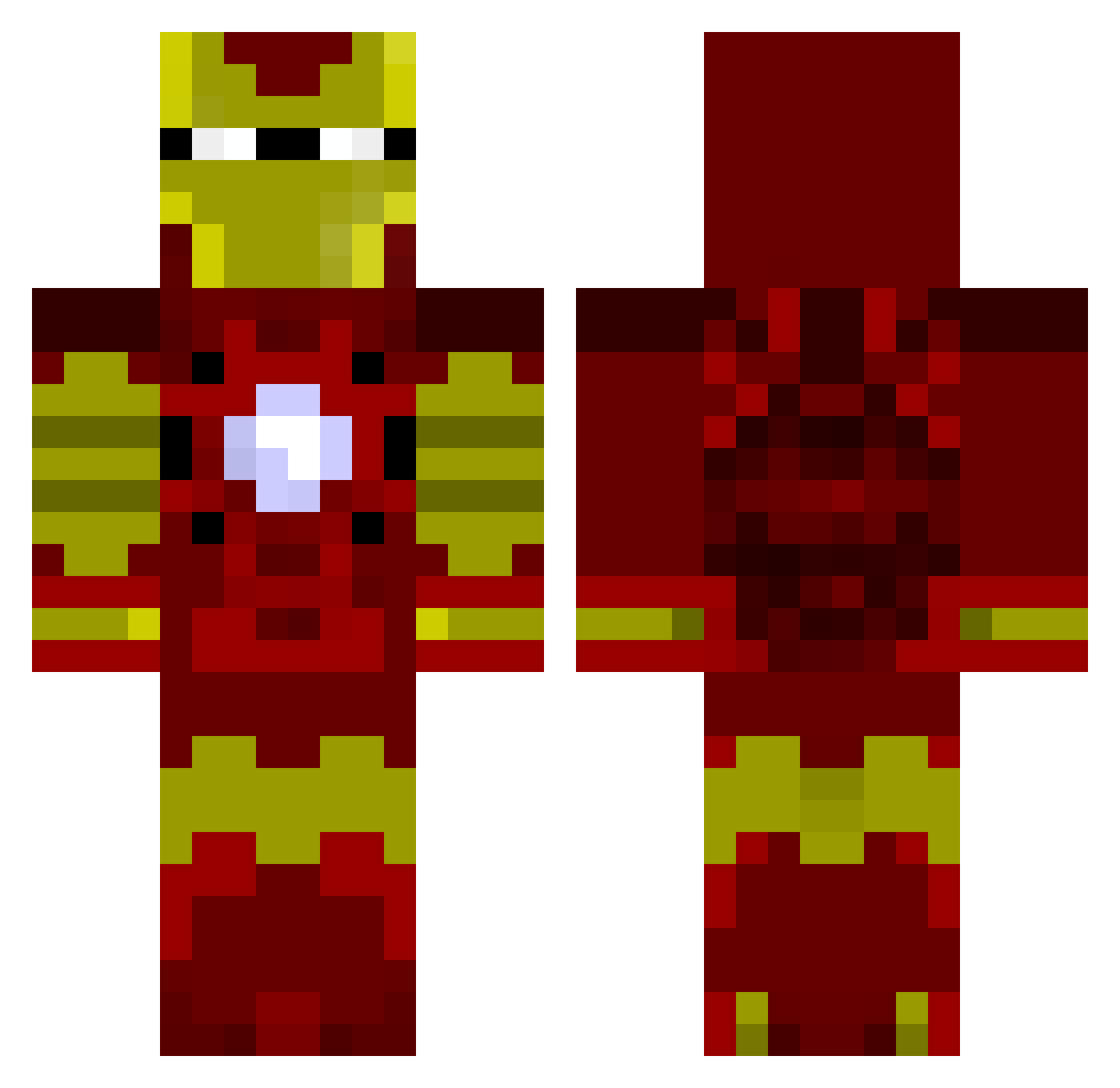
Current Minecraft skin of the player tapo92, loaded from the official Mojang API. Rotate the 3D model with your mouse or finger, then download the skin as a PNG file and use it in Minecraft: Bedrock Edition or Java Edition for free. When tapo92 changes their skin, this page updates automatically and the old skin stays in the history below.
Other players with this skin (1032)
tapo92 was the 872nd player we have seen with this skin, first spotted on 27.10.2026. The same skin was seen on these players. Open a nickname to see their current skin and skin history.
 austindat123 andrekorps Mosrael99 crazybrendon miaballer305 Chuck_Norris456 DurkaTom NeoGeo128 DLH__ HoopMaster826 Instantcoffeehit emomaniackilller fake_ NiKe_KiD_013 LyTningMan hmsharry PieterBeatz djcoley EbbaWiberg Witty87 ancientmamoth CorJ4 Hero_Don iPlayCubeSMP thebeanhead55 Hexlogic shrem101 Silvar333 YupanQui ImOliven SuGaRiNElite ninja4107 Boomshukaluka42 declaration17 MrPacifica ScaryTunnel DTHOodmaN eotvilling tskufifqtogwudkn PressBtoCrouch mattchowww gaudet49 hoare89 Osiro Kaleb822 chaim354 MoonOneLR TSLMINNING SonofChaos109 GWERCHA ministubbs Challen36 jcuevas11 AEVANS DonMelchior ploptops MrChubman EnglishPaanda bimbimmarshall ihateeggs
More Iron Man Minecraft skins
How to install the tapo92 skin
- Press the Download button above to save the skin as a PNG file.
- Minecraft: Bedrock Edition (PE): open the Dressing Room from the main menu (or tap your character → Edit Character), go to Classic Skins → Owned, press the + (new skin) button, choose the downloaded PNG and pick the Classic (Steve) model. Works on PC and mobile; consoles cannot import custom skins.
- Minecraft: Java Edition: open the Minecraft Launcher, go to the Skins tab, click New Skin, load the PNG, pick the Classic (Steve) model and press Save & Use. You can also upload it at minecraft.net → Profile → Change Skin.
The skin does not show up after import - what should I do?
Restart Minecraft and open the Dressing Room again - imported skins sometimes appear only after a restart. Also make sure you selected the imported skin and picked the Classic (Steve) model.
Which model should I choose, Classic or Slim?
This skin is designed for the Classic (Steve) model. If you pick the wrong model, the arms of the skin will look stretched or squeezed.
Is the skin of tapo92 free to download?
Yes. Press Download, save the PNG file and use it in Minecraft: Bedrock Edition or Java Edition - no payment or registration needed. The skin also works on multiplayer servers and Realms.
More skins
Looking for more? Go back to all Minecraft skins and check the top skins of the week, month and all time, or find any player's skin by nickname.