
sttutss - Minecraft Skins & Skin History
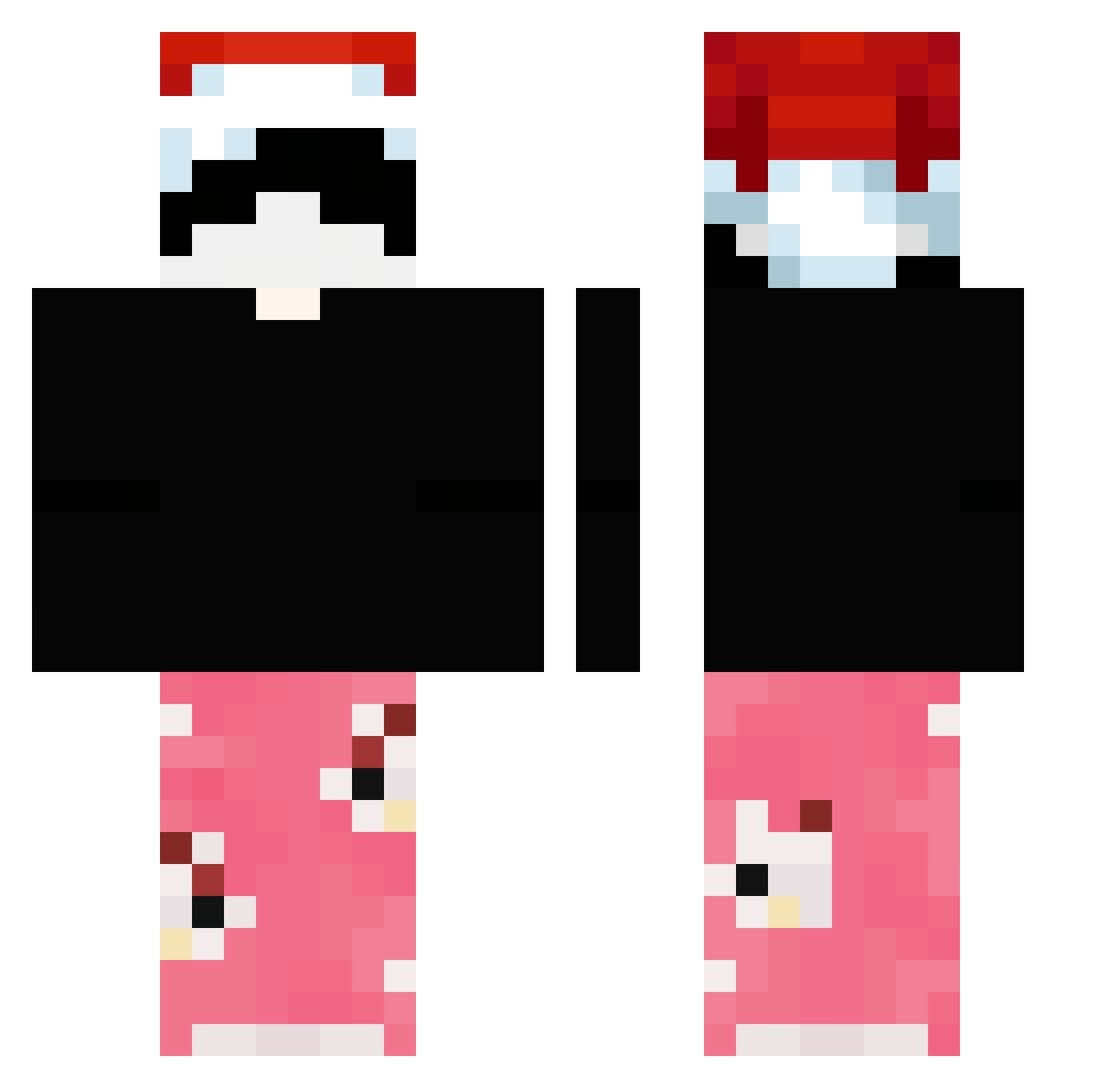
Current Minecraft skin of the player sttutss, loaded from the official Mojang API. Rotate the 3D model with your mouse or finger, then download the skin as a PNG file and use it in Minecraft: Bedrock Edition or Java Edition for free. When sttutss changes their skin, this page updates automatically and the old skin stays in the history below.
Other players with this skin (57)
sttutss was the 40th player we have seen with this skin, first spotted on 16.10.2026. The same skin was seen on these players. Open a nickname to see their current skin and skin history.
 Fabilolol075 mihaiplo Eiee gorecore1 zenx223 Kamdoesnt FerCat97 wikowski233 _Itzrealorehek_ Shynox_45 ghostGod1223 DroopedByNekota Mati1056 HenrriMC PelaoReD Andrika1300 Hazardzista3000 YNKo BabetaBageta01 KillFilo jasonell brightsun84 reived Muuzou kuboleza paataa96 Berfaay __Chillz___ skyxc_ yCombeiG0D fusimov2 yLACERDA A0A1A2A3 itz_lazycpvp MMM_fluffy Pr3Zm0 BubleBum cahmmo
 Presizee WHDMSTKD2003 TOTENUMMER mtheuusz iangoku3010 SchAugusto myoo19 sansonn prahlu aileenk12 1Jemand Boss_k4antor Cvele__ G3R405 zxc999a TrustIThrow MaciekSIUSIAK
 joelfries WpadlemDoZlewu
More Christmas Hat Minecraft skins
See all 296 Christmas Hat skins
How to install the sttutss skin
- Press the Download button above to save the skin as a PNG file.
- Minecraft: Bedrock Edition (PE): open the Dressing Room from the main menu (or tap your character → Edit Character), go to Classic Skins → Owned, press the + (new skin) button, choose the downloaded PNG and pick the Classic (Steve) model. Works on PC and mobile; consoles cannot import custom skins.
- Minecraft: Java Edition: open the Minecraft Launcher, go to the Skins tab, click New Skin, load the PNG, pick the Classic (Steve) model and press Save & Use. You can also upload it at minecraft.net → Profile → Change Skin.
The skin does not show up after import - what should I do?
Restart Minecraft and open the Dressing Room again - imported skins sometimes appear only after a restart. Also make sure you selected the imported skin and picked the Classic (Steve) model.
Which model should I choose, Classic or Slim?
This skin is designed for the Classic (Steve) model. If you pick the wrong model, the arms of the skin will look stretched or squeezed.
Is the skin of sttutss free to download?
Yes. Press Download, save the PNG file and use it in Minecraft: Bedrock Edition or Java Edition - no payment or registration needed. The skin also works on multiplayer servers and Realms.
More skins
Looking for more? Go back to all Minecraft skins and check the top skins of the week, month and all time, or find any player's skin by nickname.