
stavyg - Minecraft Skins & Skin History
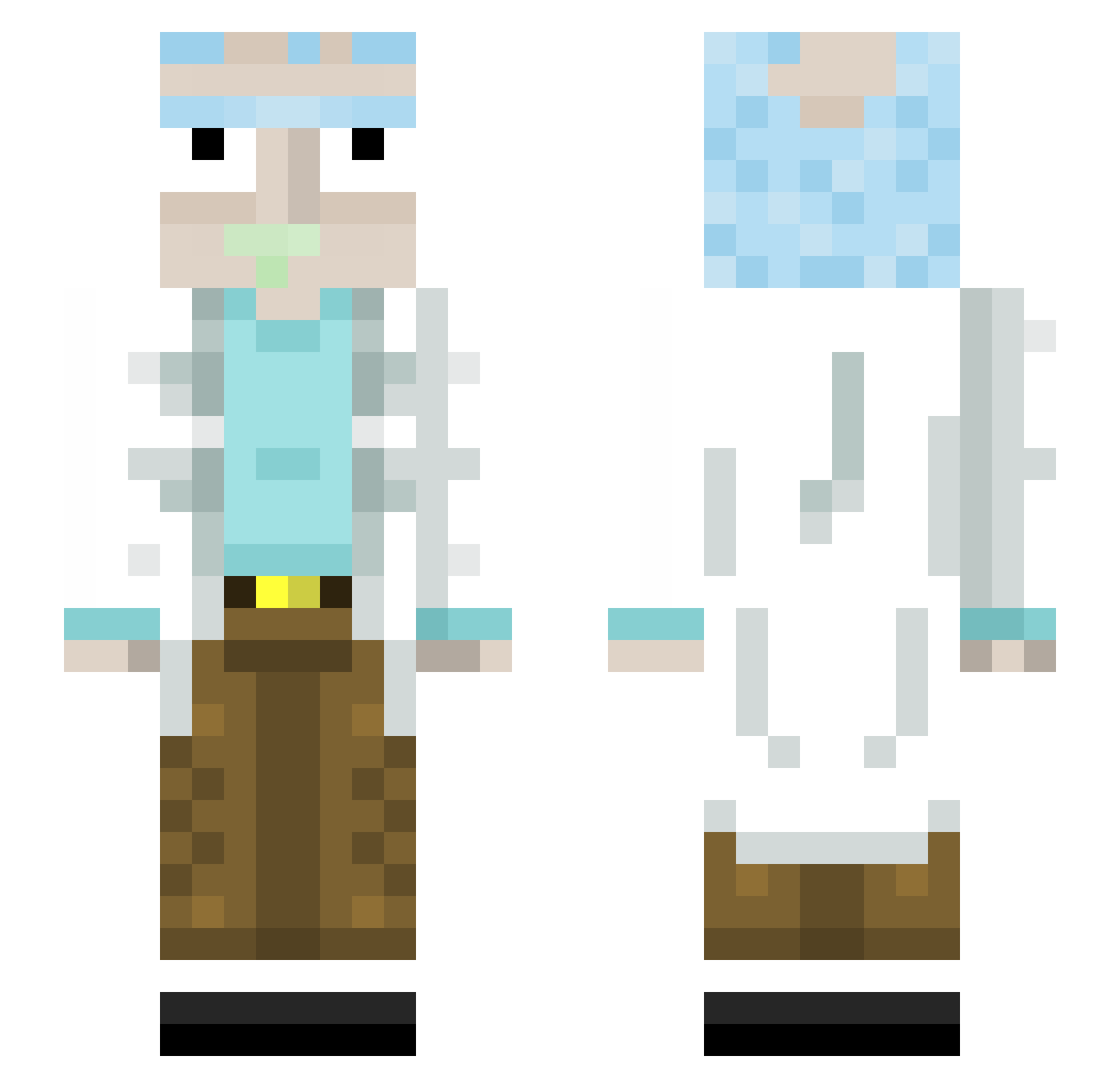
Current Minecraft skin of the player stavyg, loaded from the official Mojang API. Rotate the 3D model with your mouse or finger, then download the skin as a PNG file and use it in Minecraft: Bedrock Edition or Java Edition for free. When stavyg changes their skin, this page updates automatically and the old skin stays in the history below.
Other players with this skin (445)
stavyg was the 331st player we have seen with this skin, first spotted on 14.10.2026. The same skin was seen on these players. Open a nickname to see their current skin and skin history.
 GG_Brands Sandoz12194 Sanchez_Rick kiwun theo_slow ioanpao SpaceStorm68 PinkiBye ichic0 jozag44 xAeolian Cholodecki MFT7917 Avisha Klabusterman NatanzinxD TeTiWarrior Jordnone1 BryanBadonde reverendjudas xandier007 Katsuikoo srp007 Nearox75 adman04 siemaktoplxd Jojoos FCBPato valeriavene Garageeee21 afterlivez iStormtrooper24 o0STATIC Willz11nn Raupachen ItsTeeqo RlCKandMORTY ED0G3 asfirekill Lauingerr ThatFooFrank tifatney Warface420 the9ika KakaoluIspanak woodslong OhLindor ODantas MakoNinja JuicyAssLips LANKYCHICKEN567 Bell_boy14 VinceGardenr JhoanBO Klindeu michi626 FAHHA Kouelstan FlowenDu31 VHugoKG
More Rick Sanchez Minecraft skins
See all 218 Rick Sanchez skins
How to install the stavyg skin
- Press the Download button above to save the skin as a PNG file.
- Minecraft: Bedrock Edition (PE): open the Dressing Room from the main menu (or tap your character → Edit Character), go to Classic Skins → Owned, press the + (new skin) button, choose the downloaded PNG and pick the Slim (Alex) model. Works on PC and mobile; consoles cannot import custom skins.
- Minecraft: Java Edition: open the Minecraft Launcher, go to the Skins tab, click New Skin, load the PNG, pick the Slim (Alex) model and press Save & Use. You can also upload it at minecraft.net → Profile → Change Skin.
The skin does not show up after import - what should I do?
Restart Minecraft and open the Dressing Room again - imported skins sometimes appear only after a restart. Also make sure you selected the imported skin and picked the Slim (Alex) model.
Which model should I choose, Classic or Slim?
This skin is designed for the Slim (Alex) model. If you pick the wrong model, the arms of the skin will look stretched or squeezed.
Is the skin of stavyg free to download?
Yes. Press Download, save the PNG file and use it in Minecraft: Bedrock Edition or Java Edition - no payment or registration needed. The skin also works on multiplayer servers and Realms.
More skins
Looking for more? Go back to all Minecraft skins and check the top skins of the week, month and all time, or find any player's skin by nickname.