
star_wheatley - Minecraft Skins & Skin History
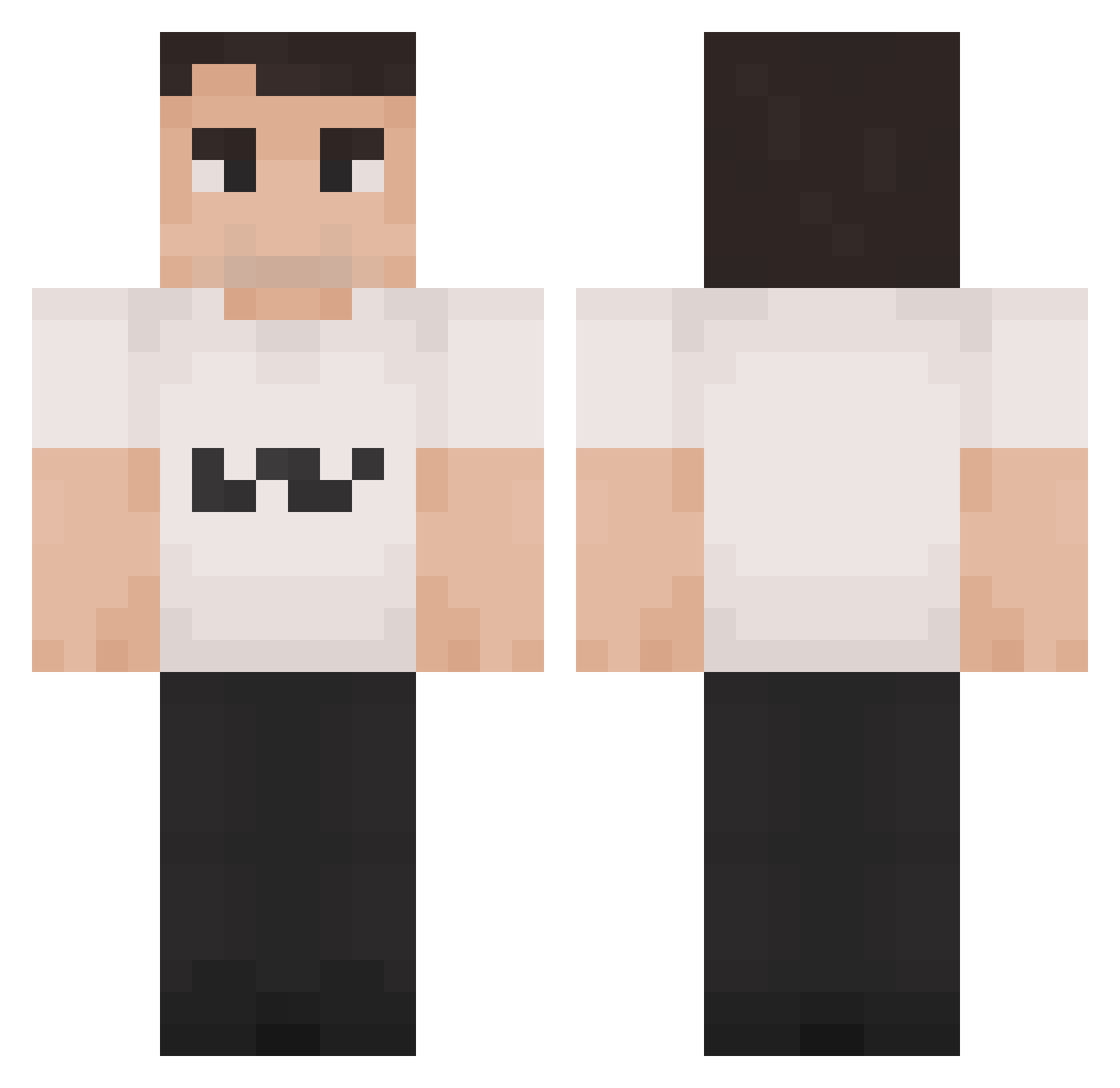
Current Minecraft skin of the player star_wheatley, loaded from the official Mojang API. Rotate the 3D model with your mouse or finger, then download the skin as a PNG file and use it in Minecraft: Bedrock Edition or Java Edition for free. When star_wheatley changes their skin, this page updates automatically and the old skin stays in the history below.
Other players with this skin (1419)
star_wheatley was the 1308th player we have seen with this skin, first spotted on 29.10.2026. The same skin was seen on these players. Open a nickname to see their current skin and skin history.
 Alfredwpw ILovemyKakao Drzuse jqnazz MingEmperorADOLF Schnackbommel voabz Alubarna Jorhen820 ABUABED_ beefstack chilifusion BobbyBroccoli52 Psychopath_x TabletopFinn pabsjr lilCog316 dreeepy Lukas_Dntr nxstc GooseButArabic enderherobrine_ NAUTICALNESS narxcia rrxdrxm MossWizard1 rotarenicni22 BarElChisme jakubiec Probnothuman192 theniejasboy FKyson UltraCyborg1108 BaltiLoca69 Boerz SireDookie vrr_ blasfemia3962 Antibrumm BigBlakGlock melthaiti Purqes gwlvmommy Ally2trappy OLBos124 Skyman1218 Crypz76 Caglar21 lawman_90p TheWaffen Shadow031109 DrDom2005 SpotShot lizzybeast IHaveChromosome BongWonga just_arock gupbleh SillyCatMan ThrownFungus185
More Schlatt Minecraft skins
How to install the star_wheatley skin
- Press the Download button above to save the skin as a PNG file.
- Minecraft: Bedrock Edition (PE): open the Dressing Room from the main menu (or tap your character → Edit Character), go to Classic Skins → Owned, press the + (new skin) button, choose the downloaded PNG and pick the Classic (Steve) model. Works on PC and mobile; consoles cannot import custom skins.
- Minecraft: Java Edition: open the Minecraft Launcher, go to the Skins tab, click New Skin, load the PNG, pick the Classic (Steve) model and press Save & Use. You can also upload it at minecraft.net → Profile → Change Skin.
The skin does not show up after import - what should I do?
Restart Minecraft and open the Dressing Room again - imported skins sometimes appear only after a restart. Also make sure you selected the imported skin and picked the Classic (Steve) model.
Which model should I choose, Classic or Slim?
This skin is designed for the Classic (Steve) model. If you pick the wrong model, the arms of the skin will look stretched or squeezed.
Is the skin of star_wheatley free to download?
Yes. Press Download, save the PNG file and use it in Minecraft: Bedrock Edition or Java Edition - no payment or registration needed. The skin also works on multiplayer servers and Realms.
More skins
Looking for more? Go back to all Minecraft skins and check the top skins of the week, month and all time, or find any player's skin by nickname.