
sondexxxxx - Minecraft Skins & Skin History
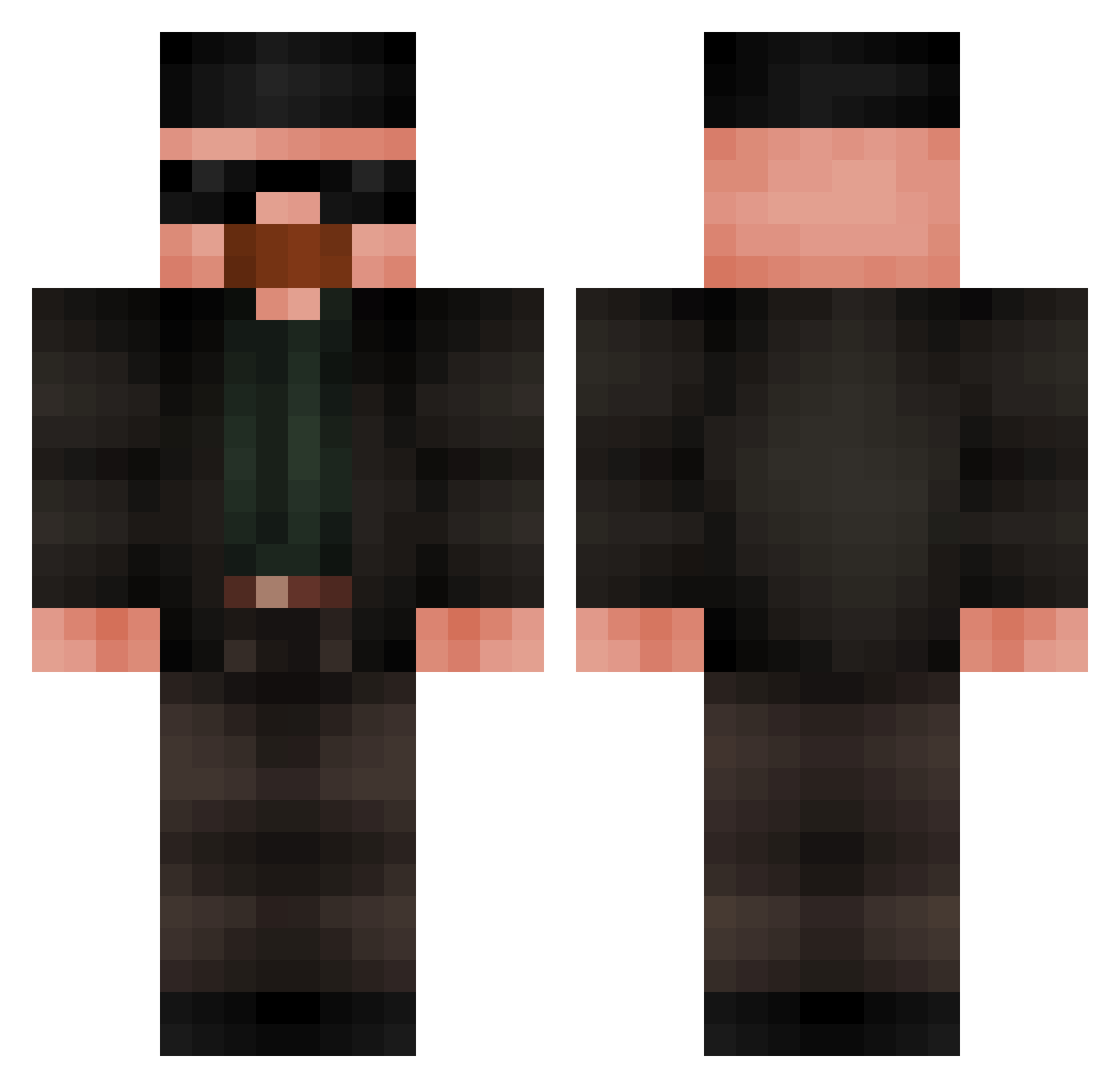
Current Minecraft skin of the player sondexxxxx, loaded from the official Mojang API. Rotate the 3D model with your mouse or finger, then download the skin as a PNG file and use it in Minecraft: Bedrock Edition or Java Edition for free. When sondexxxxx changes their skin, this page updates automatically and the old skin stays in the history below.
Other players with this skin (567)
sondexxxxx was the 545th player we have seen with this skin, first spotted on 08.11.2026. The same skin was seen on these players. Open a nickname to see their current skin and skin history.
 TRICHIS L0ngingwood32 Dyno293 KCRxwn carry_underwood IRealChain Gangrena24 mrstealyourblyat depositodefezes AkolS MisterB2500 OZZY_BOI pfountains travisbaf fersjijijija righteny MGkillergamer DennisB84 himm3t Vertappen ItzPikalee JACKAROOiscool FoxyTheBoss104 davizeiraaa Yakaristaken boringwhiteboy Aztrek kaka_1322 TheC_ ISuckAtVijaGames BetterR1ngFring Rrenc nlngwa jonny72687 SrCoito iSpectate2 balkkk mrkrabs1236 wilzao Andrezera Duffyfluffy ShineBrown5482 GhostKingGHG Mascherpe alexramos dNyous Abobins Alphad0r SantosAds BeansAreGood3 DEPNYL YourDailyUber PIPPO70 Benda1888 DavidProRacer GamerBoy705i LaLerch Br4tto PandiMagyar Flouuzz
More Heisenberg Minecraft skins
How to install the sondexxxxx skin
- Press the Download button above to save the skin as a PNG file.
- Minecraft: Bedrock Edition (PE): open the Dressing Room from the main menu (or tap your character → Edit Character), go to Classic Skins → Owned, press the + (new skin) button, choose the downloaded PNG and pick the Classic (Steve) model. Works on PC and mobile; consoles cannot import custom skins.
- Minecraft: Java Edition: open the Minecraft Launcher, go to the Skins tab, click New Skin, load the PNG, pick the Classic (Steve) model and press Save & Use. You can also upload it at minecraft.net → Profile → Change Skin.
The skin does not show up after import - what should I do?
Restart Minecraft and open the Dressing Room again - imported skins sometimes appear only after a restart. Also make sure you selected the imported skin and picked the Classic (Steve) model.
Which model should I choose, Classic or Slim?
This skin is designed for the Classic (Steve) model. If you pick the wrong model, the arms of the skin will look stretched or squeezed.
Is the skin of sondexxxxx free to download?
Yes. Press Download, save the PNG file and use it in Minecraft: Bedrock Edition or Java Edition - no payment or registration needed. The skin also works on multiplayer servers and Realms.
More skins
Looking for more? Go back to all Minecraft skins and check the top skins of the week, month and all time, or find any player's skin by nickname.