
sjonny11222 - Minecraft Skins & Skin History
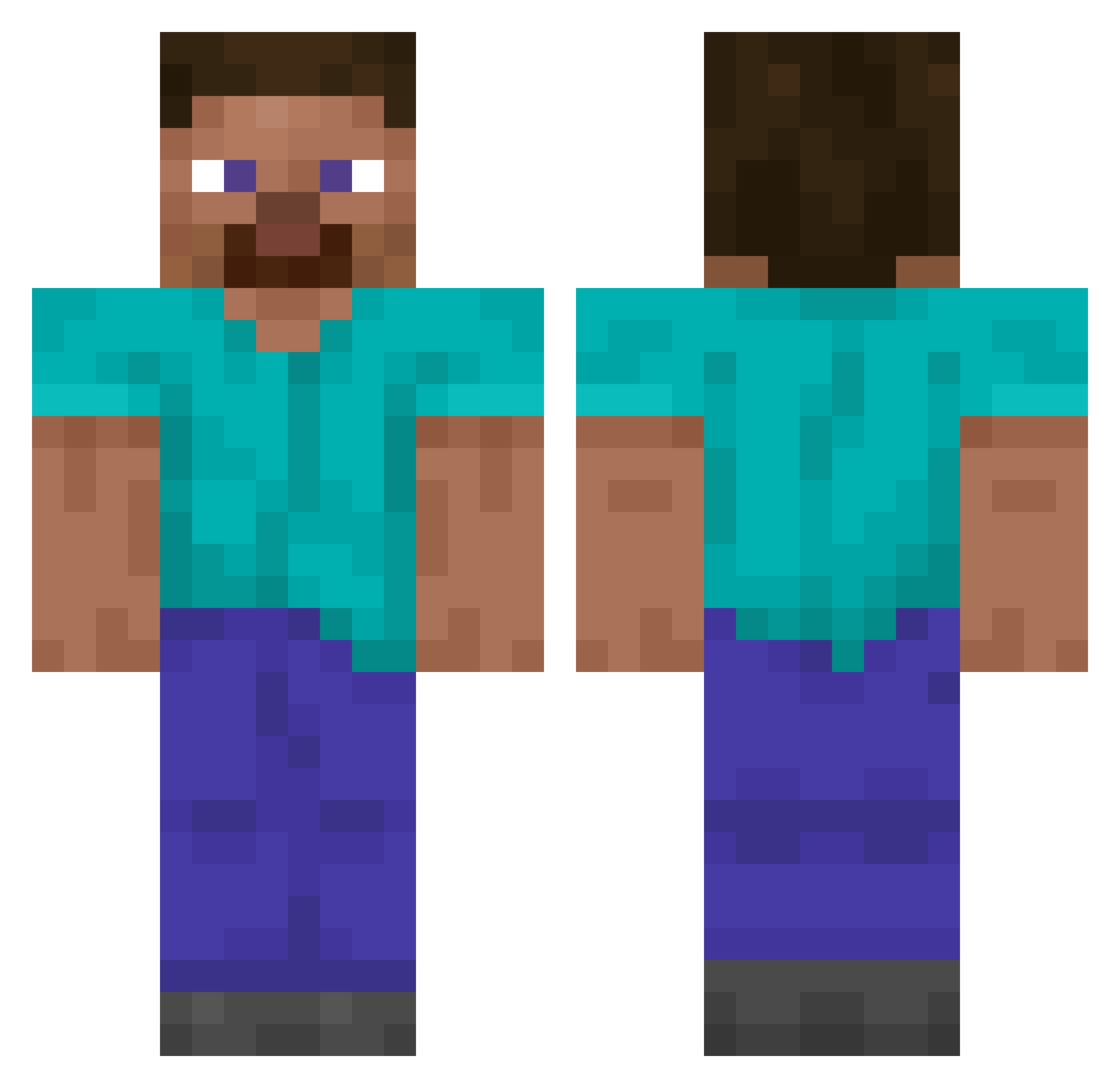
Current Minecraft skin of the player sjonny11222, loaded from the official Mojang API. Rotate the 3D model with your mouse or finger, then download the skin as a PNG file and use it in Minecraft: Bedrock Edition or Java Edition for free. When sjonny11222 changes their skin, this page updates automatically and the old skin stays in the history below.
Other players with this skin (14063)
sjonny11222 was the 10439th player we have seen with this skin, first spotted on 14.10.2026. The same skin was seen on these players. Open a nickname to see their current skin and skin history.
 Im__fine Pepparkakshus pand5013 WoRB34 Aspi_09 Killerbean1133 dragonslayer4433 WoahClash HenriRK Boss_Craft468 RealLubird guilhermefm_06 rlakwls ArJSuas GroovyJoann joshboyes ConnorIsHere Sle3ping kmgf0925 Hancill alanwot123 Mario_36 the77blocks FrogZer4287 c0vfee ultralio Thines8 OutPlot Toocoolmeil bigconner pasteurise pBloSSJ Tommyolson2 senkou04 ninjamann1 iiwnl Pocco2013 Steubi Flufff1 robuc PacBleu yal0 BIERSCHISSPETER gabroxx22 ilovecocacola Tarkus MaldJanCopes Secateur NasserOnMC Peepermint_ HILC01 Lapapar2 _Alex_09_ Mnteha freand11 x9ne Reaperze Nairwolf_ Jorgeval2015 Elmzy13371337
How to install the sjonny11222 skin
- Press the Download button above to save the skin as a PNG file.
- Minecraft: Bedrock Edition (PE): open the Dressing Room from the main menu (or tap your character → Edit Character), go to Classic Skins → Owned, press the + (new skin) button, choose the downloaded PNG and pick the Classic (Steve) model. Works on PC and mobile; consoles cannot import custom skins.
- Minecraft: Java Edition: open the Minecraft Launcher, go to the Skins tab, click New Skin, load the PNG, pick the Classic (Steve) model and press Save & Use. You can also upload it at minecraft.net → Profile → Change Skin.
The skin does not show up after import - what should I do?
Restart Minecraft and open the Dressing Room again - imported skins sometimes appear only after a restart. Also make sure you selected the imported skin and picked the Classic (Steve) model.
Which model should I choose, Classic or Slim?
This skin is designed for the Classic (Steve) model. If you pick the wrong model, the arms of the skin will look stretched or squeezed.
Is the skin of sjonny11222 free to download?
Yes. Press Download, save the PNG file and use it in Minecraft: Bedrock Edition or Java Edition - no payment or registration needed. The skin also works on multiplayer servers and Realms.
More skins
Looking for more? Go back to all Minecraft skins and check the top skins of the week, month and all time, or find any player's skin by nickname.