
shotibayot - Minecraft Skins & Skin History
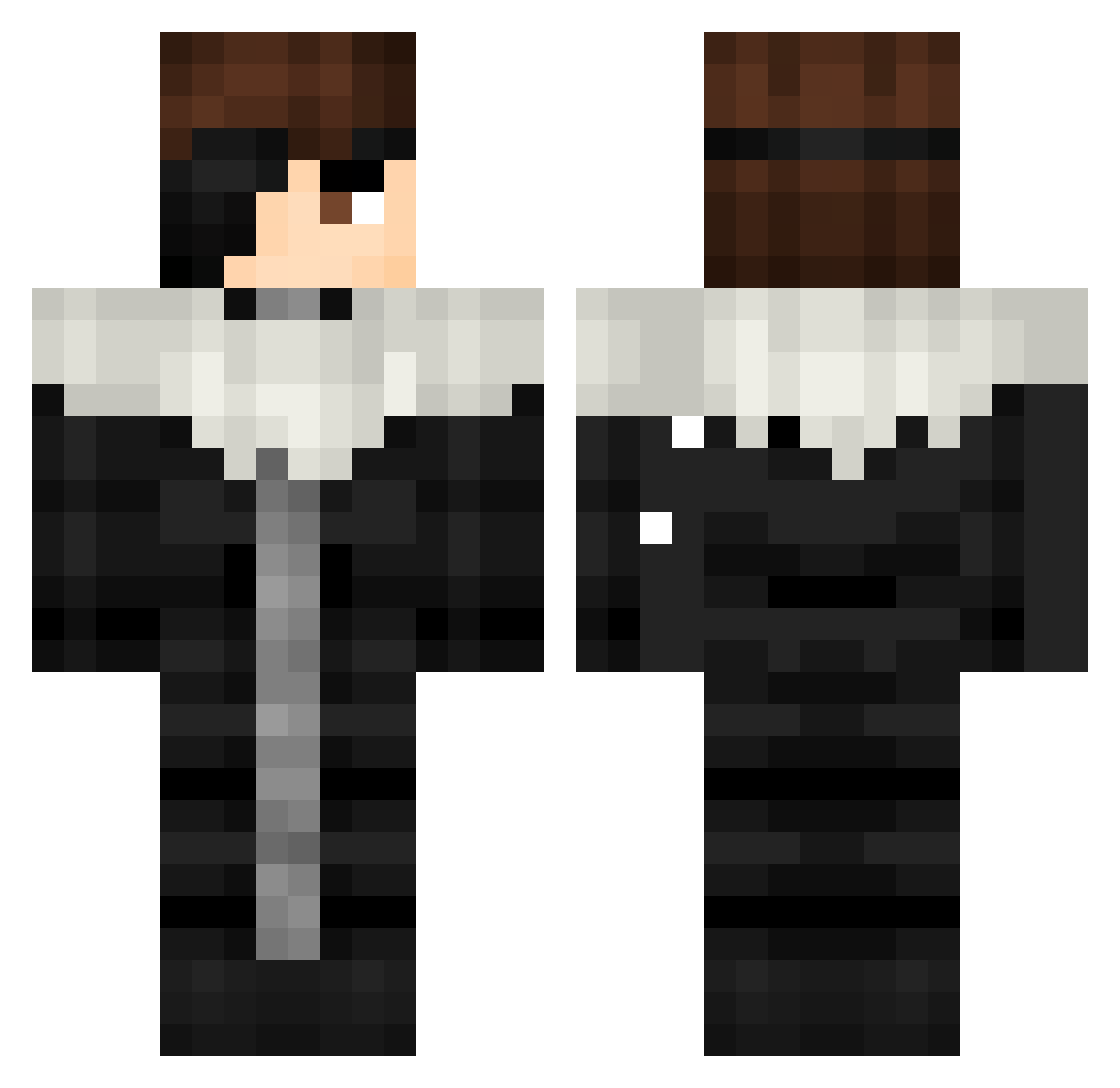
Current Minecraft skin of the player shotibayot, loaded from the official Mojang API. Rotate the 3D model with your mouse or finger, then download the skin as a PNG file and use it in Minecraft: Bedrock Edition or Java Edition for free. When shotibayot changes their skin, this page updates automatically and the old skin stays in the history below.
Other players with this skin (508)
shotibayot was the 446th player we have seen with this skin, first spotted on 30.10.2026. The same skin was seen on these players. Open a nickname to see their current skin and skin history.
 azoz_3 fabioaug17 Vasili_720 ibofield uziascdrun BankCC arkingel Goryutenmetsu1 Aizen_Sosuke_07 shxntr Akenomommy Gaming_God69420 Muhammad6219 xAizen99 HoldMyKotelett Wahab009 Bartulio JollySoda Gusenichka356 Firedragon76555 StrangerKid18 itsis2Spooky sosuke0aizen aimen_ Styphxx Mduanv2 GaboCabo23 NEHAHAHAs Black_Noir789 IpeedMypants000 HiMeGreen Callejeros_0 JesusAhmet KING9087 Aldmeir Vibez_minty zeK_1 SlopGiver79 hollow2223 Pinmaino griffithhhhhhh deatekk Yahairol Sosuke_Abdel AURAM0NST3R Nikokamassacre MOUTLARR AL_hasawi KASIENXJY Rafnalax NonoJericho Kunrek RKatano JoshkiYTB GTheDollar MrTheFatRat JeanneOSecours kwq8_ Maxicuno ImLiterallyAizen
More Squall Leonhart Minecraft skins
See all 3 Squall Leonhart skins
How to install the shotibayot skin
- Press the Download button above to save the skin as a PNG file.
- Minecraft: Bedrock Edition (PE): open the Dressing Room from the main menu (or tap your character → Edit Character), go to Classic Skins → Owned, press the + (new skin) button, choose the downloaded PNG and pick the Classic (Steve) model. Works on PC and mobile; consoles cannot import custom skins.
- Minecraft: Java Edition: open the Minecraft Launcher, go to the Skins tab, click New Skin, load the PNG, pick the Classic (Steve) model and press Save & Use. You can also upload it at minecraft.net → Profile → Change Skin.
The skin does not show up after import - what should I do?
Restart Minecraft and open the Dressing Room again - imported skins sometimes appear only after a restart. Also make sure you selected the imported skin and picked the Classic (Steve) model.
Which model should I choose, Classic or Slim?
This skin is designed for the Classic (Steve) model. If you pick the wrong model, the arms of the skin will look stretched or squeezed.
Is the skin of shotibayot free to download?
Yes. Press Download, save the PNG file and use it in Minecraft: Bedrock Edition or Java Edition - no payment or registration needed. The skin also works on multiplayer servers and Realms.
More skins
Looking for more? Go back to all Minecraft skins and check the top skins of the week, month and all time, or find any player's skin by nickname.