
sheeless - Minecraft Skins & Skin History
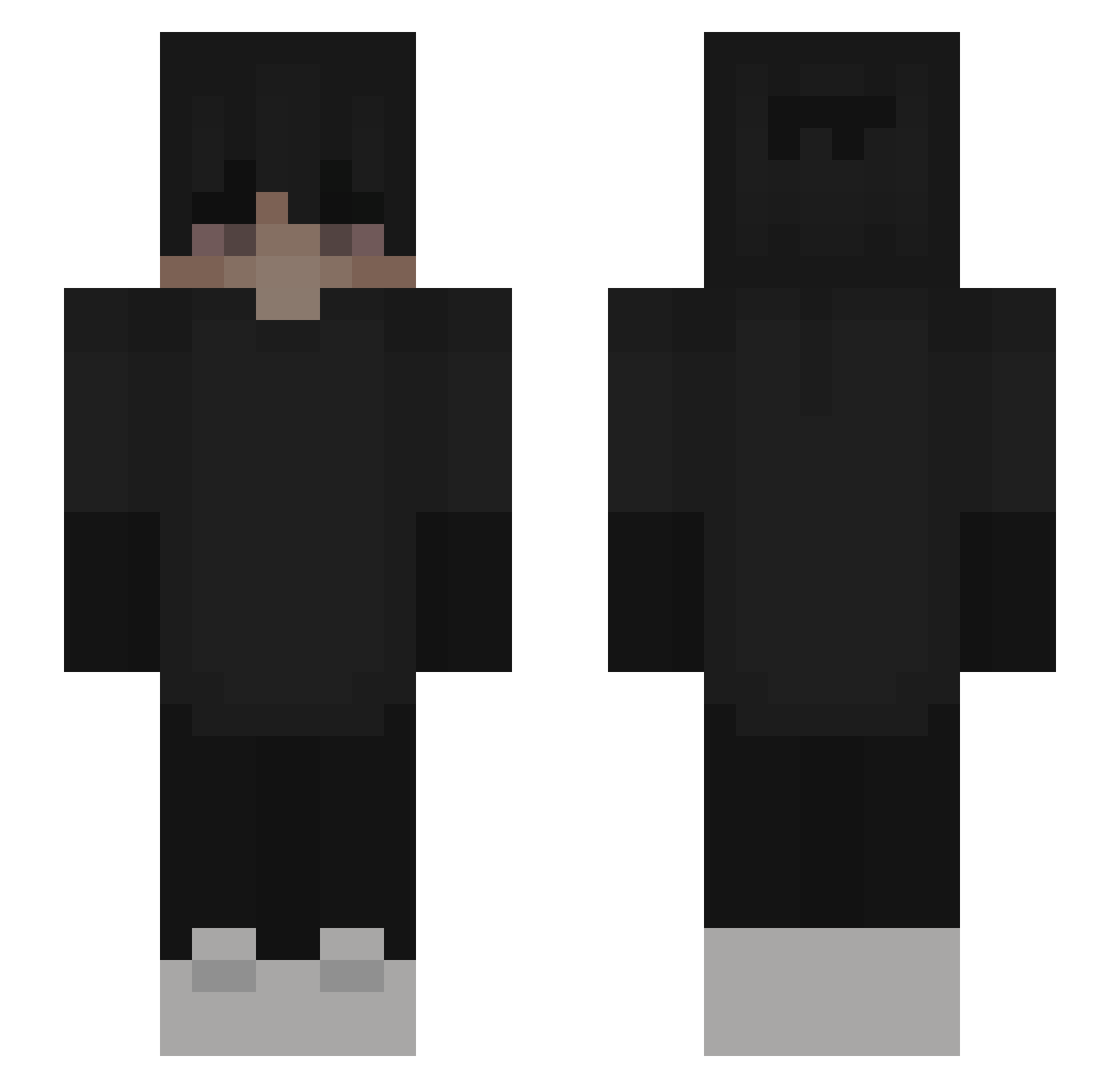
Current Minecraft skin of the player sheeless, loaded from the official Mojang API. Rotate the 3D model with your mouse or finger, then download the skin as a PNG file and use it in Minecraft: Bedrock Edition or Java Edition for free. When sheeless changes their skin, this page updates automatically and the old skin stays in the history below.
Other players with this skin (233)
sheeless was the 204th player we have seen with this skin, first spotted on 30.10.2026. The same skin was seen on these players. Open a nickname to see their current skin and skin history.
 PorTnT_ Duckonatruck gandrasas 343s W1tch3L_ stressly WandRegal vVessie kett5 Kacperszef_ LOKUSOKU Maulwurf2013 Vebelekkk TheDarkCloud05 Ryukeiyo Dicus Victorsi_atat AFlqwlessCombo zixtraxcz Rocco036 matan_3312 BandwurmBrot Onodogu Nawafz Jonii22 OG_Kuba xPugz Zeronix_ZrO Luccin_11 xKaze_ TheLouT Muneeb2002 mattsfine nnyf_13 Bloominglist29 abstr4ct_ YT_Turbify1k angeldustz _Killaa_ 730DaVinci kuzey3131 Luxciano sarg04 bencraft45 JACUS_PROS Lasteado ShIne___ Qmat iRepeatWomanDown Loc3k zDaoren Prefixable HahaImBetter SrArda 17_eighty jjayra Chrisi_TV nnyf13 el1as360 Nachtschatten311
More Emo Minecraft skins
How to install the sheeless skin
- Press the Download button above to save the skin as a PNG file.
- Minecraft: Bedrock Edition (PE): open the Dressing Room from the main menu (or tap your character → Edit Character), go to Classic Skins → Owned, press the + (new skin) button, choose the downloaded PNG and pick the Slim (Alex) model. Works on PC and mobile; consoles cannot import custom skins.
- Minecraft: Java Edition: open the Minecraft Launcher, go to the Skins tab, click New Skin, load the PNG, pick the Slim (Alex) model and press Save & Use. You can also upload it at minecraft.net → Profile → Change Skin.
The skin does not show up after import - what should I do?
Restart Minecraft and open the Dressing Room again - imported skins sometimes appear only after a restart. Also make sure you selected the imported skin and picked the Slim (Alex) model.
Which model should I choose, Classic or Slim?
This skin is designed for the Slim (Alex) model. If you pick the wrong model, the arms of the skin will look stretched or squeezed.
Is the skin of sheeless free to download?
Yes. Press Download, save the PNG file and use it in Minecraft: Bedrock Edition or Java Edition - no payment or registration needed. The skin also works on multiplayer servers and Realms.
More skins
Looking for more? Go back to all Minecraft skins and check the top skins of the week, month and all time, or find any player's skin by nickname.